


RACE RESULT offers numerous options to embed online registration and results seamlessly in your event website.
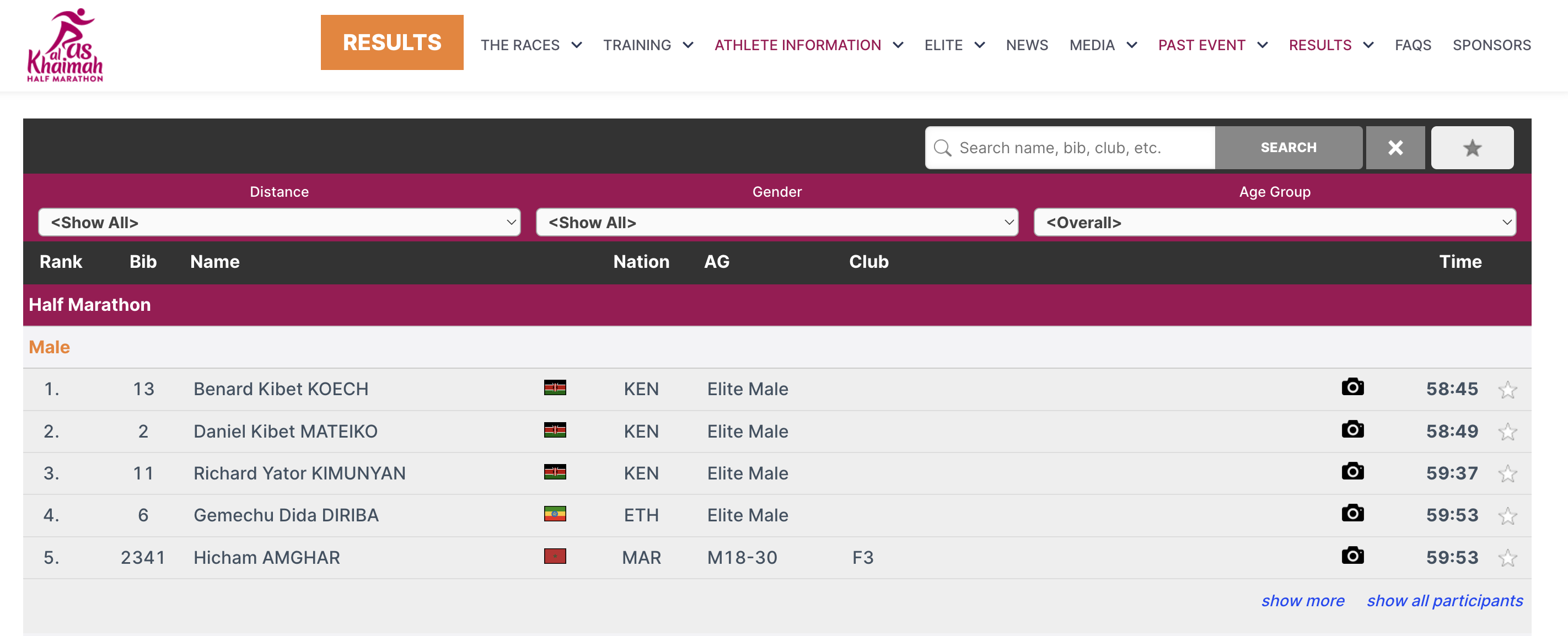
This is done through small Javascript snippets that load the results directly into your website (no iframes). All CSS styles from your website will be applied to the online registration and results as well. Where needed, you can add CSS to fine-tune the appearance.
The Javascript code that needs to be copied and pasted to your website can be found in my.raceresult.com→Website Integration.
Under Embed Single Tab, select the tab or Participant View you want to embed and set the options for it. The JavaScript snippet and the WordPress shortcode below are updated immediately, so you only copy the one your website needs. Any tab can be embedded this way, including Info / Text, Registration, Lists, Reviews, and Contact tabs.
The options you set are included in the WordPress shortcode as well as in the JavaScript snippet. Update the plugin on your WordPress page to version 1.1.4 or later before using the shortcode; it can be downloaded from the same page.
The below articles explain the different types of embed code in more detail.
For the results this may look like this:

In the screenshot above, some of the colors of the results frame have been modified, this is done using custom CSS in the style tags.