


In this example, there will be one event file used only for the scoring of the series.
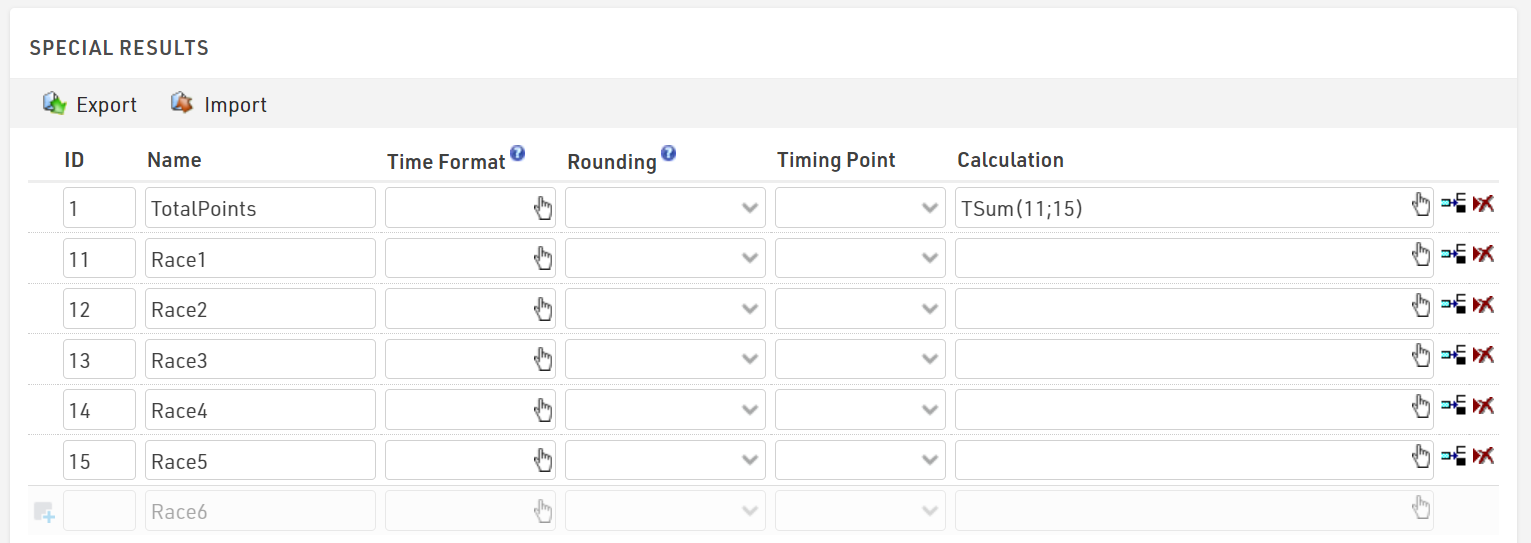
The results in your series event file may look like the below example. The series score (Result ID 1) is the sum of points earned in each race. Results 11-15 are the individual point values for each race once imported.
The results from each race can be imported via Participants⇒Import Participants⇒Import Event File (*.ses):
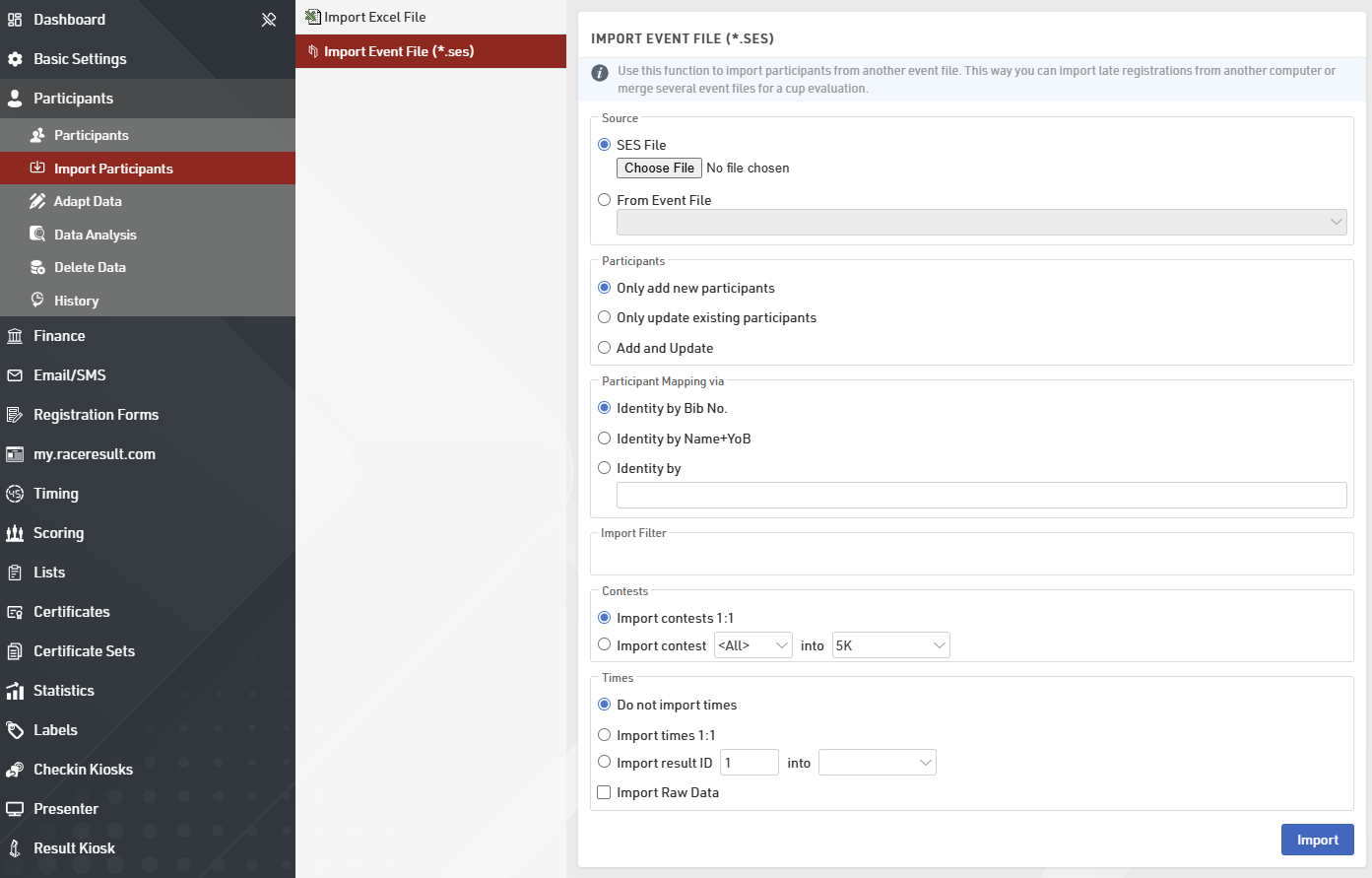
Select the file you wish to import and define the following settings:
- Define how it is decided if two participants are the same person. In most cases, it will be by name and year of birth. If, however, participants have the same bib throughout the series, choose Identity by Bib No.
- Optionally, enter a Filter to select the participants you would like to import.
- Decide how to handle contests. Either participant can be assigned to the same contest (ID) in the series file as in the source file, or if you decide to put the participants in a certain contest in the series file.
- Decide how to import times. In this example, you would calculate the points in each individual race file. When importing, you select the result that contains the points to be imported into one of the results 11 to 15 of the series file.
Make sure to run a Name Compare after the import to find participants with different spellings of their names. For a detailed explanation of the settings available when Importing Participants by Event File.