


In this case, the event file contains the points from each race of the series and does the timing for the current race. Set up the event file like this:
- The timing points do not require any special configuration. In this example there will be only one timing point for start+finish:

- Set up the results:
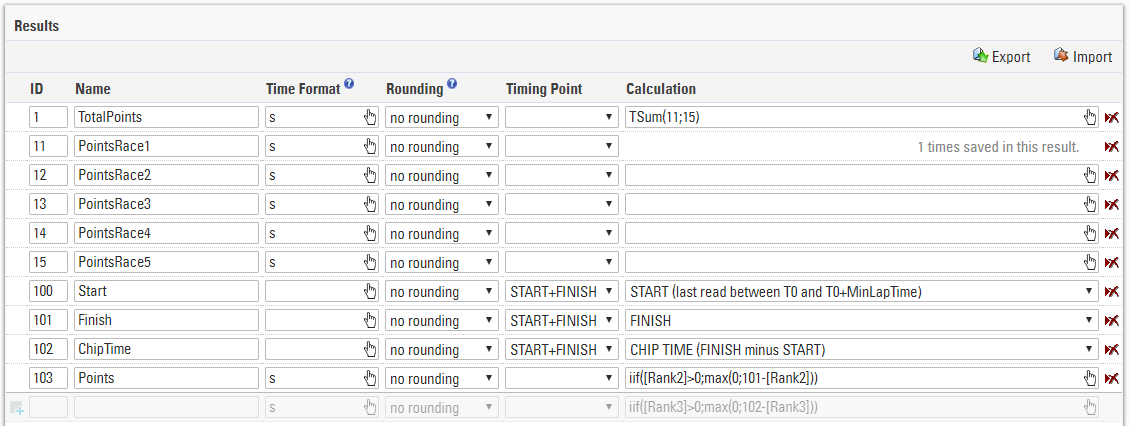
Results 100, 101, 102 are used to time the current race. Result 103 calculates points for the current race based on the rank for the race (rank2).
Results 11 to 15 save the points from each race and result 1 sums up the points. - The rankings could look like this:

Rank1 calculates the rank of the series, Rank2 calculates the rank for the current race.
After one race, proceed in the following steps:
- Write the points in one of the results 11 to 15 using a Data Manipulation, for example:
SET DecimalTime12 to [DecimalTime103] - Create a copy of the event file for the next race.
- Delete the Raw Data from the copy, but keep the points in results 11 to 15.