


For this section, two steps are required:
- Create a Registration Form;
- Publish the form on my.raceresult platform, to let participants register to the Event Series.
Registration Form
In this example we decided to include, within the same step, the input fields for participants' data and address, an HTML table as a recap of all the entry fees available for the Series, and the Entry Fee Table summary which updates itself automatically based on the user's choices.
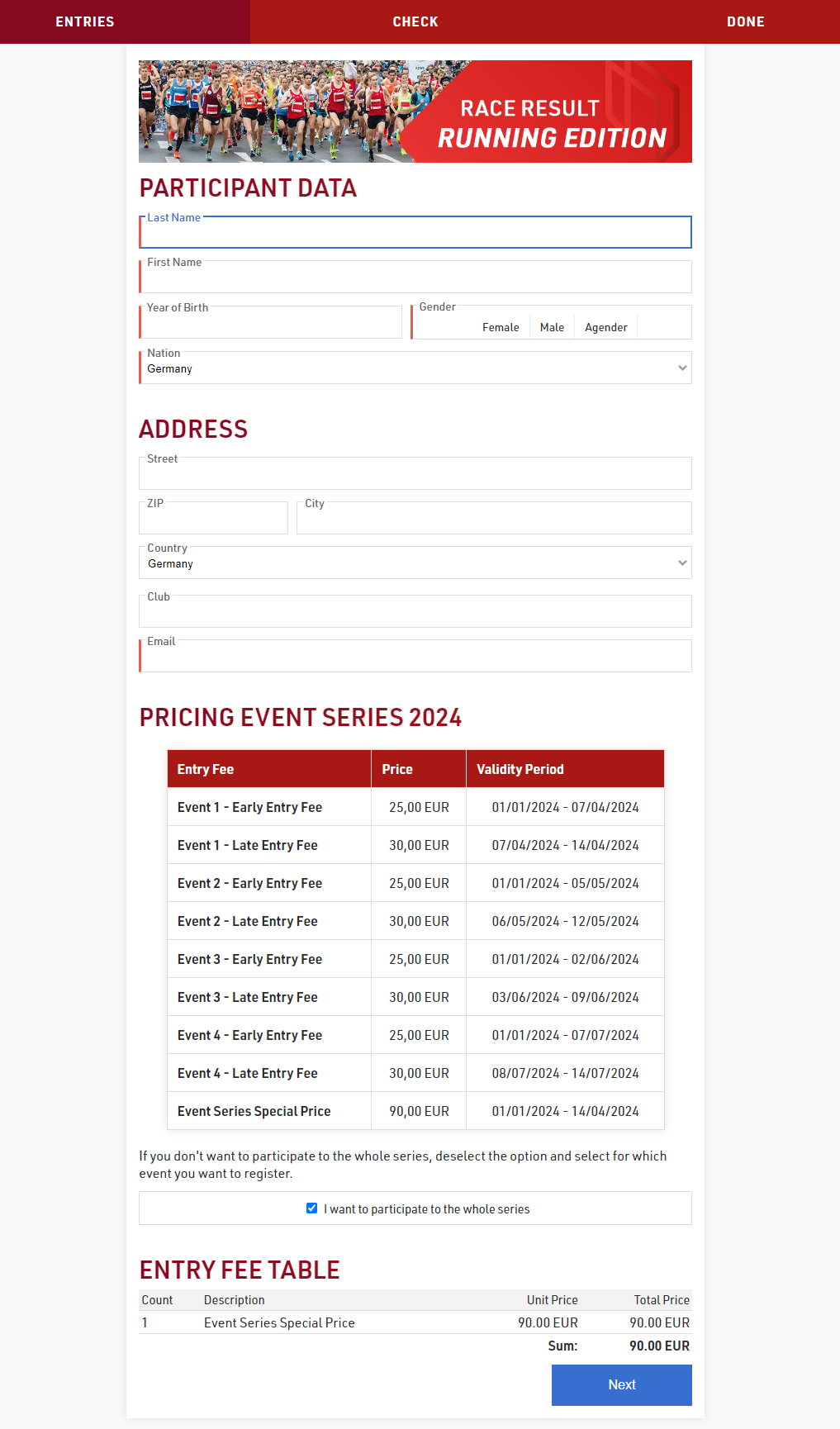
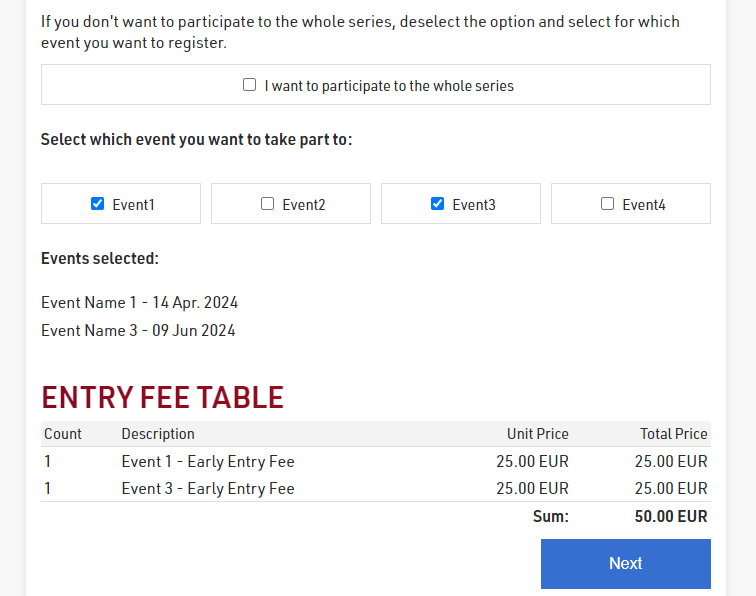
By default, the checkbox WholeSeries is ticked, but as soon as the participant unticks it, the 4 checkboxes created as Additional Fields will appear giving the participant the ability to select specific events one by one.
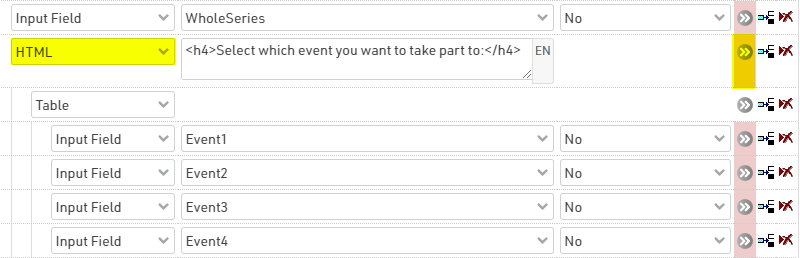
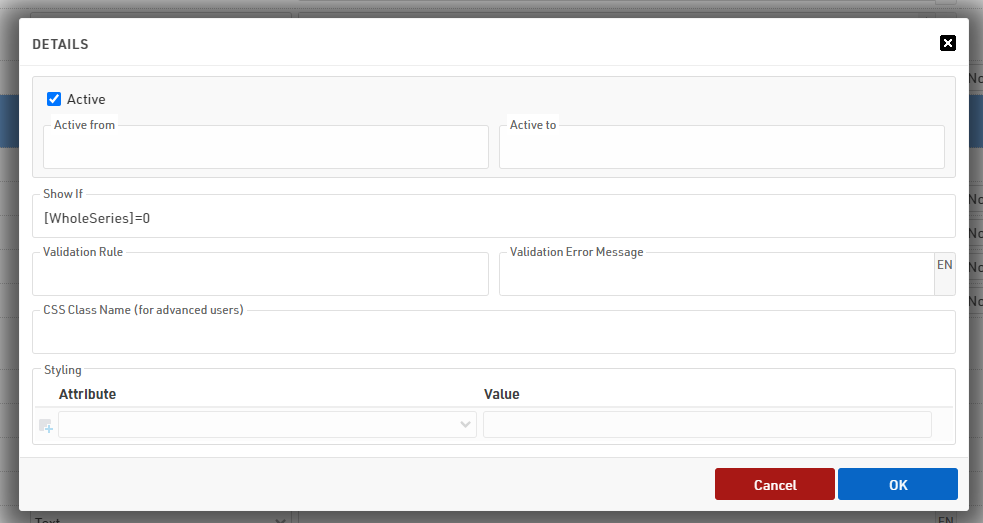
To display/hide fields based on other fields' value, you can use the advanced setting SHOW IF.
To avoid applying the show if to all elements, we have indented all the EventX fields under the parent element HTML highlighted, and applied to it the show if filter:
my.raceresult
For this step, we forward you to the relevant my.rr article, which describes all the steps for enabling the platform for the registration.