


Track Box configuration is set by the RRS Proxy. When the Track Box sends a status call to the server, it will also receive the latest update to the configuration.
Track Box Configuration Rules can only be applied through RACE RESULT 14 online or an event which is linked to your online account (has been checked out from your online account) and are accessed through the timing tab.
Default Configuration
The default configuration applies a set of rules to all Track Boxes which connect to RACE RESULT servers using your Customer ID.
Track Box Configuration Rules will override any other Channel settings you have set through TagTool, but can be overridden by single box configuration using the Timing Tab remote control.
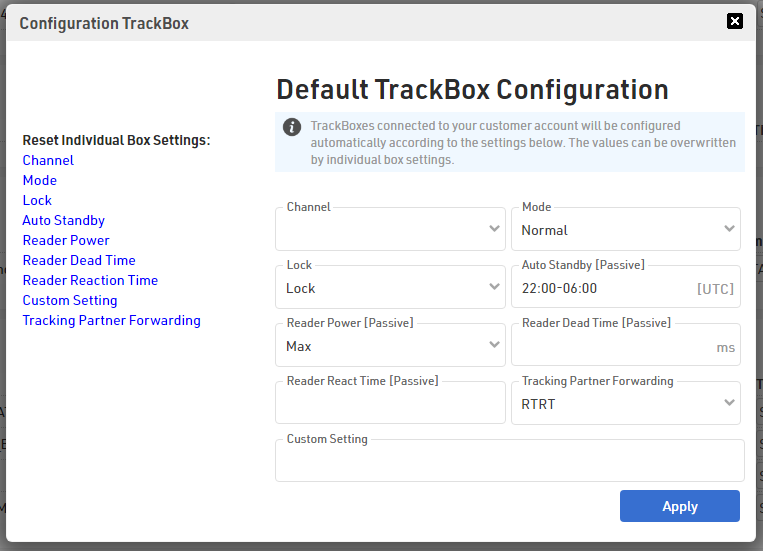
Available Settings
Channel - Channel used for receiving active Track Pings, see Track Ping Detection.
Mode - Modes for data transmission which will impact the battery life. Not every mode is available on both Track Boxes:
- Normal (both box types) allows the Track Box to automatically control data transmission
- Fast (Active Track Box only) uses the most battery with more frequent data transmission intervals
- Slow (Passive Track Box only) reduces UHF reader read rate and transmits Trackping data at greater intervals to preserve battery
- Standby (both box types) sends data and status calls less frequently to preserve battery; Passive Track Boxes will also switch off the UHF reader. In standby, a device may not always appear as online due to the infrequent status calls.
A more detailed explanation of each mode can be found in the Passive Modes and Active Modes KB article.
Lock - If the Track Box is locked, the status LED will not blink at all, and the button will not function at all.
Auto Standby - The times at which the box should switch off automatically must be set as UTC time. This is normally only applicable for permanent installations or where devices may be set up in advance. Times are always 4 digits and always refer to UTC+0. You need to adjust for your local time zone. For example, in Berlin during summer (UTC+2), you need to set 1800-0600 to set standby from eight in the evening until eight in the morning.
Reader Power* - Power output of the UHF reader; this should only be changed in special circumstances:
| Max (default) | maximum allowed in your country (30dBm in most countries) |
| High | 27dBm conducted |
| Medium | 24dBm conducted |
| Low | 21dBm conducted |
+6dBi antenna gain must be added for EIRP value.
Reader Dead Time* - Dead Time of the UHF reader; this should only be changed in special circumstances. Default is 20000ms (20s), Maximum is 60000ms (60s). Please note, the Dead Time must always be longer than the Reaction Time
Reader Reaction Time* - Reaction Time of the UHF reader; this should only be changed in special circumstances. Default is 10000ms (10s), Maximum is 20000ms (20s).
Tracking Partner - If you are working with a supported third-party tracking visualisation partner, then data can be automatically forwarded to their servers
Custom - If you have specific rules that cannot be achieved with the standard settings, you can define a custom rule. You can contact us for further information on custom rules.
* only applicable to Track Box Passive.
Single Box Configuration
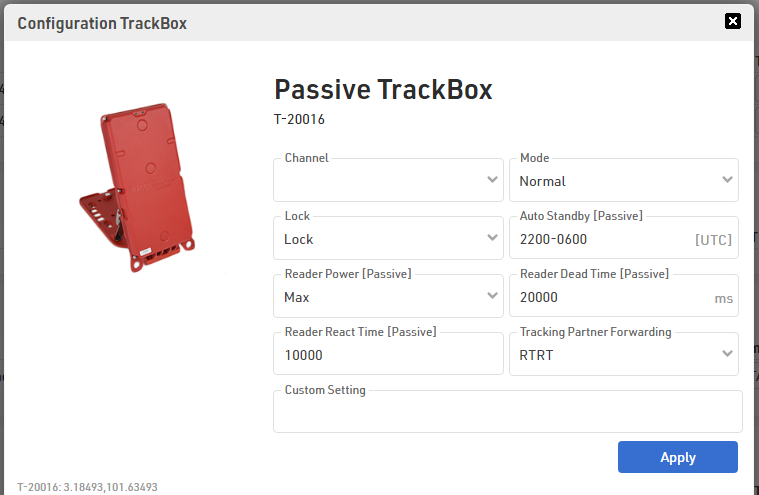
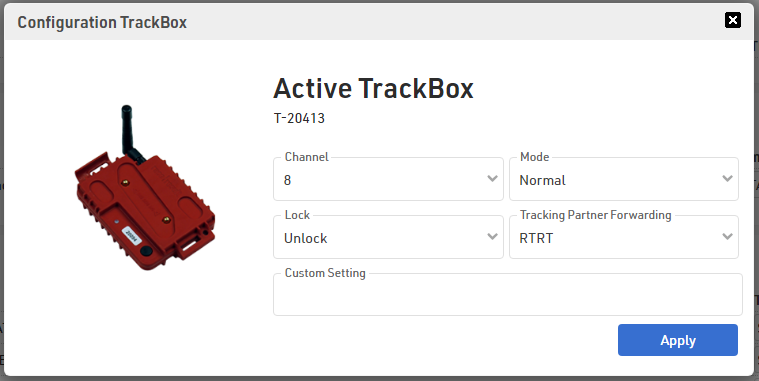
Single Box Configuration allows different rules to be applied to specific devices; this is most useful for unlocking a specific device. Rules applied to a single box will override the default rules and will be permanent on the device; these rules can only be removed by clearing them from the single box configuration.
 |
 |