


A Team Score groups several participants (e.g. from one club) to a team and calculates values such as the sum or the average of their times, and ranks the team compared to other teams. These values can then be shown on lists, certificates or in any other part of the software.
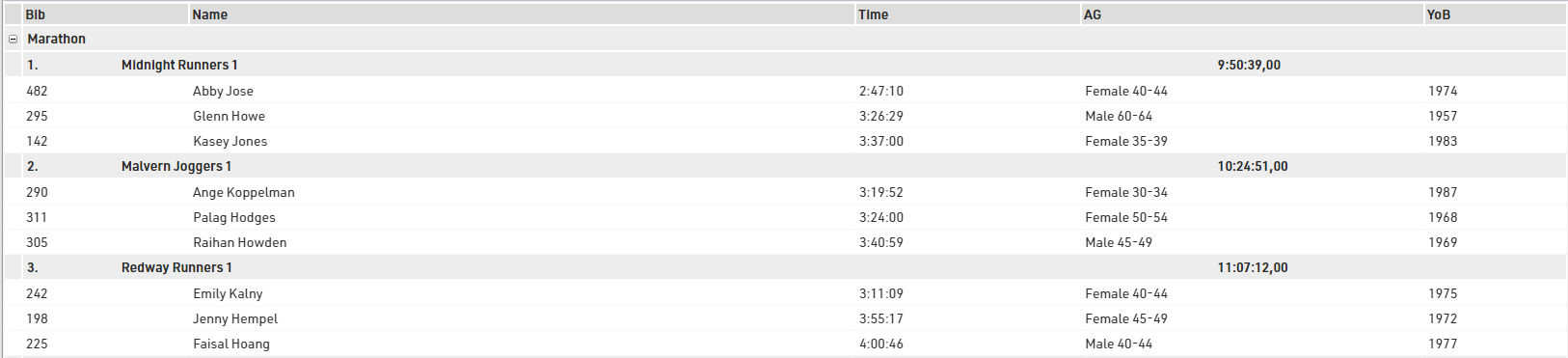
The final result of a team score may look like this result list:
By default, a new event file has two pre-configured team scores (see Scoring ⇒Team Scores):
- Team score 1 (named "Team Score") builds teams of three per club and sums up their finish times.
- Team score 2 (named "Team Results m/f") builds teams of three men or three women per club, sums up their finish times and scores male and female teams separately.
In the window, you will find two lists ("Team Results", "Team Results m/f") which show the results of the two team scores.
In most cases either of these team scores can be used with no or minor modifications. For example, you may want to change the number of participants per team from 3 to 5.
However, if you plan on creating special team scores, you will need to dive deeper into the settings. These are described in the sub-sections.