


In your customer area, click on the button start RACE RESULT 14 in order to access your events in the RACE RESULT software.

This START area of RACE RESULT 14 allows you to open existing events and to create new events. For illustration purposes, a demo event has been pre-installed.This can be accessed at any time by clicking the RACE RESULT 14 logo.

Choose the RACE RESULT 14 Demo event by simply clicking on it. You can now see the more detailed overview of that particular event:
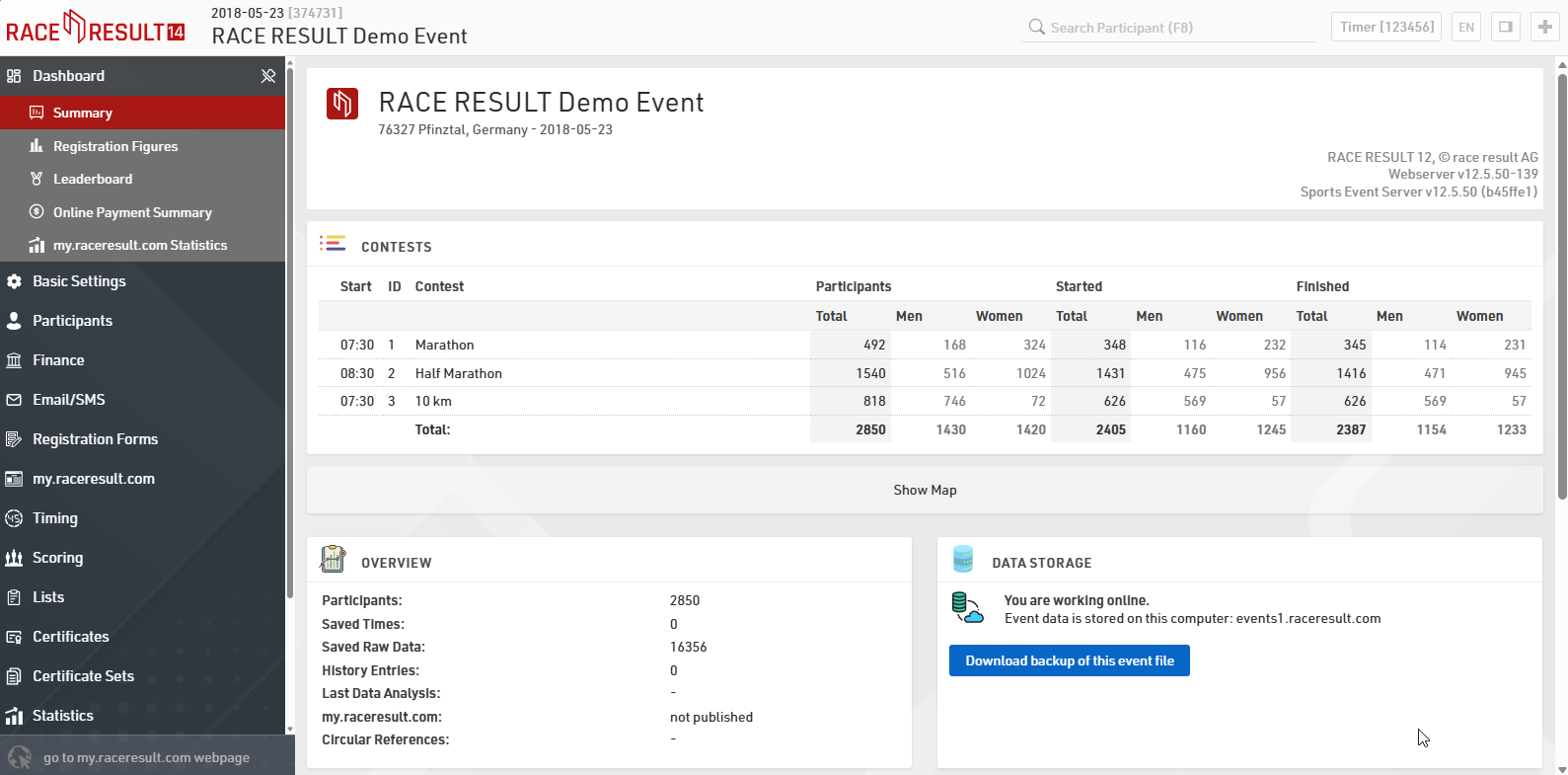
All the navigation can be found in the menu on the left side of the screen, if you prefer to open multiple tabs or windows, useful when using additional monitors, you can press the + icon in the top right to open another tab of the same event.
You can open the right hand side-bar by clicking the  logo or pressing F9. There are seven small icons on the right-hand side which give you additional orientation: Timing gives you an overview of your devices connected to your local network or which have TCP upload enabled; Knowledge Base provides quick reference to the full knowledge base whilst still in your event; via the Chat you can discuss anything you have on your mind with other RACE RESULT users or event specific chat with anybody else who is working on the same event file; the Q&A section serves to discuss specific questions you may have; What's New? provides you with the latest updates from the RACE RESULT team including any software feature updates; Info shows the most relevant data fields for your event for entering in results or output lists; and Calculators allow you to manually check time calculations.