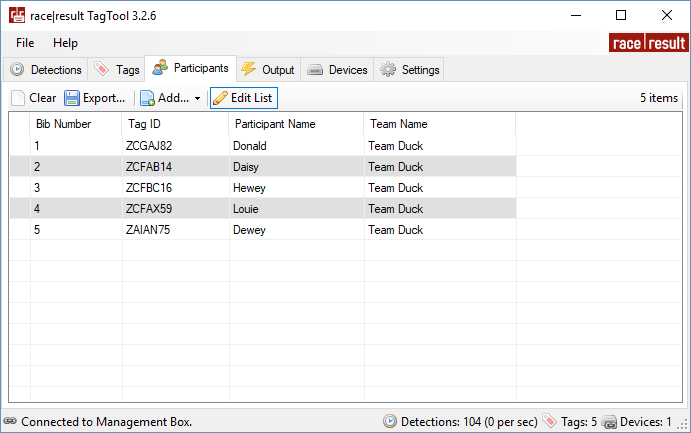
Here you can assign participants and bib numbers to individual tag IDs. The assignments will be shown in the Detections/Tags tabs.
- Add items to the list by clicking on "Add..". You can either import from a text or CSV file, or create a bib number range with the generator.
- You can edit the list directly by clicking "Edit List" above the table then directly editing fields.
- Export the chip file by clicking on "Export...", you can chose between Tab separated, semi-colon separated or comma separated values.
- Sorting by the column Tag ID will group transponders by the prefix for easy sorting of transponder groups.
Column headers can be re-ordered by clicking and dragging the column header and moving it to your desired order. Your import file should be in the same order as your column headers, and exported files will be in the same column order.