


Note: the remote and modes have been modified in November 2018. If you have purchased your clock before then and it does not have a 3.5 mm jack input on the side, please refer to the sub-section for your version below.
Remote:
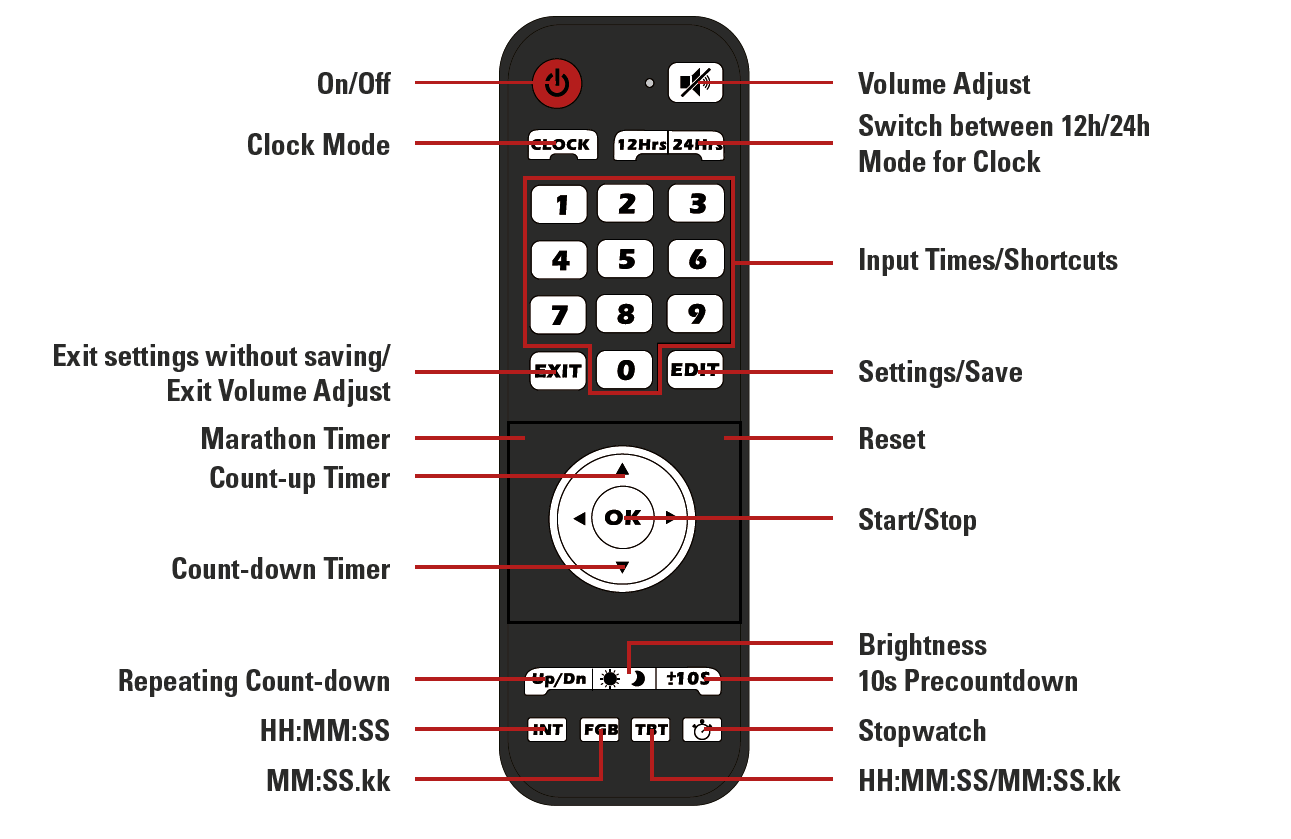
Display Format
During setup the clock always uses the HH:MM:SS format.
For the Count-up and Count-down mode the desired display format can be chosen with the INT, FGB and TBT buttons.
- INT: HH:MM:SS (max 99:59:59)
- FGB: MM:SS.kk (max 99:59.99)
- TBT: automatically switches between the two modes when 1 hour is reached
Input Jack
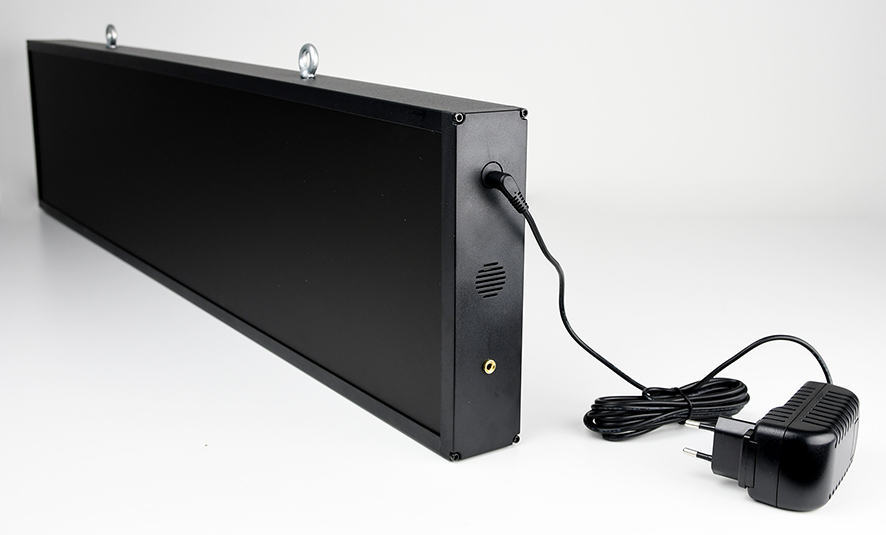
A 3.5 mm jack input is accessible on the side of the clock, under the connector for the power supply.
This input can be used to collect impulses from any kind of device to start and stop the clock, just as if you were pressing the OK button.
Modes:
Countdown / -up
Function: count down from or up to a specified time
Time format: HH:MM:SS
Accuracy: ±140 ppm
To access and use countdown / - up:
- Press the "Up" button to count up, or the “Down” button to count down
- Use the “Edit” button to set the time to count up or down from
- Enter the desired time using the number pad
- Press “Edit” again to save
- Use the “±10S” button to turn the 10 second pre-countdown on or off
- “-10” stands for no pre-countdown
- “10” stands for 10 second pre-countdown
- Select desired display format using the INT, FGB, or TBT button
- Press “OK” to start/pause the timer
Clock
Function: displays a normal clock in either 12h or 24h format
Time format: HH:MM:SS
Accuracy: ±20 ppm
To access and use the Clock mode:
- Press the “Clock” button
- Use the “12Hrs” and “24Hrs” buttons to switch between 12 and 24-hour format
- Use the “Edit” button to set the clock
- the first digit will start flashing and can be set using the number pad
- when done setting the time press “Edit” again to save the time
Stopwatch
Function: stopwatch
Maximum time: 99:59.99
Time format: MM:SS.kk
Accuracy: ±20 ppm
To access and use the stopwatch:
- Press the stopwatch button to enter Stopwatch mode
- Use the “±10S” button to turn the 10 second pre-countdown on or off
- “-10” stands for no pre-countdown
- “10” stands for 10 second pre-countdown
- Press “OK” to start/pause the stopwatch
- Use the reset (not labeled) button to reset the stopwatch when it is paused
Marathon Timer
Function: stopwatch with internal backup (the time continues to run even if the clock is unplugged)
Time format: HH:MM:SS
Accuracy: ±20 ppm
To access and use the Marathon Timer:
- Press the marathon timer button (not labeled)
- Use the “±10S” button to turn the 10 second pre-countdown on or off
- “-10” stands for no pre-countdown
- “10” stands for 10 second pre-countdown
- Press “OK” to start/pause the stopwatch
- Use the reset (not labeled) button to reset the stopwatch when it is paused
Repeated Countdown
Function: repeats the set count-down timer
Time format: HH:MM:SS
Maximum time: 99:59:59
Accuracy: ±20 ppm
To access and use the Interval Timer:
- Press the “Up/Dn” button to enter interval mode
- Press the “Edit” button
- Enter the desired time using the number pad
- Press “Edit” again to save
- Use the “±10S” button to turn the 10 second pre-countdown on or off
- “-10” stands for no pre-countdown
- “10” stands for 10 second pre-countdown
- Press “OK” to start/pause the timer