


In the event your USB device (USB Timing Box or Management Box) is not recognised by Windows it may be necessary to manually install the drivers. This is not normally required, the drivers should be automatically installed, but in particularly old devices an error with the FTDI chip the firmware may not be correctly recognised or may be registered as "NON GENUINE DEVICE".
It is necessary to first completely uninstall the drivers before installing new ones so follow the below instructions accordingly and do not connect your USB device until instructed.
- Download CDM Uninstaller from FTDI
- Unzip the contents and right click CDMUninstallerGUI.exe and select Run as Administrator
- In the GUI ensure that Vendor ID is set to 0403 and delete the Product ID.
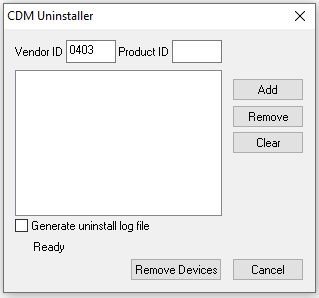
- Click Add and you should see a new item listed as below
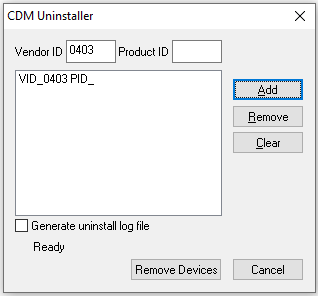
- Now click Remove Devices which will now uninstall all drivers for FTDI converters
- Once this is complete then restart Windows
- Download FTDI Drivers
- Unzip the folder and run the file labelled setup.exe
- Follow the install wizard to install drivers
- Once complete you can connect your USB Device and Windows will now install this using the correct drivers.