


When using self-service form it is most common to send these in an e-mail either through to the E-mail / SMS Module or as an e-mail confirmation during registration.
To do so the e-mail format must be set to HTML, then It is possible to insert a URL link by clicking the link icon (  ) and using the Changelink() function.
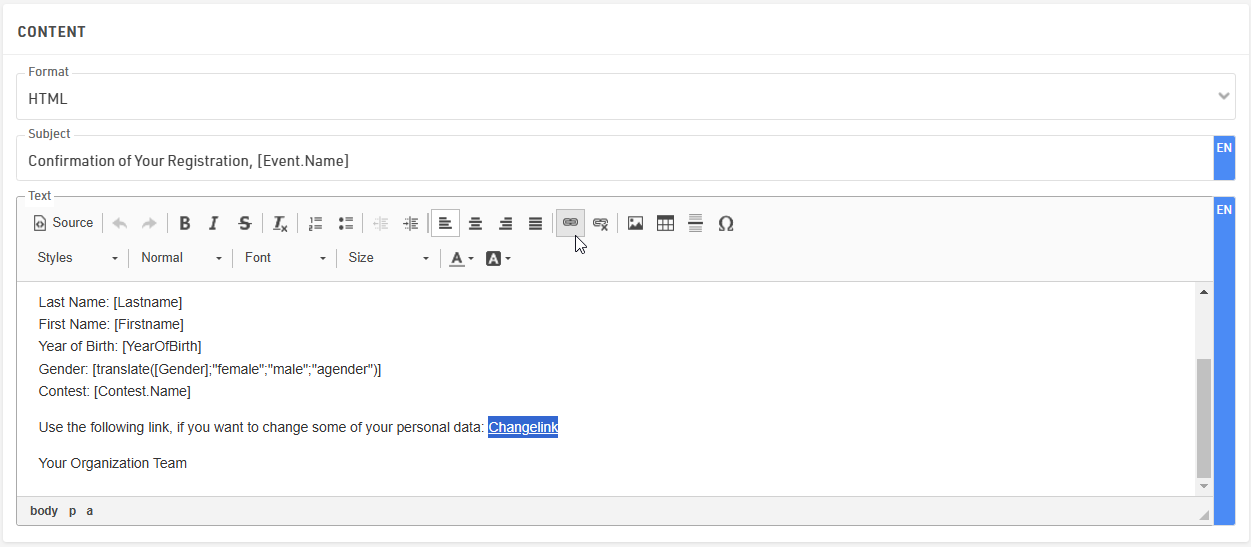
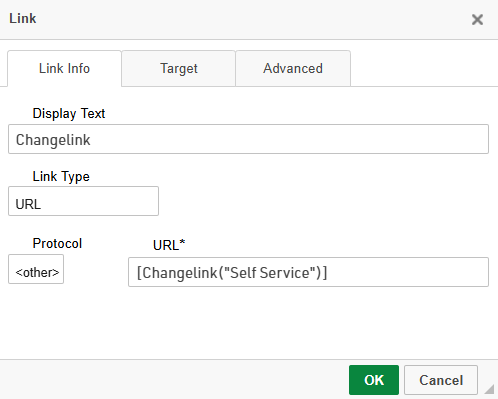
When clicking the link icon, a small window pops up where the Display Text can be adapted, this is the text that will be shown in the email instead of the whole URL link. In the URL section we call the Changelink() function in square brackets. Inside the ChangeLink() function you need to then type the name of the registration form in quotation marks.
It is very important to select the Protocol type <other> as the ChangeLink() function will already create the https:// prefix.
In order to send out the confirmation Email automatically, the template needs to be added in the After Save Actions of the regular registration form.