Splits are the newest way to time races in RACE RESULT 12, they simplify the setup of the timing and scoring requirements making it easier than ever to time a race. All splits in RACE RESULT 12 are calculated dynamically, so if any data changes such as your Start Time or Contest the participant is taking part in then the times and ranks are all automatically recalculated.
RACE RESULT 12 has some simple templates built in, from which you can time a simple race or use as a base to build your setup. When timing with Splits there are 3 parts to the setup which should be considered.
Timing Points
If you have a single shared Start / Finish line then this can be setup as a single timing point. The Timing Point Type must be set to Save Raw Data Only.
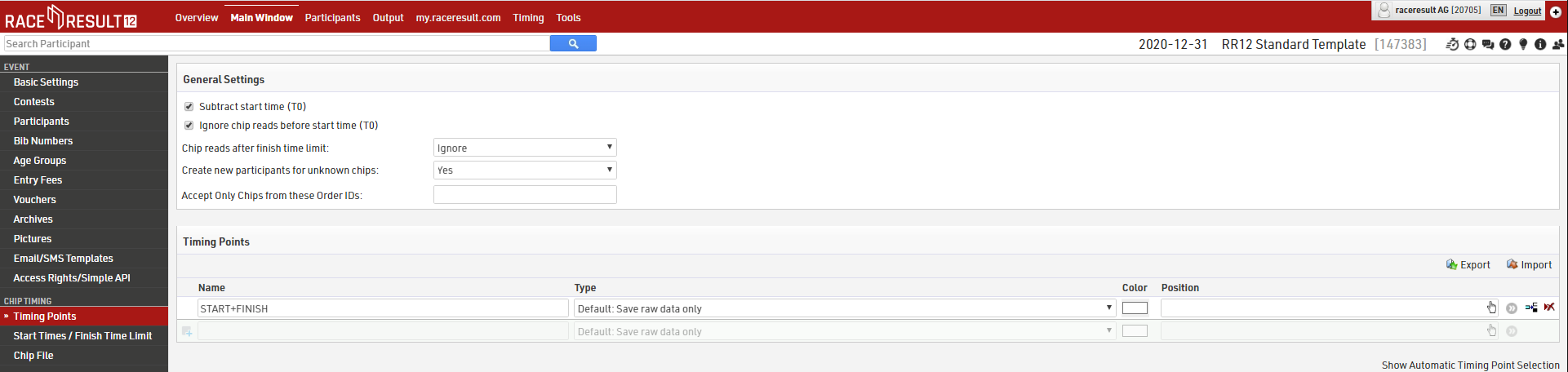
The settings above are only applicable if using the advanced Results setup.
Splits
Splits setup only requires one Split for each time the participant will be recorded (Start and Finish). Time Mode should be set according to whether the race is ranked based on Gun Time or Chip Time
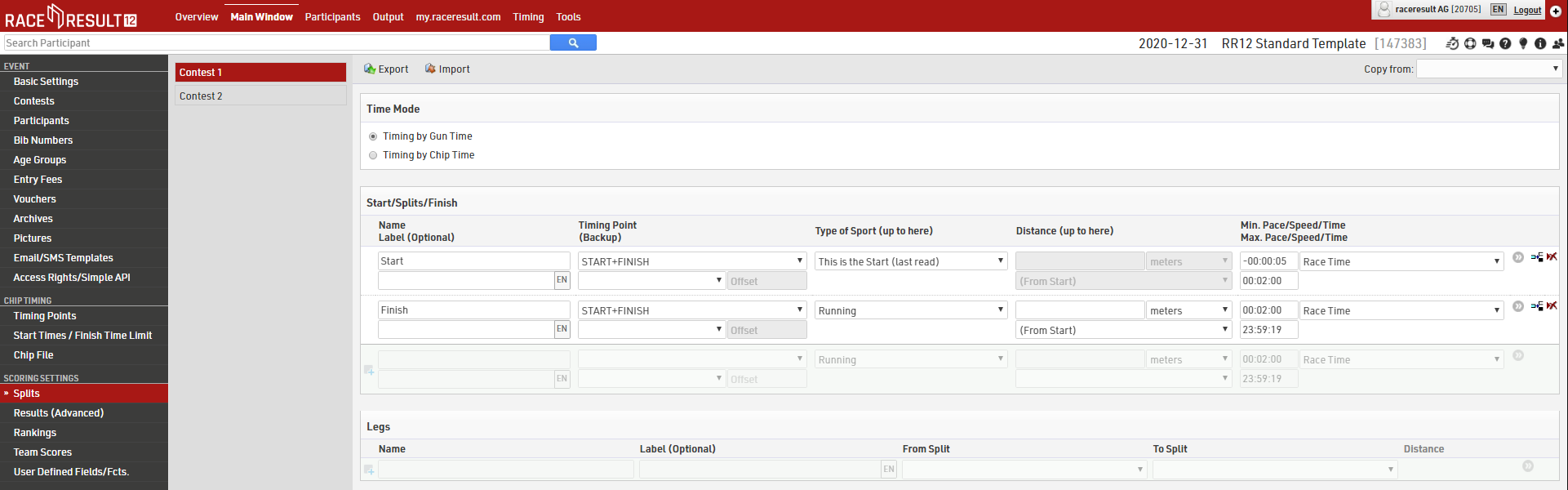
Make sure to set the Max. Time for Start and Min. Time for Finish, this will depend on how many athletes you have and the length of your race.
If your setup is more complex then you may wish to look at a more advanced template or read more about how to setup Splits or Results in Raw Data Mode.
Contest Settings
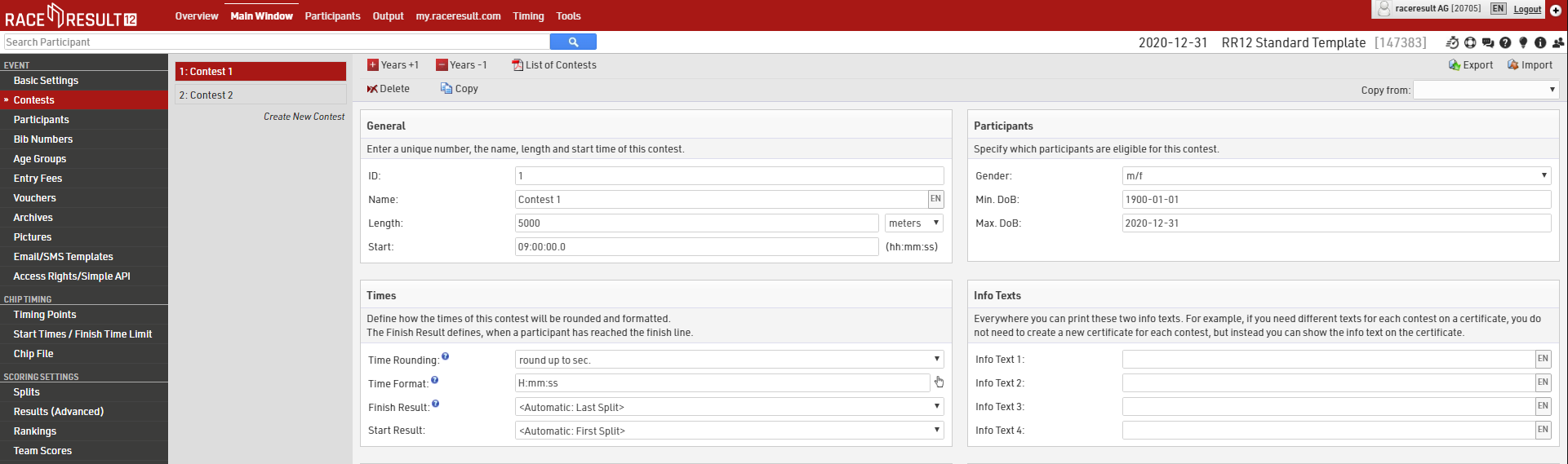
Each Contest should be setup accordingly. The Finish Result defines what time should be used for the 'official' time which is then used in results lists etc. This should be set to automatically use the Last Split.