The Time Machine, distributed by Flying Feet Computers, can be used in conjunction with RACE RESULT 12 to record times either as a primary timing system or as a manual backup device.
Times can be pulled in live from a Time Machine by connecting to the device via serial connection through the Manual Timing module in RACE RESULT 12.
Note: It is essential to ensure that the appropriate software drivers are installed for either the USB->Serial Interface or the Bluetooth Adapter. Additionally, you must locate the appropriate COM port (which can be found under Device Manager).
Within the Manual Timing module first select the timing point which times should be saved to, it's good practice to have a dedicated timing point for the Time Machine.
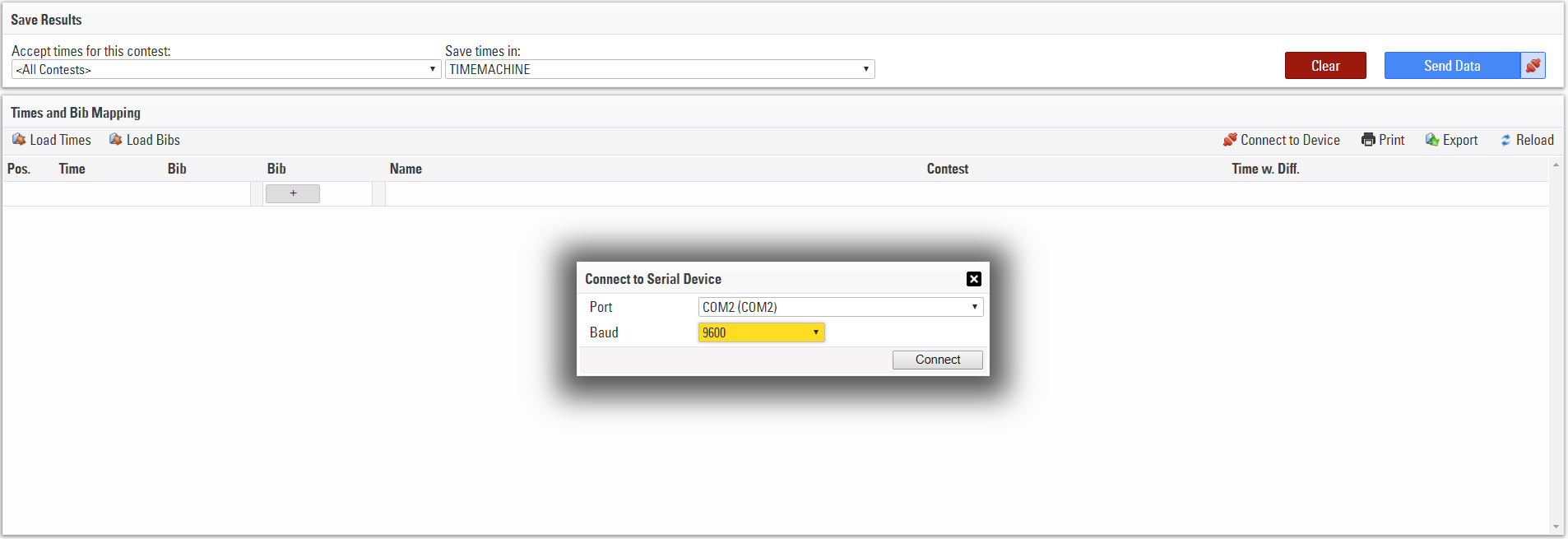
To connect to the system click Connect to Device,select the correct COM port and set Baud Rate to 9600, then click Connect.
If using the Wireless Computer Interface, the light on the unit should turn from RED to GREEN.
Times will be automatically sent to the manual timing module, which will show the Time, Bib and participant information.
To send data to the file click Send Data in the top right to push data once, or click the connection icon on the right to automatically push all data in to the event file as it's received, when green the connection is live.