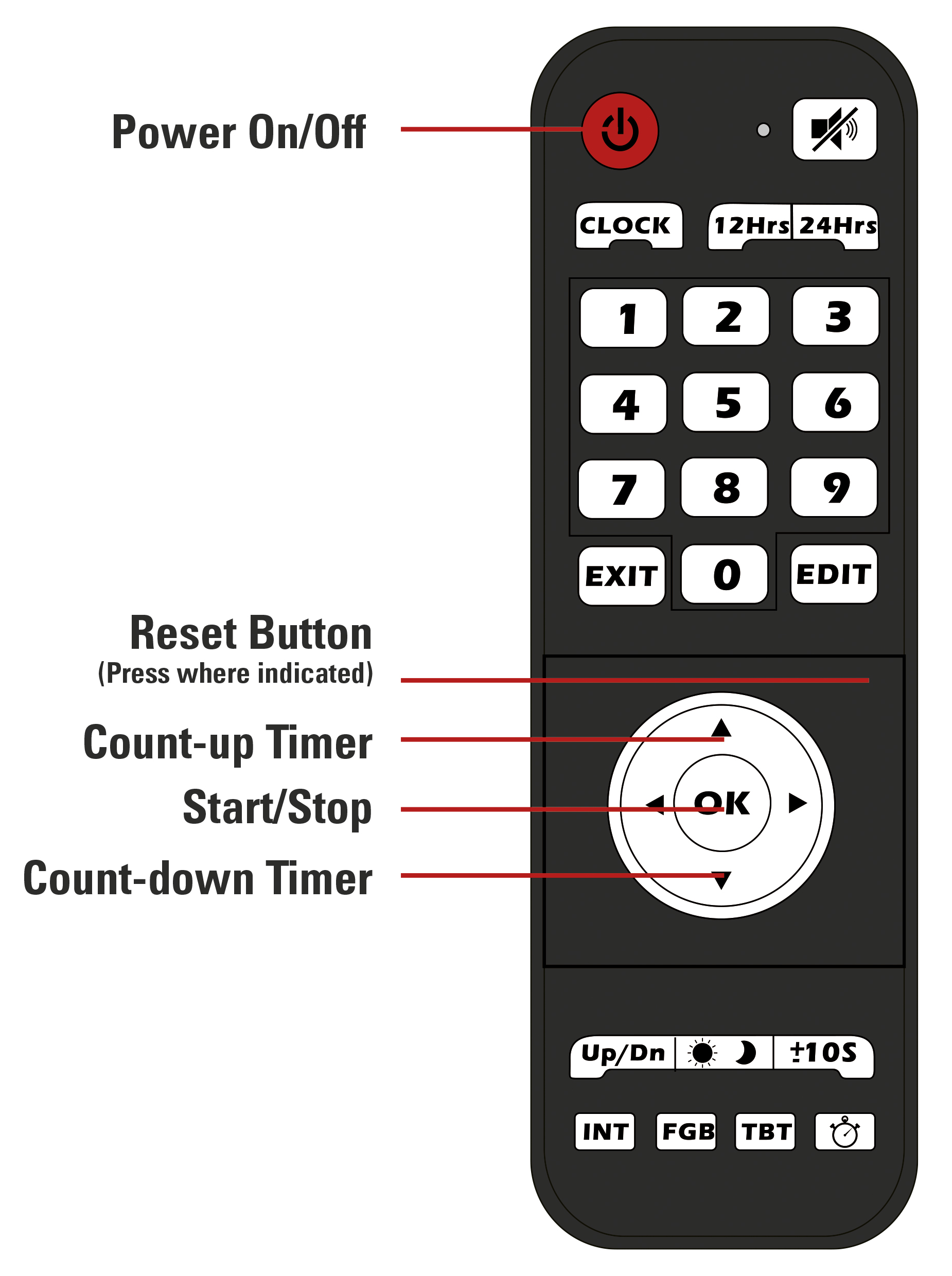
1. Set up the clock on the tripod using the thumbscrews and plug in the power supply.
2. Press the red On/Off button of the remote to turn on the clock.
3. Press the Up or the Down Arrow to enter the count up or count down mode.
a) If you want to start with a preset time, press the "Edit" button.
b) Use the number pad to enter the desired time.
c) press "Edit" again to save the time.
4. Press "OK" to start the timer.
5. Press "OK" again to pause the timer.
6. Press the reset button (not labeled) to reset to the preset time.