


Two-Factor Authentication (2FA) can be enabled for your customer account to create an additional level of security over your account.
To enable 2FA on your account you will need an authenticator app on your mobile device, any app which supports Time-Based OTP can be used, for example Microsoft Authenticator or Google Authenticator.
When you click Enable 2FA a QR code will be displayed on the screen which should be scanned using your authenticator app, you will then need to enter the 6-digit OTP from your authenticator app and your password to ensure that the 2FA profile has been successfully stored.
Note that the QR code can only be displayed once and 2FA cannot be disabled once it has been activated for your account.
When logging in to an account with 2FA enabled then you will be required to enter the TOTP displayed in your authenticator app when logging in.
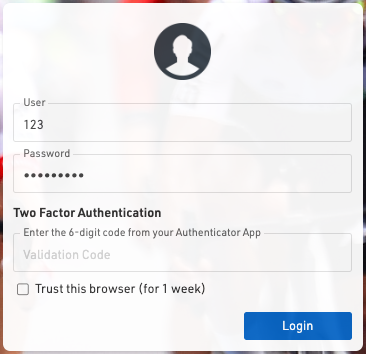
When logging in through the browser and through our mobile apps you can additionally choose to remember the device for 7 days which will store a token on your device for that account for 7 days allowing you to login without entering the OTP.