


Chip Reads
You can view all of your raw timing data from connected RACE RESULT systems under Chip Reads, by default all your raw data is sorted by the time ID (most recently received times at the top). You can see the connection (system name), Bib, Time (of day), Time With Difference (from gun), Contest, Result / Timing Point, Order (your order number for the chip), Hits (number of times the chip was recorded) and RSSI (strength of the chip read).
In the bottom left you can select and choose fields you want to display. When exporting, it will always export exactly those fields that are visible at the time of the export.
If you are using an Active Loop Setup then you will also see displayed the Loop ID, Channel ID, Transponder Wake Up Count, Transponder Battery and Temperature.
Clicking on a column will sort the column by that field, which will allow you to sort times by time of day, bib or even battery for active transponders. Some columns can also be filtered to specific values.
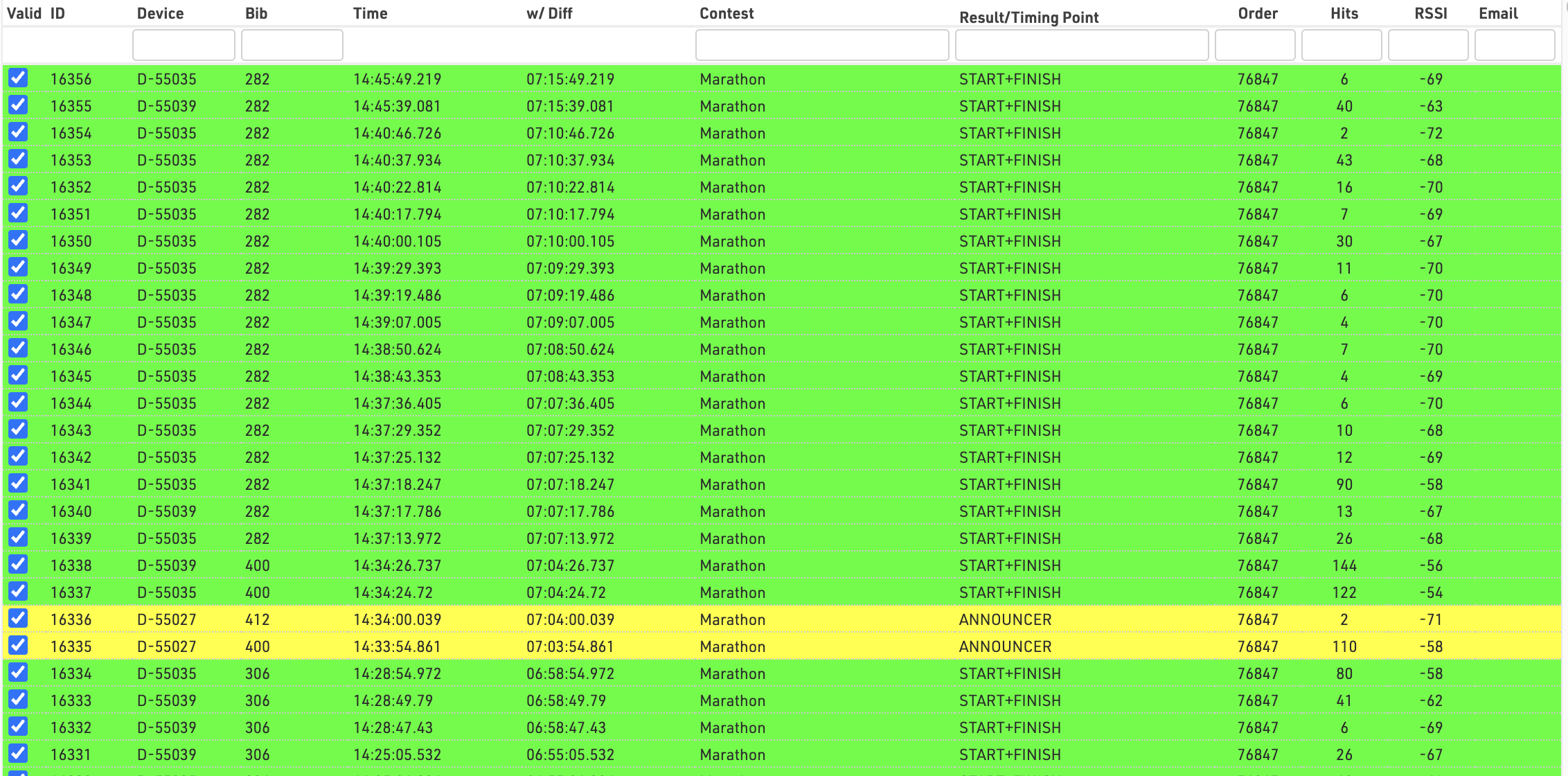
Read more about how to understand this data in Ubidium Ground Antenna Detection Data / Decoder Passive Detection Data / Active Detection Data