


Once TrackTiming is enabled the Ubidium system will create a Wi-Fi network which can be used to access the TrackTiming software interface. This can be used by both operators and participants to access different areas of the software.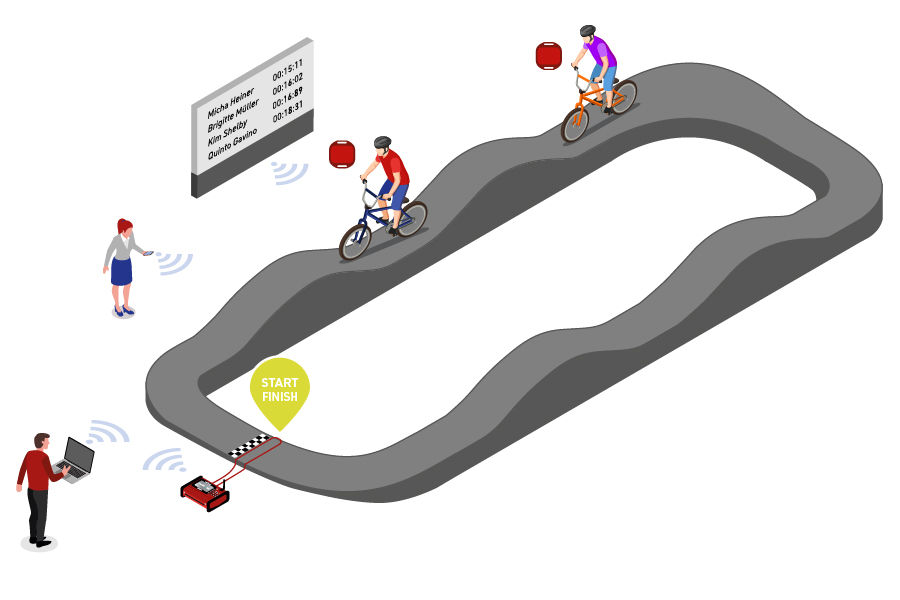
Within TrackTiming, events are defined for a specific course whether a simple circuit, for example a velodrome, or a fixed course with a defined start and finish, such as a BMX Track. Each event can have different races which may be used for different sessions or to separate different rounds, races can be started and stopped manually or run for a fixed time.
TrackTiming automatically receives all active passings generated on the Ubidium system, including data received from Loop Boxes, to then calculate every lap for participants within the current race. This then generates results lists based on each participant's fastest lap which can be accessed through the TrackTiming results display, results can be grouped or separated according to gender or age group.
Participants can also connect directly to TrackTiming for both registration or to view results without access to the system configuration.