


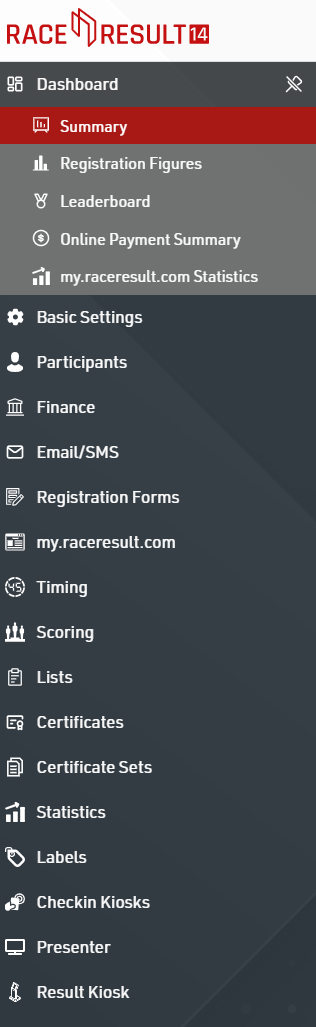
Navigating the RACE RESULT 14 menus and setting can primarily be done through the left hand sidebar. Each menu item will expand to provide a sub-menu or additional functionality, with the current window highlighted red.
Header and Search
The header provides event information, participant search, and basic settings. Clicking the RACE RESULT 14 logo will take you back to the main events list.
Use the search input to quickly search for participant records. When searching, the participant tab will be automatically opened.
To the right of the search bar you can manage the user account, language, toggle the right sidebar, and open additional windows.

On smaller screens, or with higher zoom levels the UI will automatically hide the menu in order to maximise the area used for scoring the event. When the left hand menu is hidden you can click the hamburger menu in the top left to expand the menu.
Right Sidebar
Clicking the  icon will toggle the right hand sidebar. This provides additional tools or references which can be useful whilst using RACE RESULT 14.
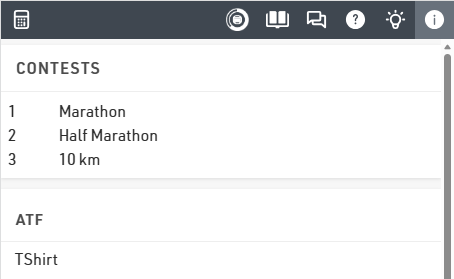
The icons offer the following menu options: Calculator, Timing Overview, Knowledge Base, Event Chat, RACE RESULT Forum, RACE RESULT News Feed, Event Information (data field reference and time calculators), and Participant View.
Saving Data
When making changes to any data within RACE RESULT 14 then a save icon will be shown to the right of the search bar indicating that the data is yet to be saved. Clicking this will save all changes made, additionally navigating to another menu will automatically save all changes.

Advanced Settings
Some settings may have extended / advanced settings which can be applied to the value, these can be accessed by clicking the grey icon with double arrows to the right side of the row.

The additional icons here allow you to insert a new line in a particular spot or delete an entry entirely.