


Multi-BLE mode allows the connection of multiple BLE Readers simultaneously, primarily for where the exact times are not important such as kiosks or as triggers for presenter displays.
Connecting Devices
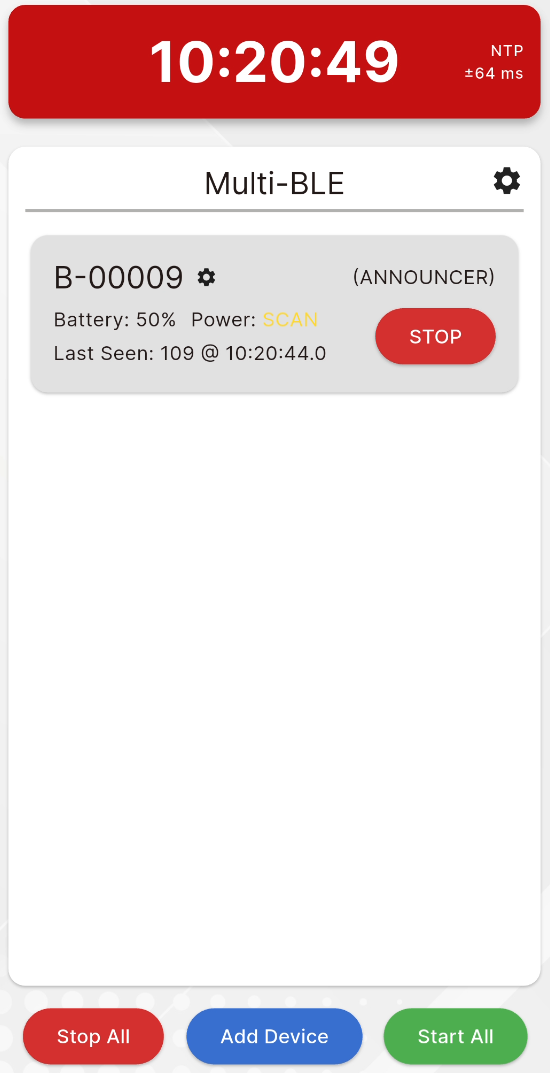
You can connect devices by pressing the "Add Device" button at the bottom of the screen. Each device must be assigned to a Timing Point, the same Timing Point can be used for multiple devices.
Connected devices will be shown as a list with their current status. You can open the settings for each inidiviudal reader by clicking the settings icon next to the Device ID. Time sync can be done in the Multi-BLE settings. Additionally devices can be disconnected through the settings menu.
Devices can start and stop reading individually or all together using the corresponding buttons on each device tile or at the bottom of the display.
Data
When a transponder is detected it is first processed by the server, when a valid transponder is detected then it will sent to your event file.
Each device will show the last transponder detected.