


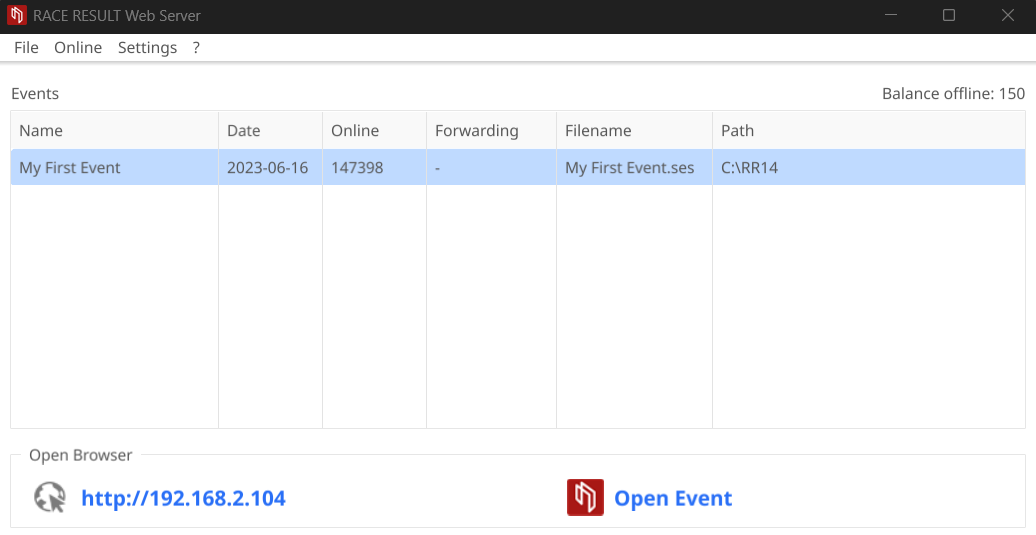
The web server is used to open your Event Files on the local RACE RESULT server, you can create new files if you plan to work entirely offline through File-New Event.
Your open events will be listed in the table of the Web Server
Check-Out Event Files
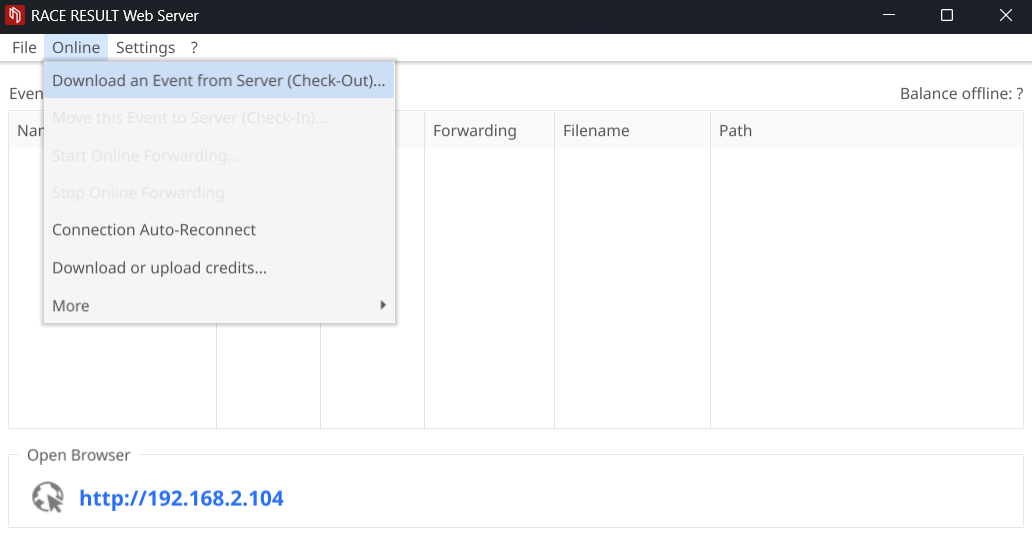
If you are planning to use an Event File which was created online you will need to check out the file first through Online->Download an Event from Server (Check-Out):
Enter your login details and select the event you would like to check out, this then downloads the Event File to your computer - make sure to save it somewhere safe!
It is not possible to work on a file both online and offline at the same time, as such you cannot access the file online anymore after the checkout, and checkout is only possible if the online registration is not active.
Download Copy for Testing
You can also download a copy of the event file while the original remains online. This is also possible while the online registration is still running. Therefore navigate to "Overview > Technical Information" in your online file and download a backup copy. Open this in the webserver by double-clicking the file.
Note that it will not be possible to check this file back in without first completely checking out the online version, this risks losing any changes made online during that time.