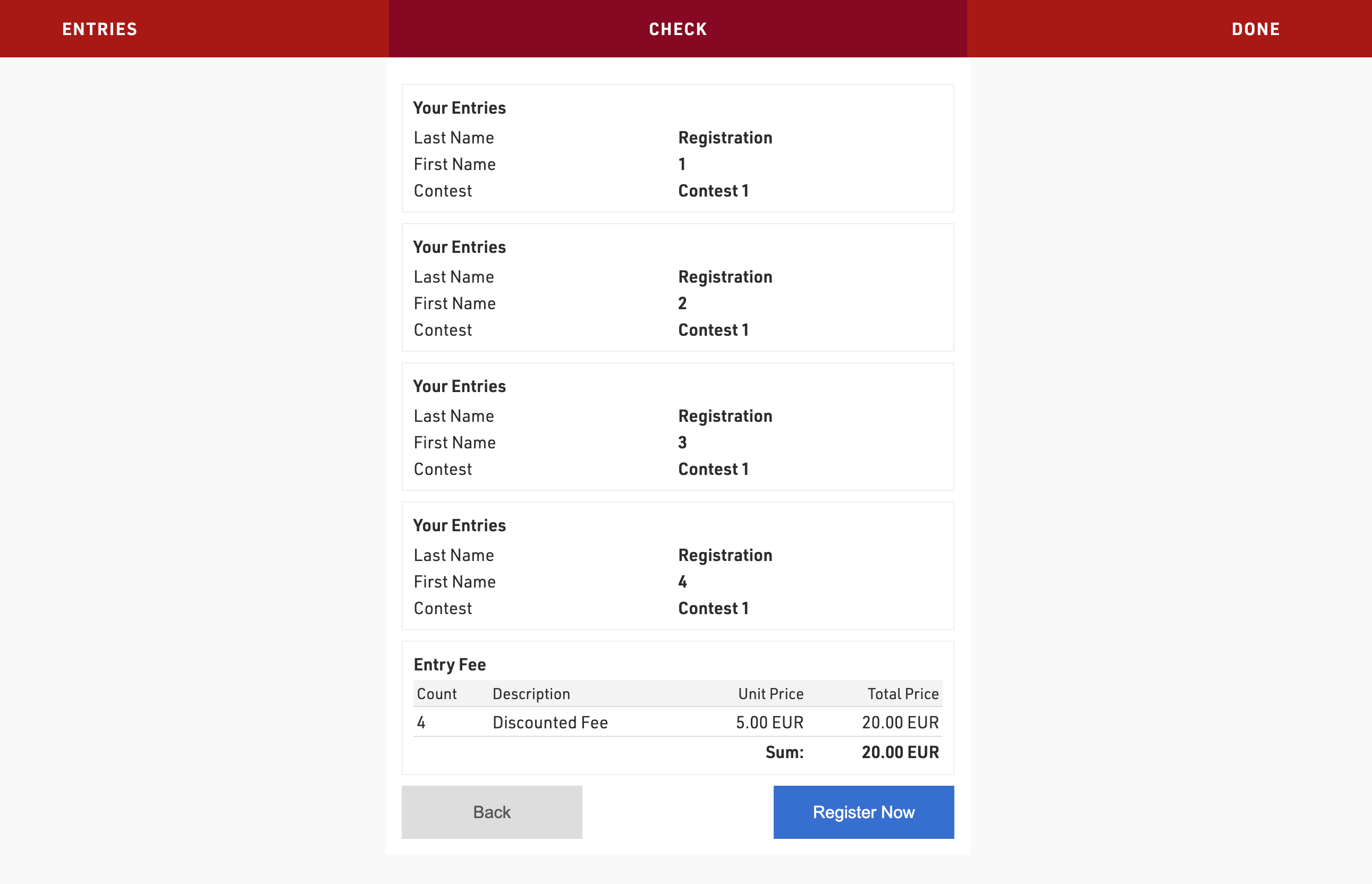
This method is based on the Group Registration Count, a source in the Advanced Settings of the registration form.
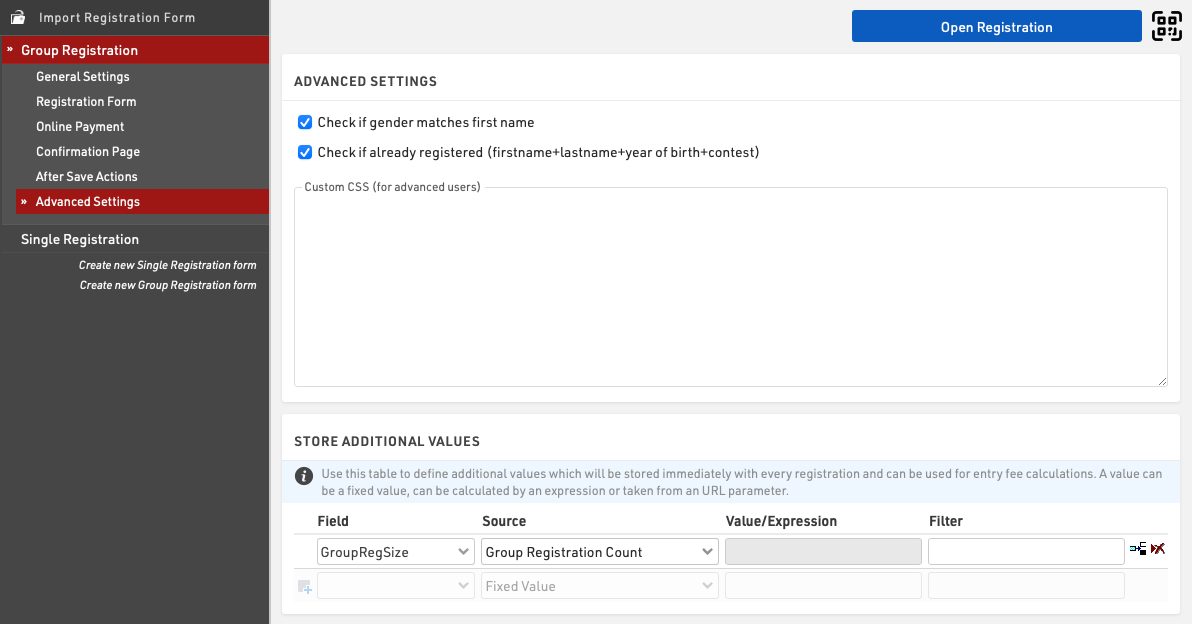
Create an additional field set as a number (integer) which will be used to store the group size for each participant, in this example it is called GroupRegSize.

In the advanced settings of your Group Registration form add the field to the Store Additional Values settings with the source Group Registration Count.
To assign different entry fees based on [GroupRegSize] use the filter in the entry fee settings.

In this example groups of 3 or less will pay an entry fee of 10 EUR per participant, whereas groups with more than 3 participants will pay an entry fee of 5 EUR per participant.