


For most events you will work with the Chip Timing page during the event, here you will need to connect to your timing system(s) in order to record the times in the software. This will additionally be used to later set the Start Times.
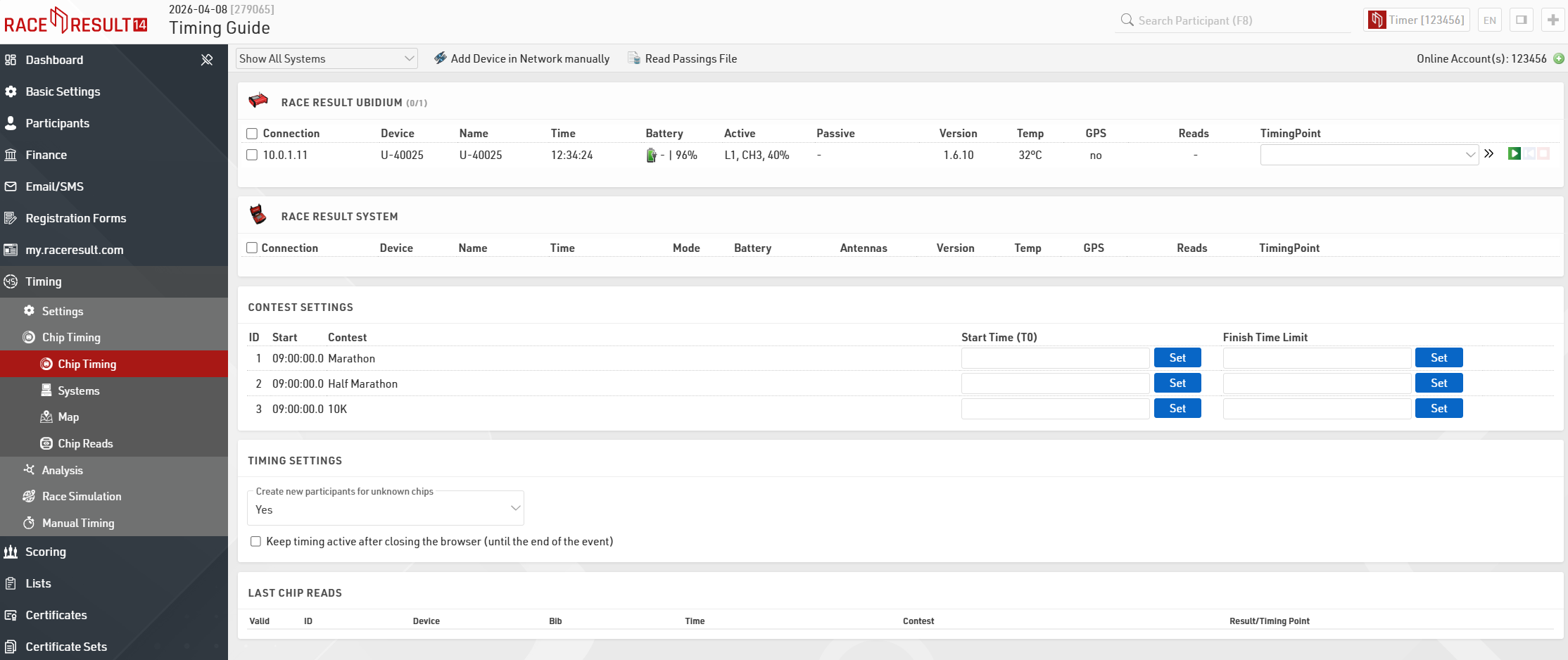
Systems that are connected online to your customer account will be listed automatically ready to connect.
If you are connecting to a system via a local connection, either LAN or Wi-Fi, then you will need to ensure that you have the RACE RESULT Web Server running on your computer and that your IP configuration is correct on both your timing system and computer.

Once you identify your system correctly you will need to assign the correct Timing Point to each system, this will assign all raw data received from that system to the corresponding Timing Point.
To now start receiving times from the system click the green play button, this opens a connection to the system and you are ready to start the race.
If you are only able to connect to the system after it has already recorded some times, or if for some reason the connection was broken, you can click the blue button to replay the current file from the system.
At the end of the event, you should click the red stop button to close the connection to the system.