


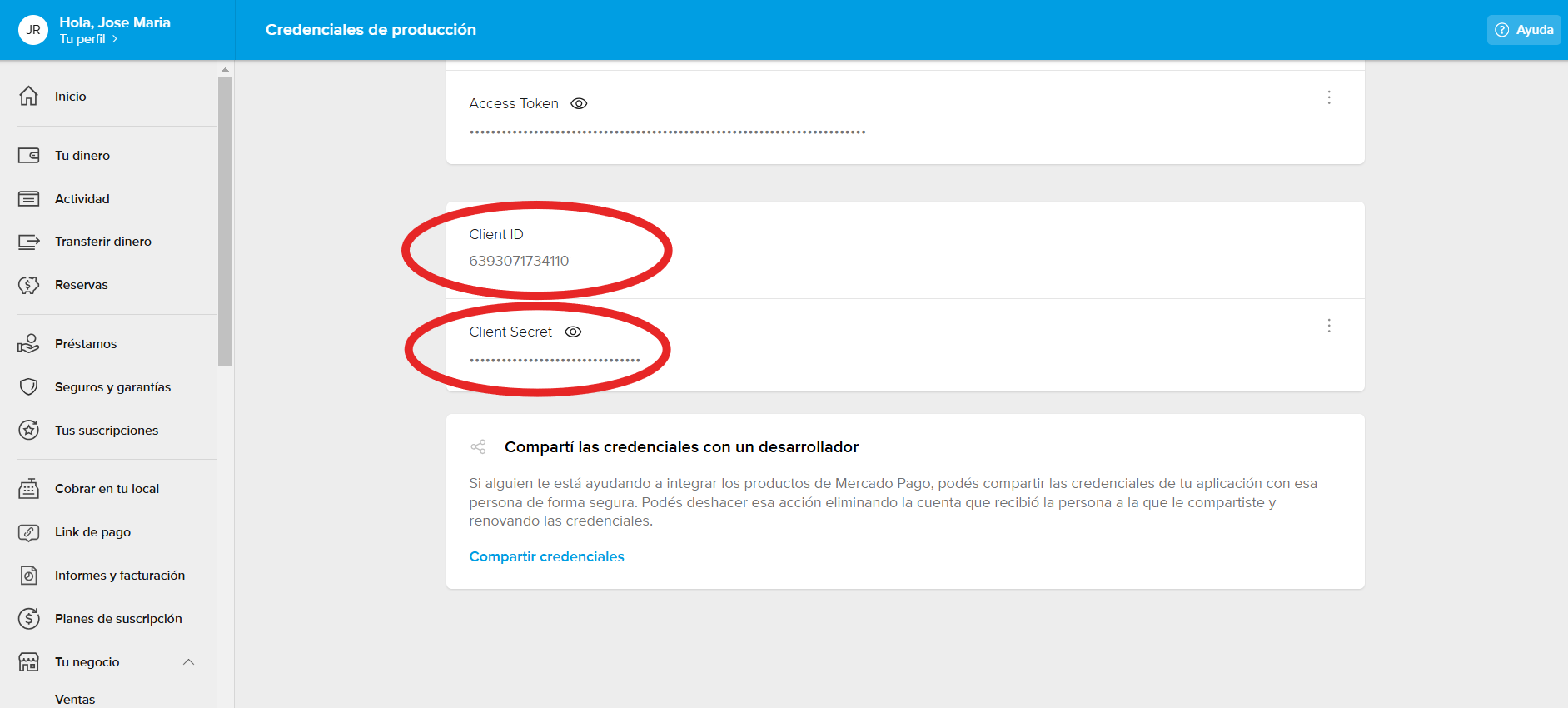
To accept Mercado Pago payments in RR12, you must connect your Mercado Pago account to RR12 using an API key. Mercado Pago requires a User ID and a Secret Key.
To obtain them, follow these steps:
-
Log in to your Mercado Pago account from a computer. (It is not possible to obtain these credentials through the mobile app.)
-
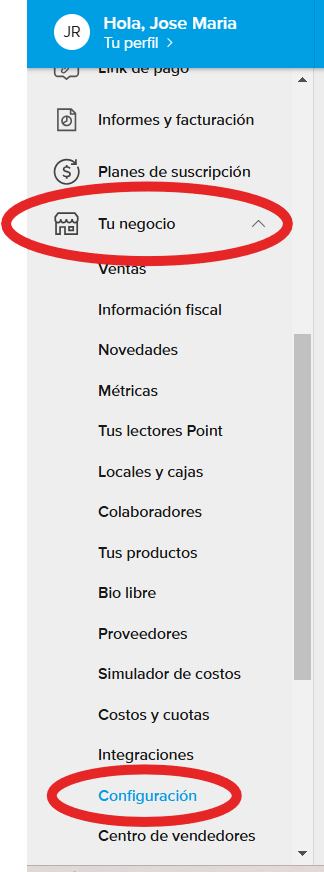
Once logged in, go to Your Business > Settings.
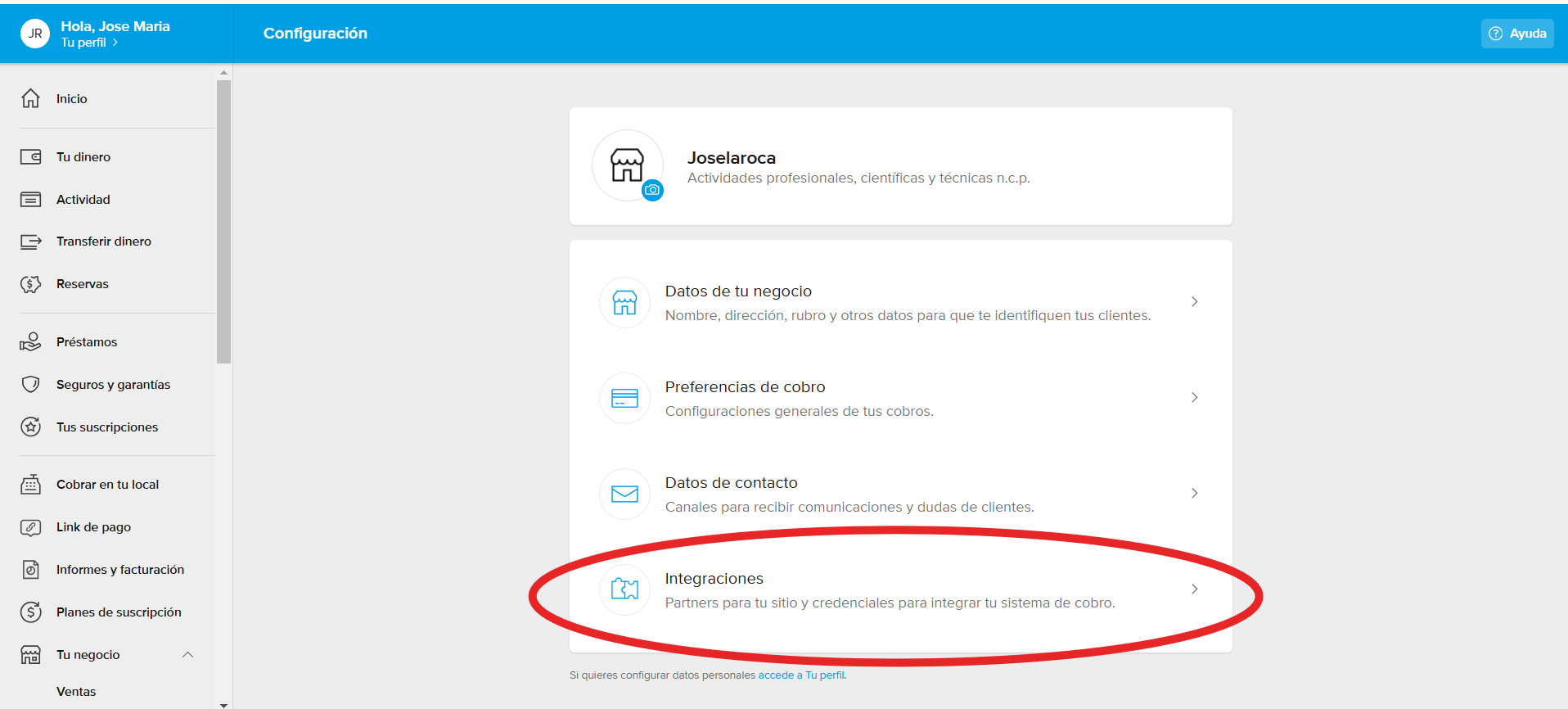
2 - Then, go to the "Integrations" menu.
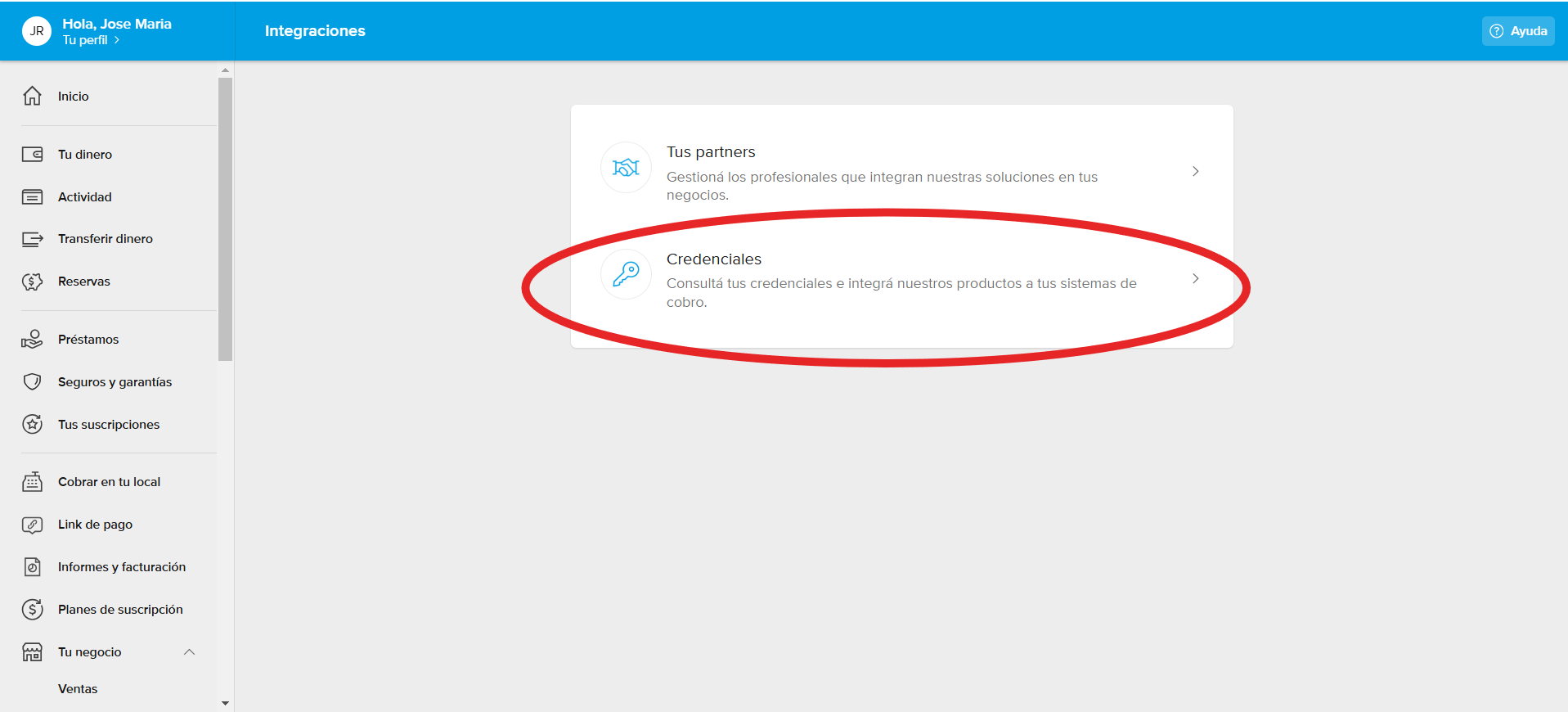
3 - Next, go to "Credentials".
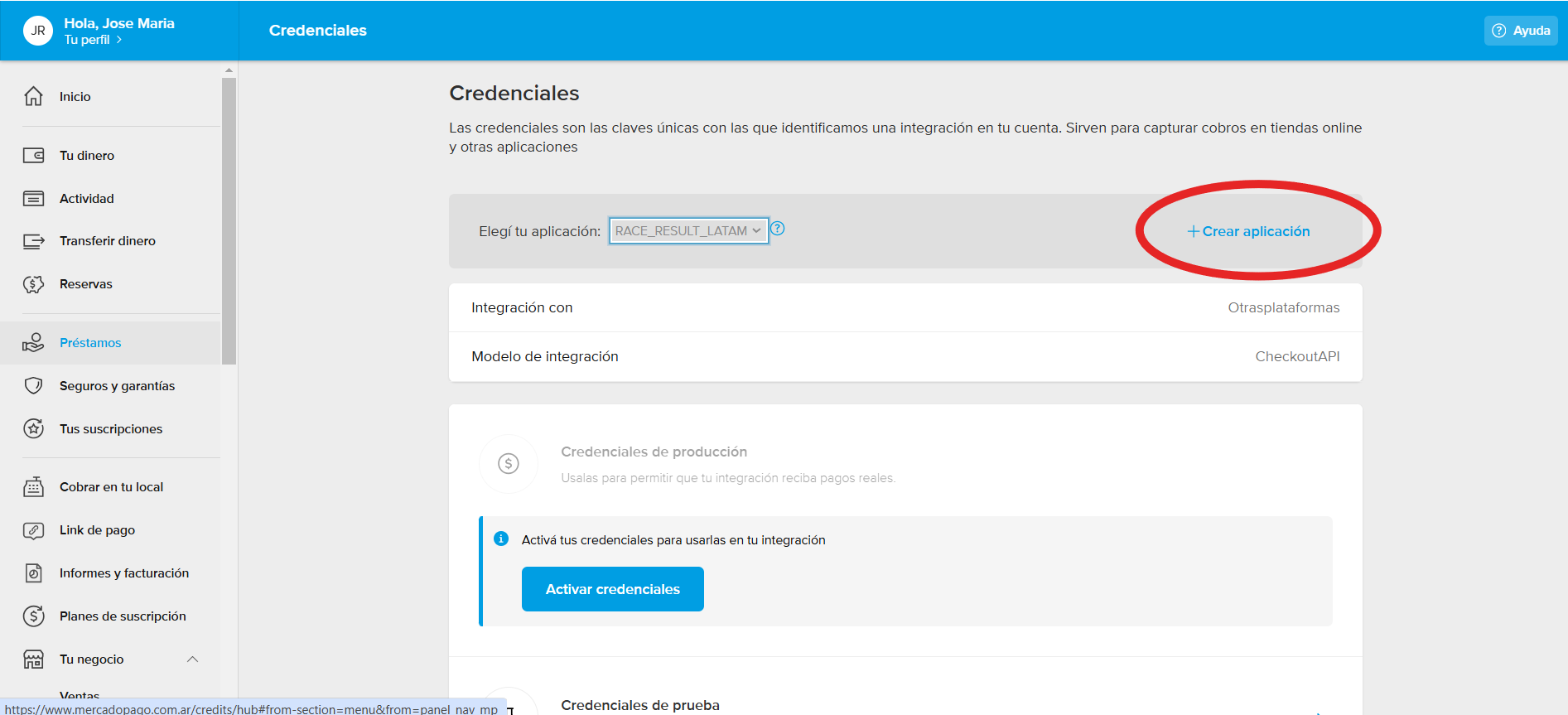
4 - You will need to create an application to integrate with your Mercado Pago account by clicking the button shown below.
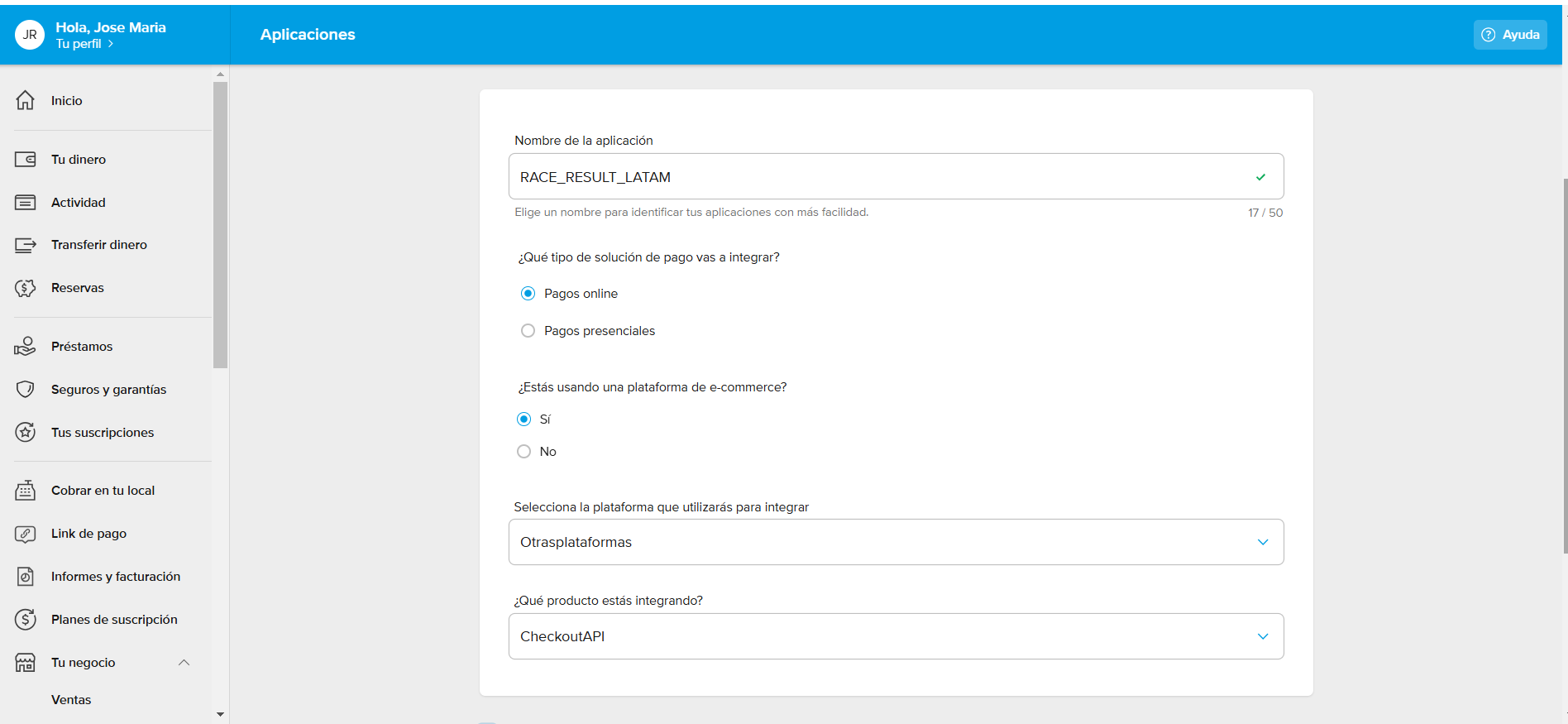
5 - Then, configure the integration type as "Other Platforms" > "Checkout API", as shown below:
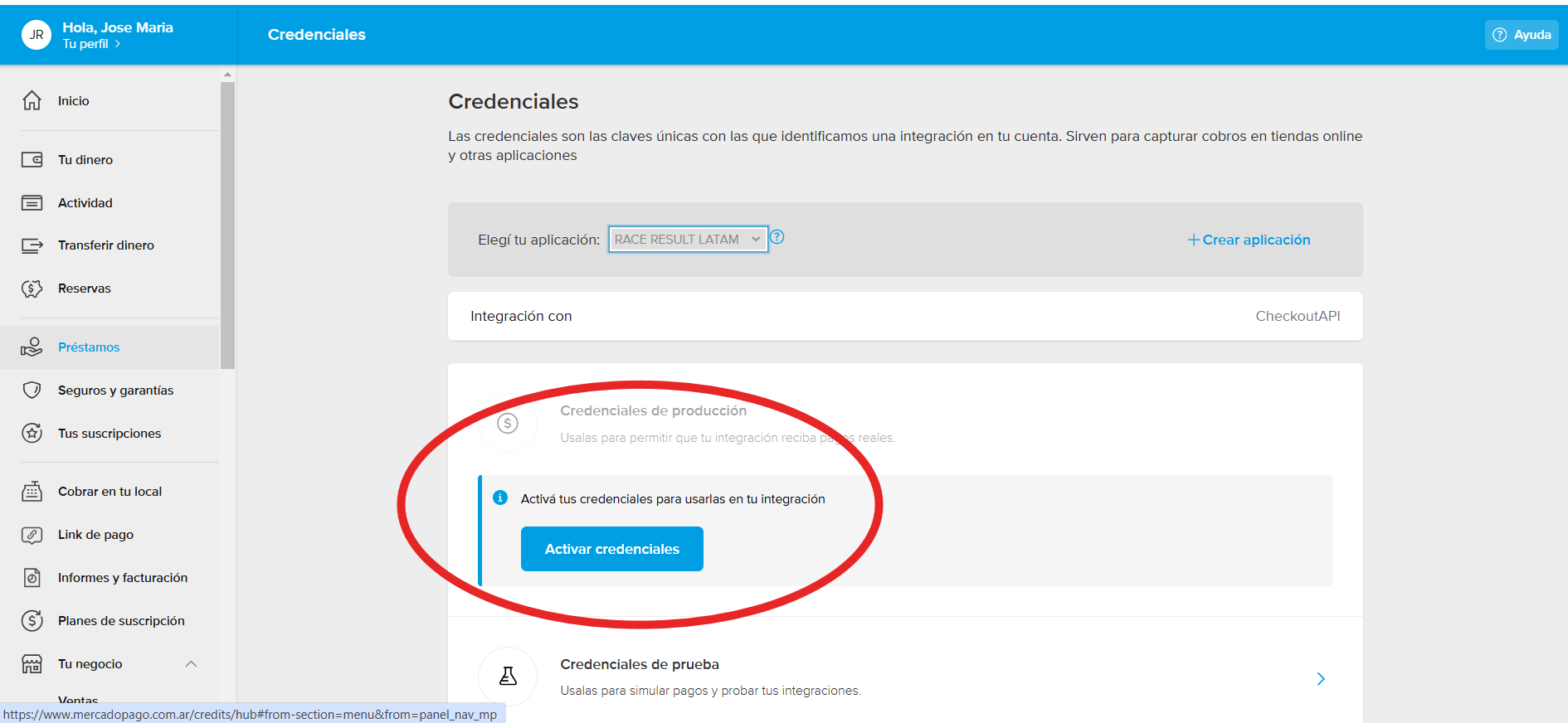
6- Once created, you will see the details of your new application as shown below. At this point, you must activate the credentials by clicking "Activate Credentials".
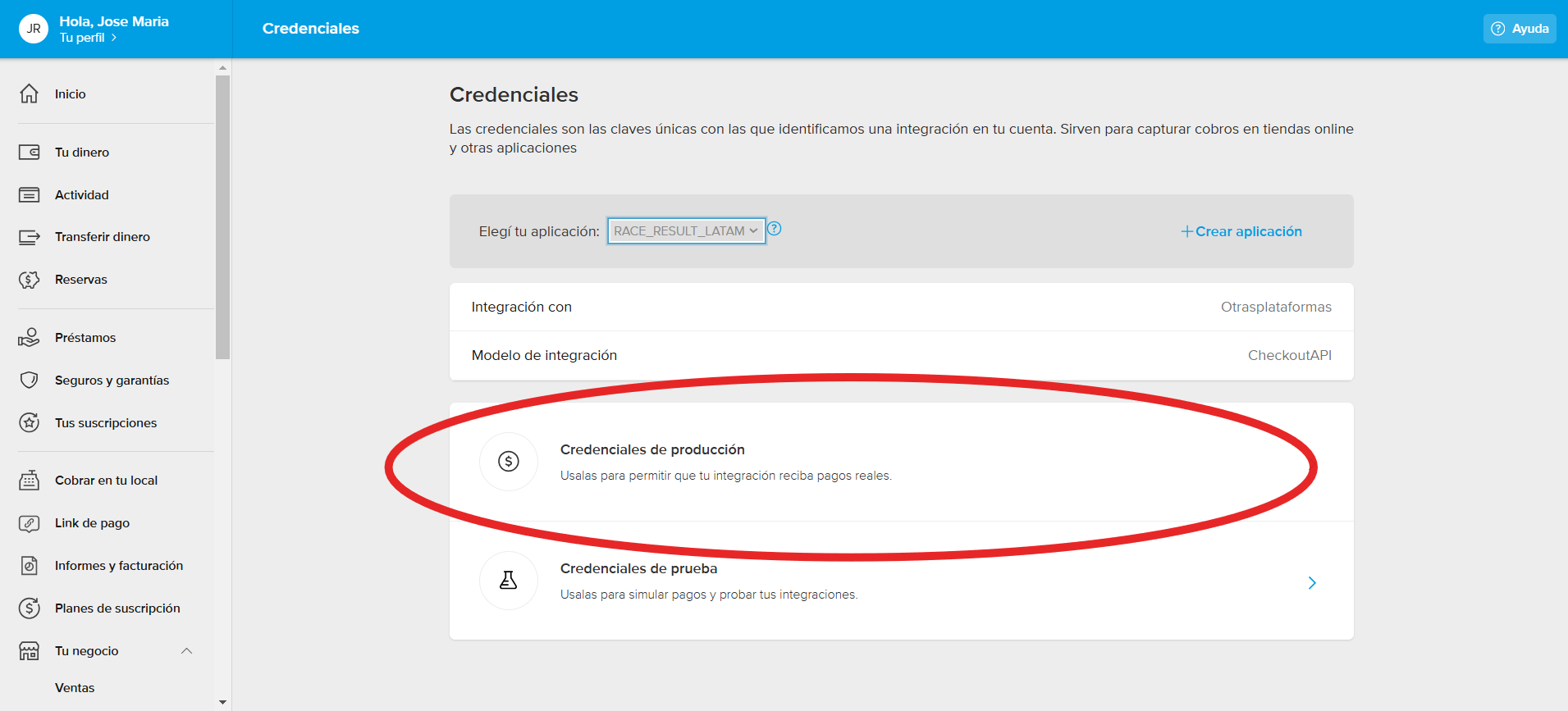
7 - Once activated, you will be able to access them to view your Client ID and Secret Key.
If you have any further questions about your Mercado Pago credentials, you can visit Mercado Pago's help and documentation platform by clicking here.