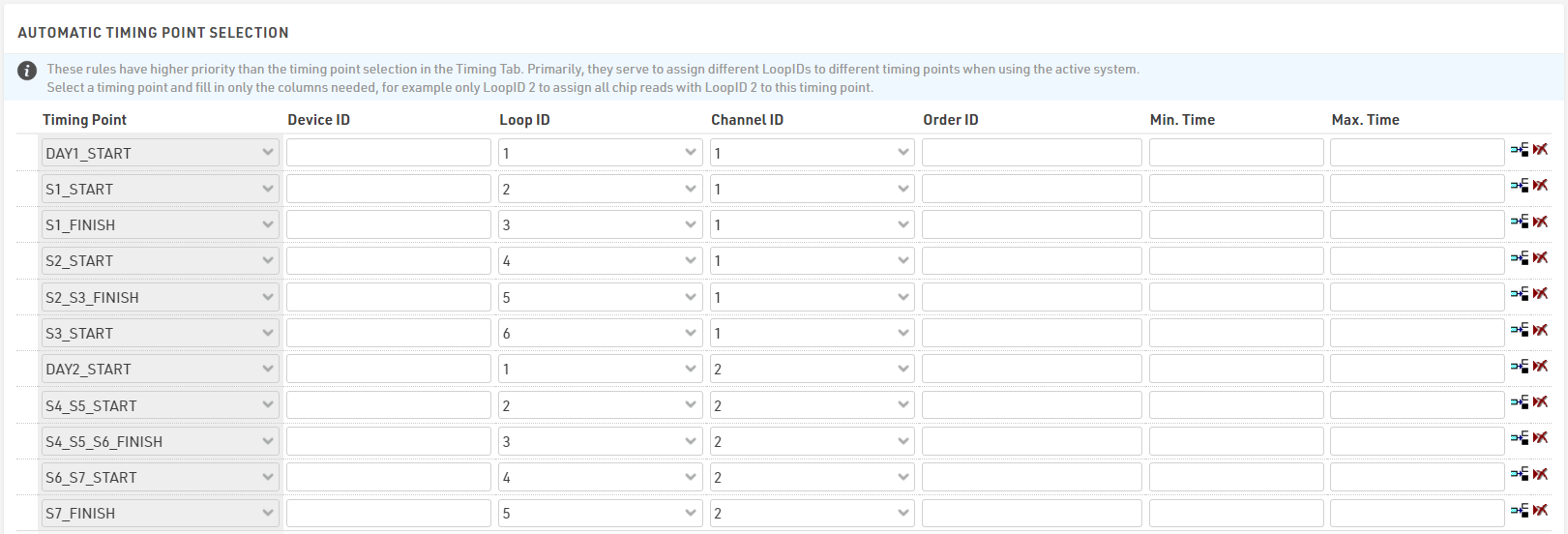
The same systems are used for both days of the event.
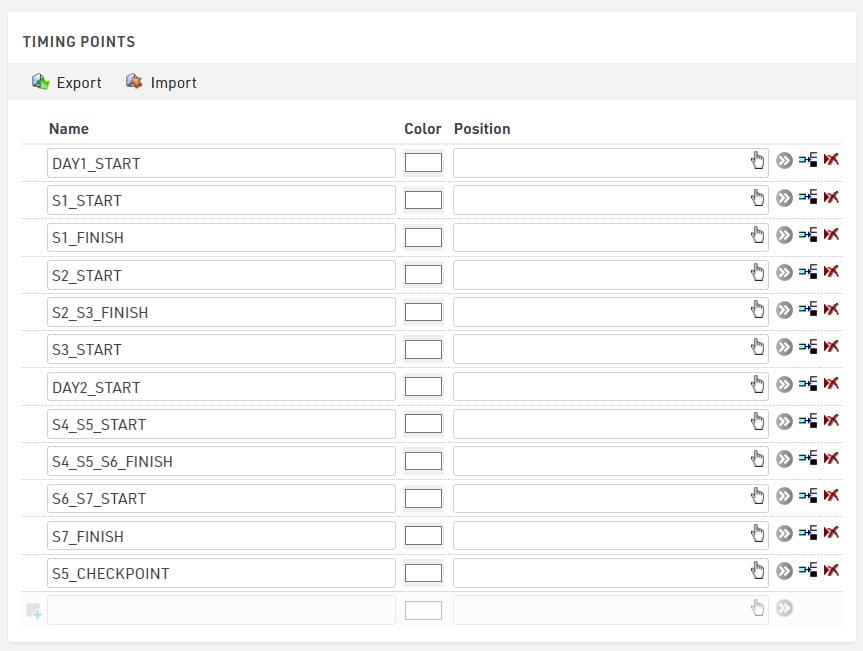
To make it easier to manage the assignment of times we create separate Timing Points for each stage, although note that some stages may share Timing Points (e.g. Stages 2 and 3 both finish at the same Timing Point).
Automatic Timing Point Selection
When using multiple active systems it is recommended to use the Automatic Timing Point Selection to assign data from each system to the correct Timing Point. Each Timing Point should be setup with a unique combination of Channel ID and Loop ID.
To make things easy to check we used unique Channel IDs for each day, and then used sequential Loop IDs for each Timing Point.