


Working with RACE RESULT 14 online allows you to also publish your event through the my.raceresult.com platform at no additional charge.
With this you can list your event in the calendar for participants to find, create a landing page to provide additional event information, publish online registration, publish a startlist and results lists or even receive reviews and inquiries from your participants.
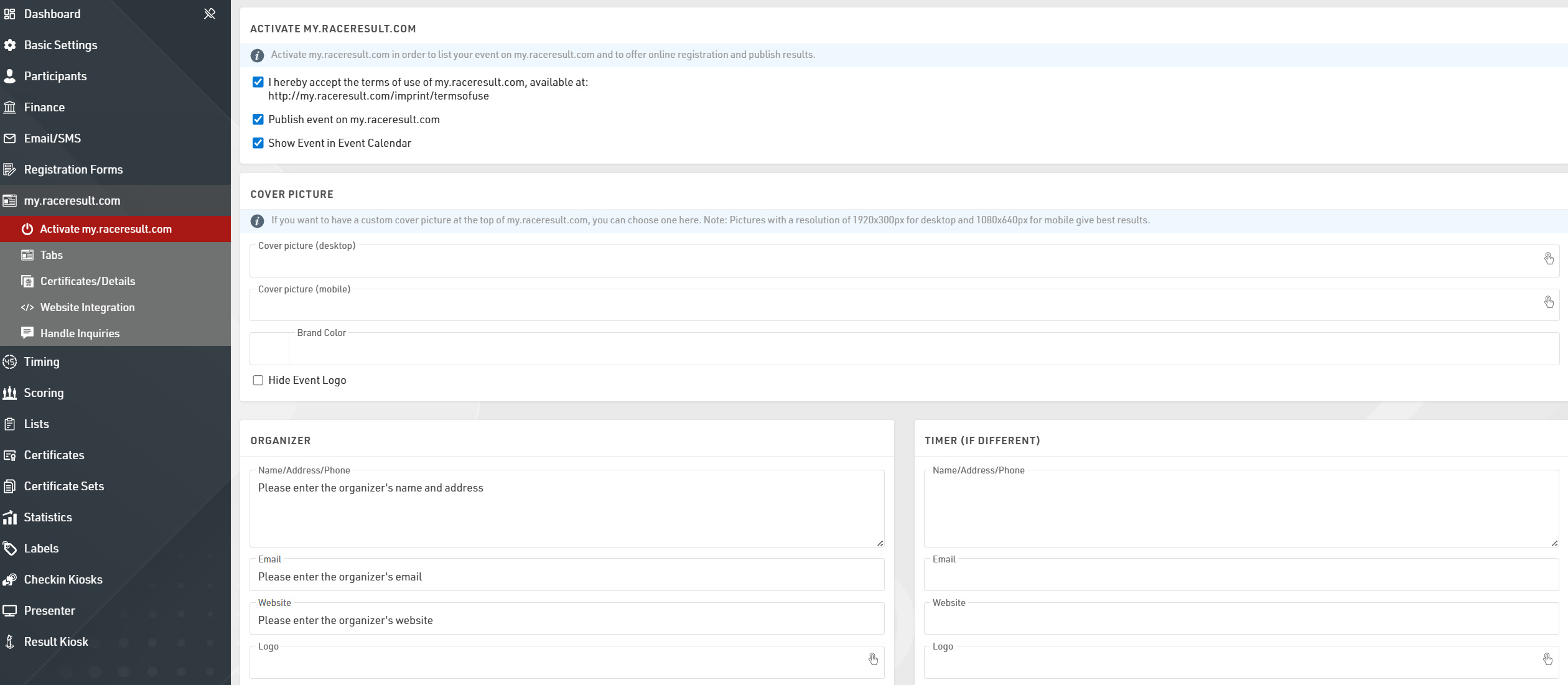
In order to publish your event online you first need to agree to the terms of use which are linked through the Activate my.raceresult.com page, you can then choose to publish the event and whether the event should be listed in the event calendar.
The cover picture is displayed at the top of the event page and can be customized with your own image, the event logo (as defined in the Basic Settings) is also displayed by default. If you want to change the menu text to match the event's color scheme, you can also define that as the Brand Color.
The my.raceresult.com page for your event has a number of different sub pages which can be used and edited according to your requirements.
Below is a summary of some of the key points for publishing an event, for more advanced customisation please refer to the main my.raceresult.com guide.
Info
The info page acts as a landing page for the event, you can choose to embed a web page via a URL or create your own content using the text editor. The editor also allows for HTML content to be inserted so you can customize this further.
If embedding a web page you will need to ensure that the target site allows cross-site scripting, otherwise it will not be loaded.
Registration
You can use the my.raceresult.com platform to offer online registration to your participants.
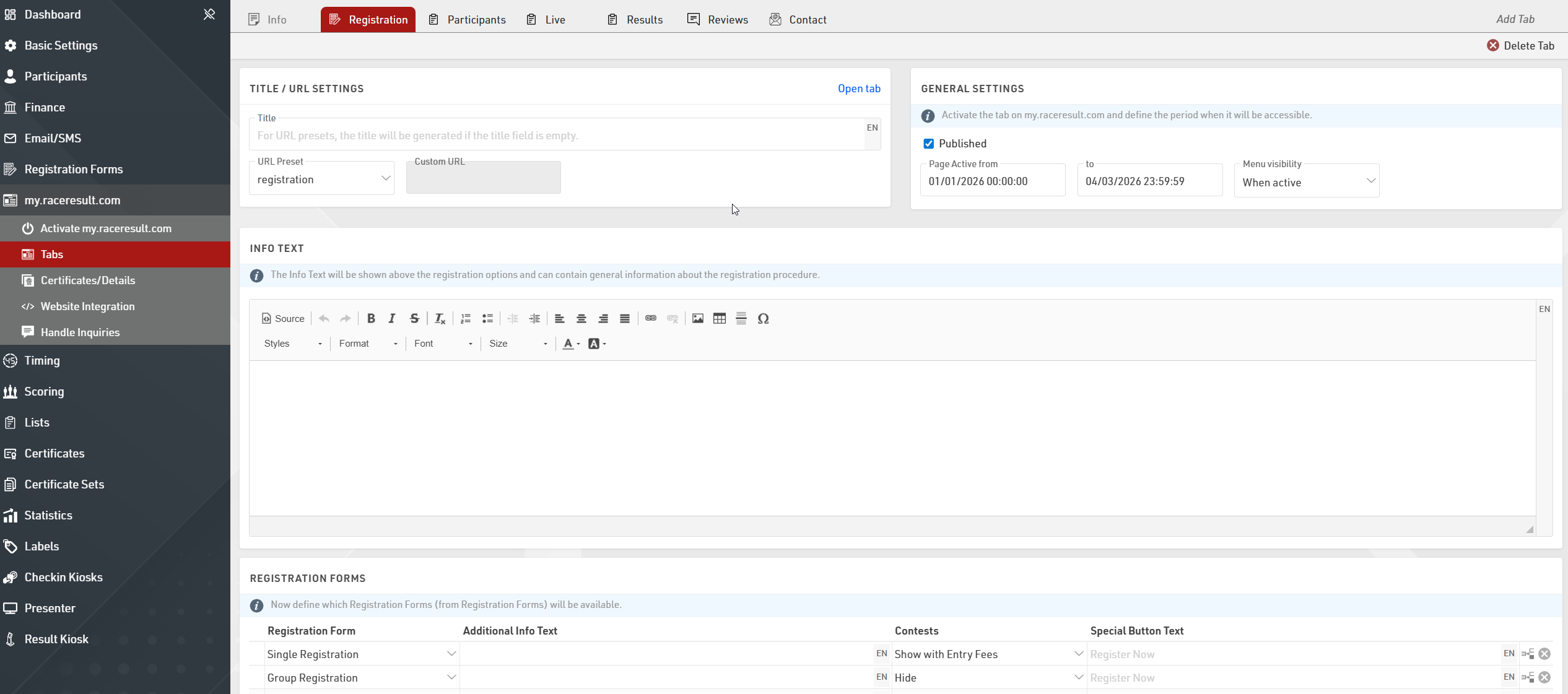
You will need to first setup the Registration Forms you wish to publish online, then you can activate a Registration tab and select the date range for which the Registration tab should be available.
An additional info text can be defined for the Registration page, and you can also customize the options for each registration form.
Lists
There are three pages which are default tabs used for publishing Output Lists online for your event. It is possible to configure these and additional list tabs to fit your requirements
Generally the Participants page is used to publish a start list before the event, Live is used for a live leaderboard during the event and Results is used for official results during and after the event. Each page has a setting of how it shows up in the menu and a date range which defines when the page is available online, the default settings for each page are based on these general guidelines using the Event Date when the file is created.
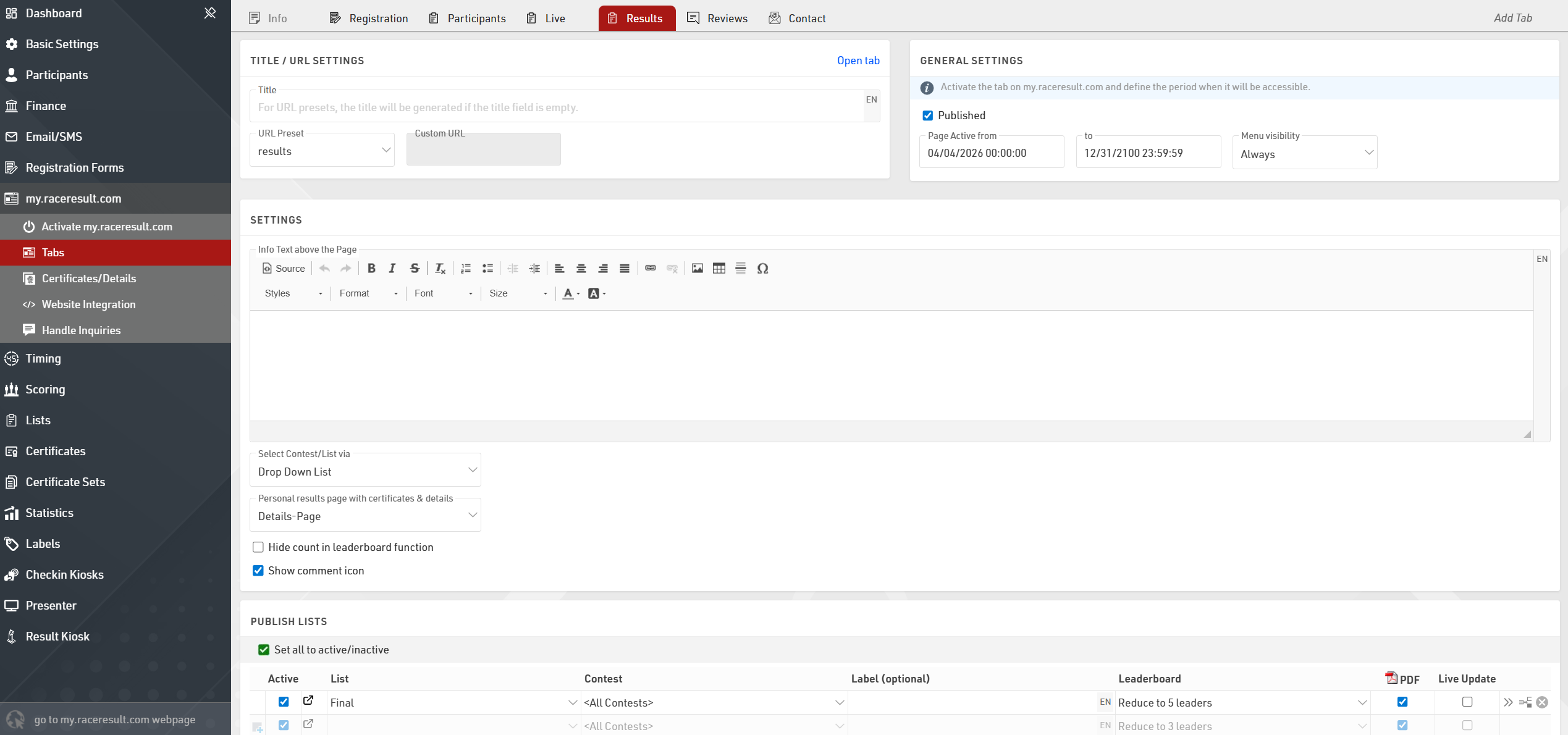
For each page you can choose which Output Lists should be published, if more than one list is published then a dropdown will allow the user to change between the different lists.