


In the Basic Settings menu, Age Groups defines all age categories / groups.
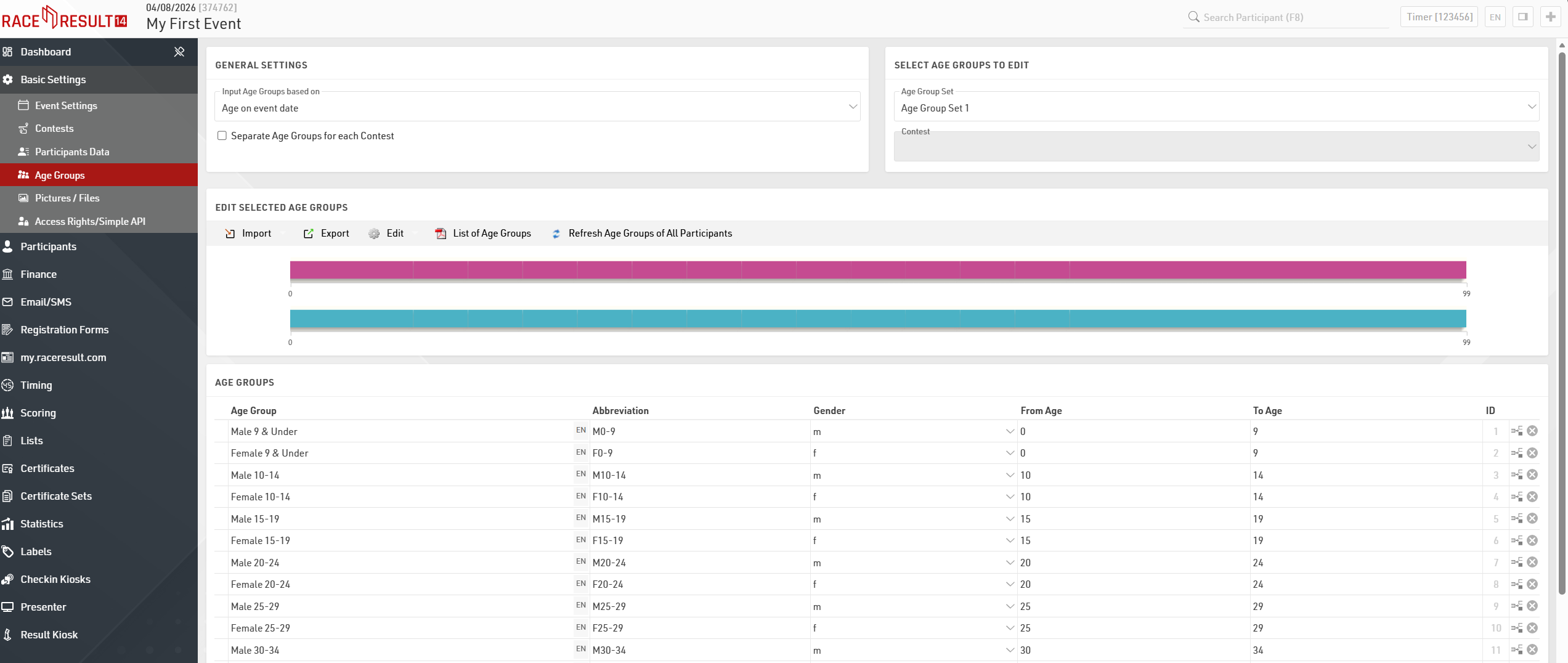
You will need to define on which criteria you will enter and with which age groups are set, this will usually depend on the type of event you are timing:
- Date of birth - Age groups are set by a defined date range.
- Age on event date - Participants' age on the day of the event set in the event Event Settings.
- Age on 12/31 (Previous Year) - Age on 31st December of the previous year based on the event date.
- Age on 12/31 (current year) - Age on 31st December of the current year based on the event date.
- Age on arbitrary date - Age on a specific date, to be defined below.
By default some age groups are already created, but you can always change the predefined categories and customize them to your specific needs. It is possible to define common age groups for all contests, or different age groups for each contest. For the latter activate the checkbox Separate Age Groups for each Contest.
In case you require two different age group scores for each participant, you can define a second Age Group Set. In order to enter the second Age Group Set, simply choose Age Group Set 2 from the drop down menu.