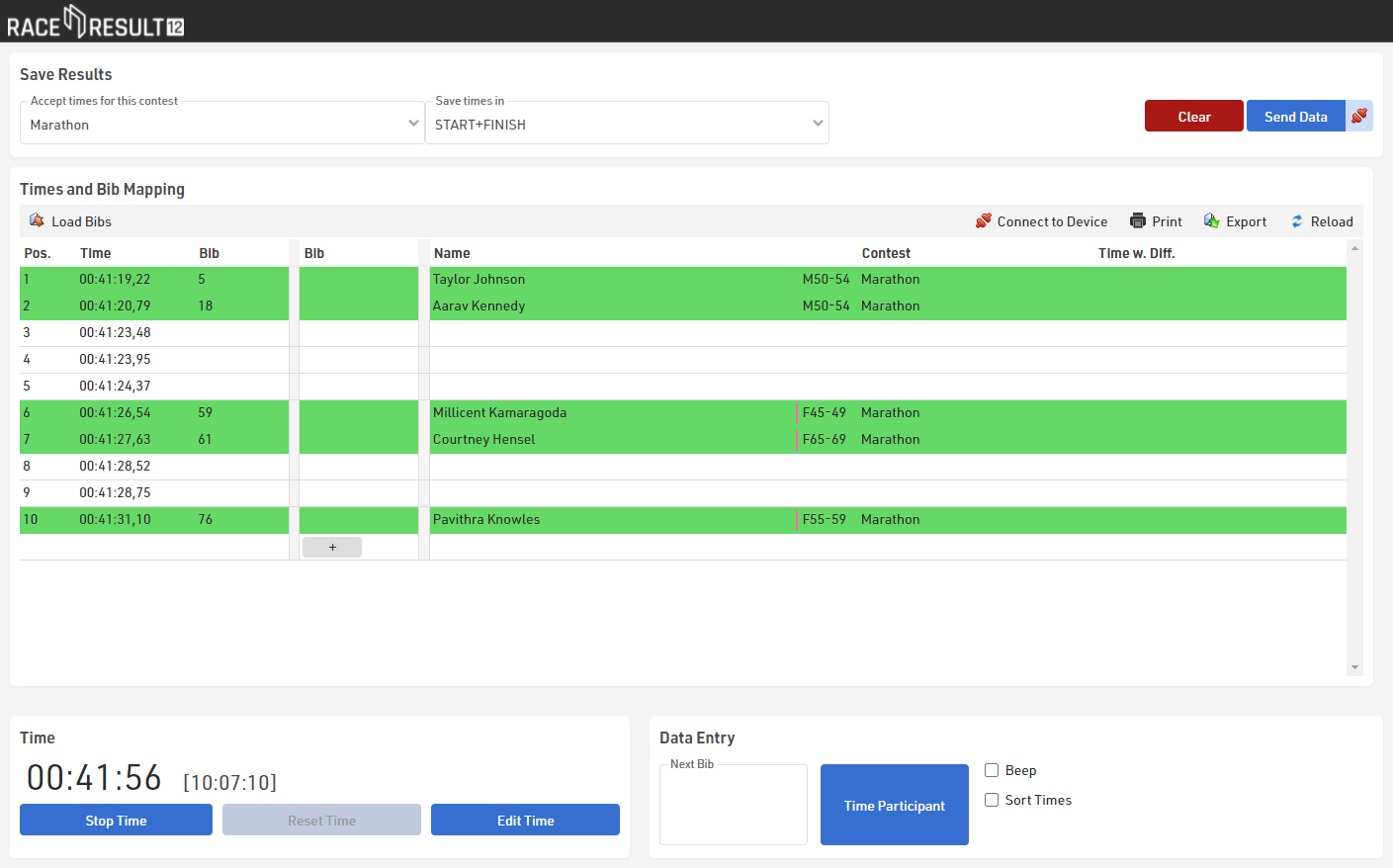
For capturing the times, the tool Manual Timing will be used as well. If your race office (where you score the race) is at another spot (i.e. not at the finish line) you have the following options:
- You can work offline and your event file is stored on your main computer in the race office. This computer and the computer at the finish line can be connected through a local network, so that you can access the event file in the race office simply through your browser by entered the IP address (for example http://192.168.1.54).
- You can also create a copy of the event file for the computer at the finish. When the race is over, export the results in the Manual Timing tool (button “Export”) and import them at the computer in the race office (button “Load Times”).
- You can also work online, i.e. the event file is stored on the RACE RESULT servers. At the finish and in the race office you need Internet access in order to access the file online.
Taking times works almost the same as described above for the small event. Set up your laptop behind the finish line, ideally together with a table and a chair and power supply. Set up the table in a way that you can see the athletes as early as possible. Ideally, you work in a team of two.
Then start the time by pressing the button Start Time. If you missed the start you can change the time by clicking the button Edit Time.
By pressing Enter, you can take the times. When you do not have several people finishing at the same time, try to type in the bib number for as many participants as possible. Later this will facilitate mapping the list of times and the list of bibs because you have reference points which time belongs to which bib. You can do so by either entering the bib in the box Next Bib (before the athlete finishes) or by entering it in the table in the third column (after taking the time).