


To link the participants data of your event file to Racemap, you need to use the simple API feature under Basic Settings ⇒ Access rights / Simple API
In the Type setting, select "Racemap Access".
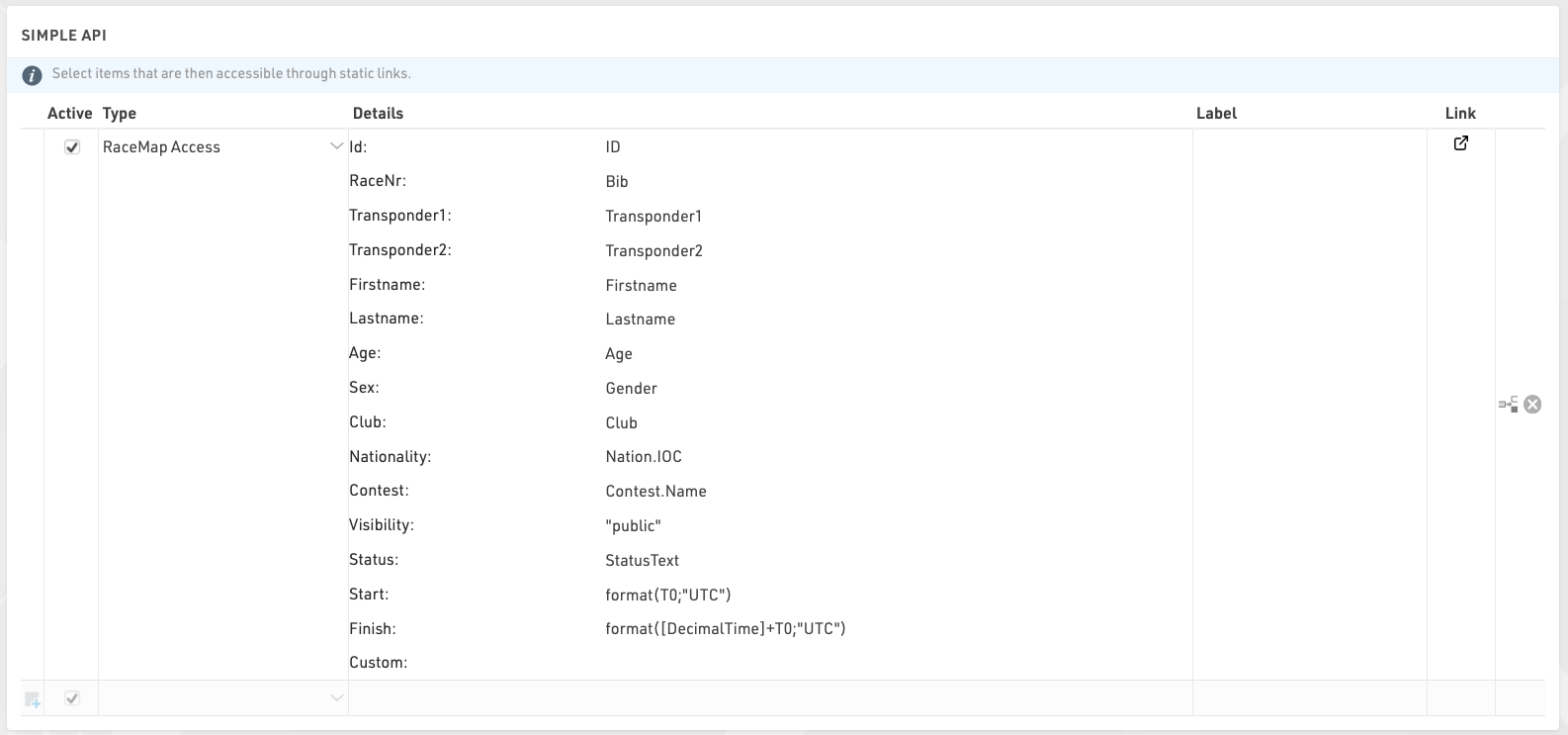
An integration is automatically created, with the default settings above. These should be fine for most events, but you can edit them where needed.
Here is more information about each field, and what you should put in them:
- Id: should contain a numerical value that is unique through the event file and does not change.
- RaceNr: that field will be displayed on each participant's flag in the timing visualisation. It is typically the bib number, but can be anything you like (it can even include text and emojis) and does not need to be unique.
- Transponder1 and Transponder2: chip codes assigned to a participant via the corresponding data fields. If you are using a chip file instead of these two fields to assign chips, replace Transponder1 with TransponderInChipFile in the Transponder1 field.
- Contest: typically, the contests are as set up in the event file. However, you can use this field to group participants into any categories relevant to Racemap, for example if participants from a given contest do not all perform the same course.
- Visibility: leave as "public" so participants show up in the Racemap
- Start and Finish: needs to contain the start and finish time of day (in UTC time) of the participants, or be left blank. When filled, Racemap uses these fields to ignore trackpings before / after a participant is on course, so it is critical that they are properly set up, or blank.
- Custom: use this field to add any extra information. You will need to liaise with Racemap to make sure they can actually make any use of what you put there.