When working offline, you need to download and install the RACE RESULT software first, then start the RACE RESULT Web Server and check out the event file.
Working offline still allows you to completely time your race and can still produce results which can still be exported through lists to PDF, Excel or other standard formats.
RACE RESULT Web Server
First, download RACE RESULT 14 from our website and install it on your main computer (which will act as a local server).
Then start the RACE RESULT Web Server through the Window start menu. It acts as a local web server, so it feeds your web browser with the RACE RESULT 14 web page (which would usually be handled by the servers in the RACE RESULT data center).
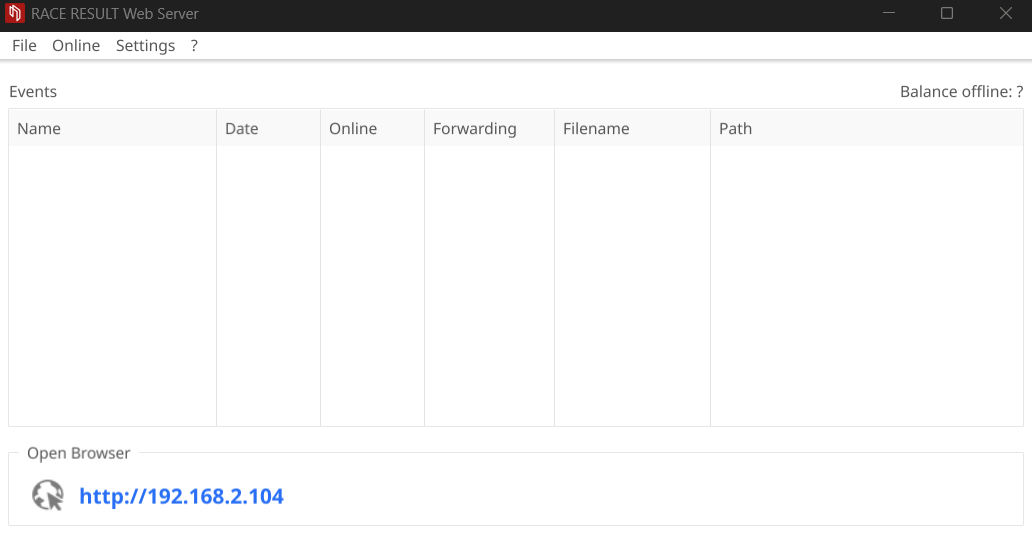
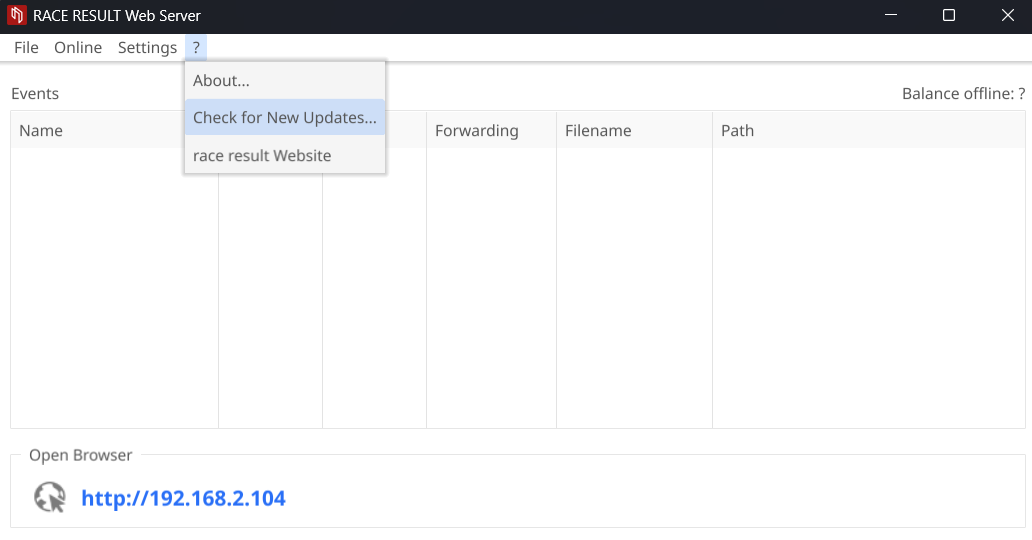
Please make sure that you have installed the latest version of the RACE RESULT Web Server before the event will take place. To check for new updates, click ?-> Check for New Updates:
Opening Events
The web server is used to open your Event Files on the local RACE RESULT server, you can create new files if you plan to work entirely offline through File-New Event.
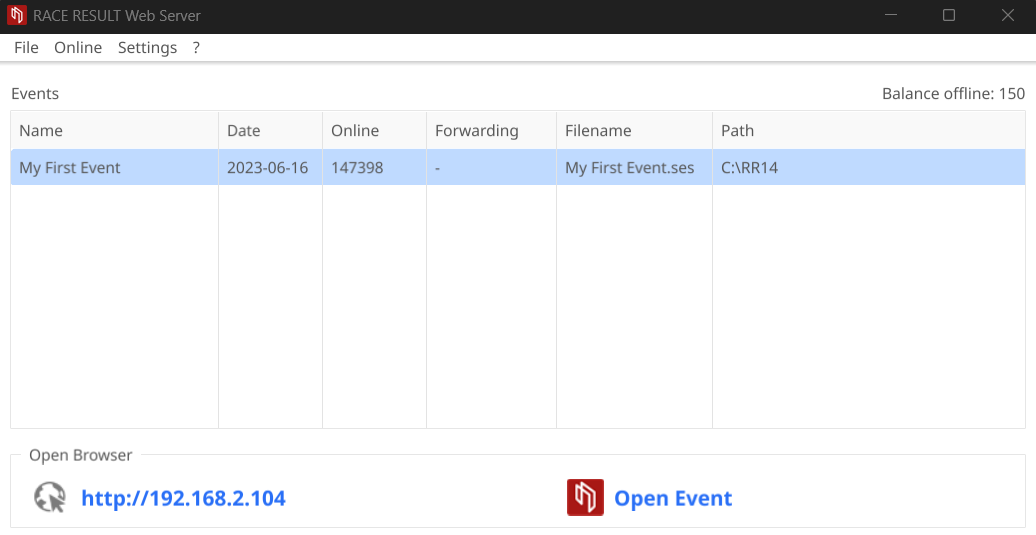
Your open events will be listed in the table of the Web Server
Check-Out Event Files
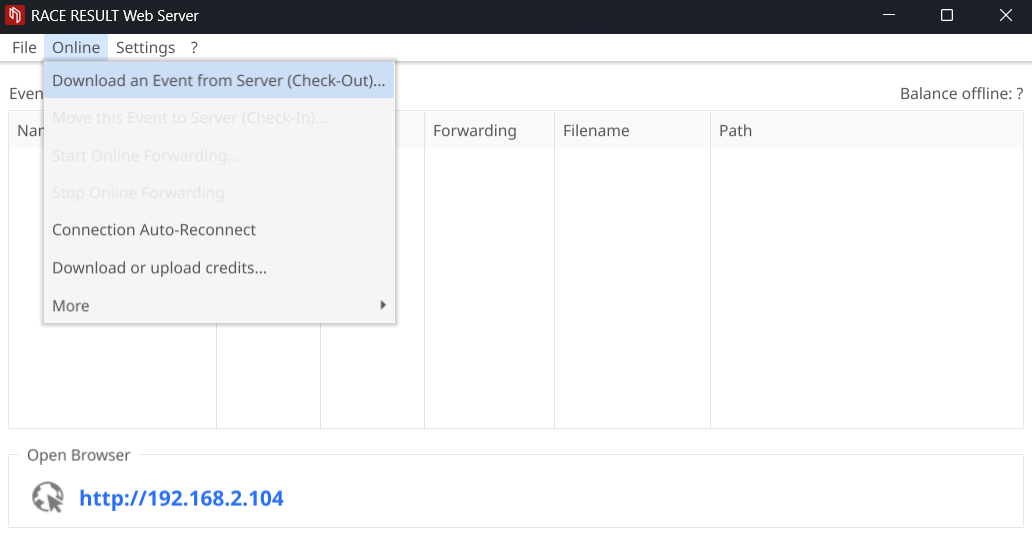
If you are planning to use an Event File which was created online you will need to check out the file first through Online->Download an Event from Server (Check-Out):
Enter your login details and select the event you would like to check out, this then downloads the Event File to your computer - make sure to save it somewhere safe!
It is not possible to work on a file both online and offline at the same time, as such you cannot access the file online anymore after the checkout, and checkout is only possible if the online registration is not active.
Download Copy for Testing
You can also download a copy of the event file while the original remains online. This is also possible while the online registration is still running. Therefore navigate to "Overview > Technical Information" in your online file and download a backup copy. Open this in the webserver by double-clicking the file.
Note that it will not be possible to check this file back in without first completely checking out the online version, this risks losing any changes made online during that time.
Accessing the event
After the checkout or after creating awo new event file offline, you can access it in the browser by clicking on Open Event:
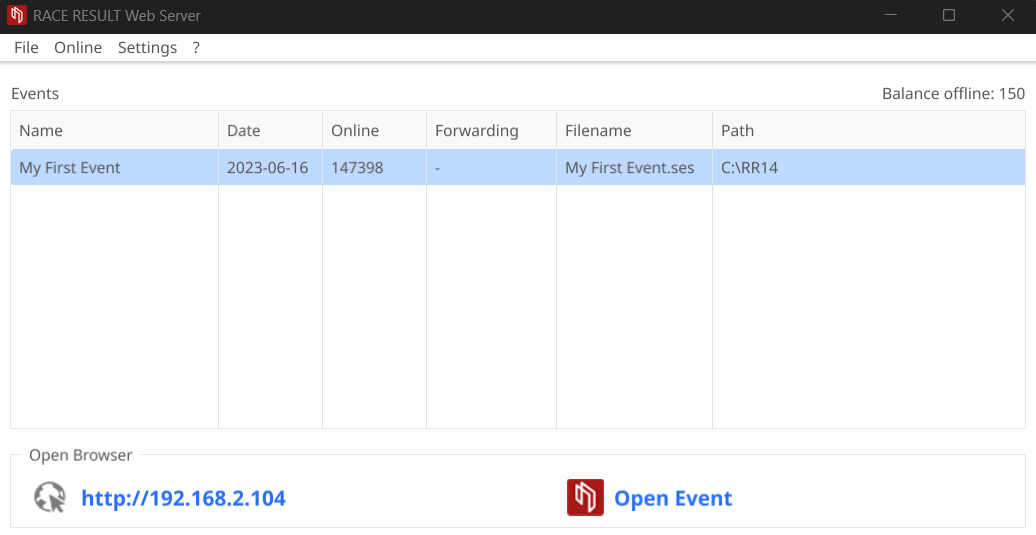
To access the file through other computers in the local network, you only need to enter the IP address (shown on the left side in RACE RESULT Web Server) in your browser:
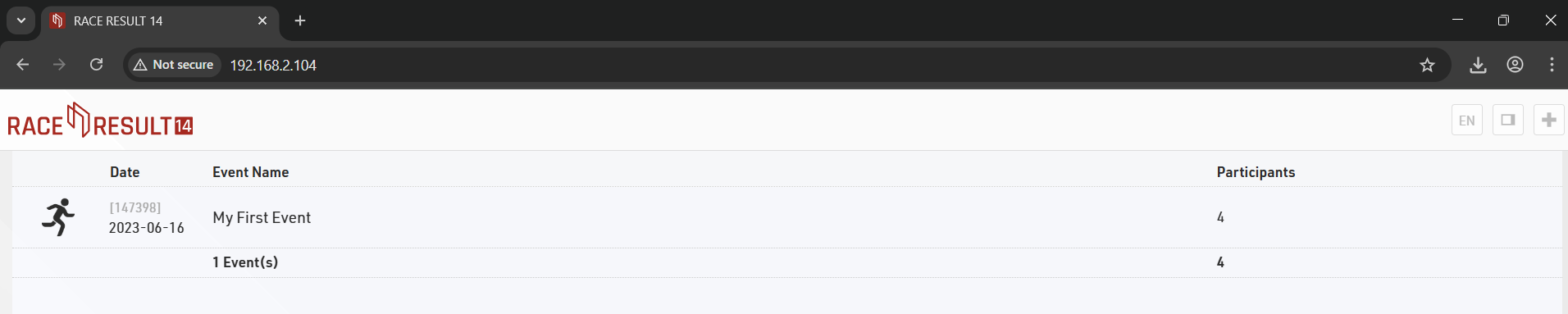
Note that if your laptop is running other web servers then it may also be necessary to provide the port number which is appended to the IP address.
On-line presmerovanie
Pri práci v režime offline môžete použiť funkciu Preposielanie online na odoslanie zmien vykonaných offline do súboru online. Týmto spôsobom má my.raceresult.com prístup k najnovším údajom o pretekoch a môže zobrazovať aktuálne výsledky. Keďže sa na internet preposielajú iba zmeny, prenesie sa len málo dát, takže vo väčšine prípadov stačí aj 3G pripojenie.
Ak chcete spustiť online preposielanie, kliknite na Online->Viac->Spustiť online preposielanie na RACE RESULT Web Server. Ak chcete zastaviť preposielanie online, funkciu Zastaviť preposielanie online nájdete v rovnakom menu.
Pri spustení online presmerovania, ak máte nejakých účastníkov, ktorí neboli aktivovaní, budete vyzvaní na ich aktiváciu, webový server potom automaticky stiahne požadovaný počet kreditov a aktivuje vašich účastníkov. Preposielanie online nemôžete spustiť bez toho, aby ste najskôr aktivovali všetkých účastníkov. Účastníci vytvorení po spustení online preposielania nebudú aktivovaní automaticky, čo vám dáva možnosť vymazať nechcené záznamy, ale znamená to, že noví skutoční účastníci budú podčiarkovníci, kým ich neaktivujete.
Ak sa vaše internetové pripojenie preruší, preposielanie online sa zastaví, ale stále máte prístup ku všetkým svojim údajom a po obnovení pripojenia môžete online presmerovanie jednoducho reštartovať.
Pokiaľ beží Online Forwarding, webový server RACE RESULT zobrazuje množstvo prenášaných údajov v zozname udalostí za ID udalosti. Ak sa online presmerovanie zastaví, napríklad keď sa vám preruší internetové pripojenie, dostanete varovanie.
Registrácia na podujatí
Keď je práca hotová v deň pretekov, môžete sa vrátiť späť do súboru udalosti. Všimnite si, že potom už nemôžete pristupovať k udalosti offline, ale namiesto toho sa musíte znova prihlásiť na www.raceresult.com, aby ste mali prístup k udalosti.
Takže sa uistite, že ste dokončili prácu pri opätovnom prihlásení súboru alebo buďte pripravení vykonať posledné zmeny online.
Pre odovzdanie súboru kliknite na Online->Presunúť túto udalosť na server (Check-In). Nahrávanie môže trvať niekoľko sekúnd alebo minút v závislosti od veľkosti súboru a rýchlosti vášho pripojenia. Stĺpec Online zobrazuje priebeh.