RACE RESULT offre numerose opzioni per incorporare facilmente la registrazione online e i risultati nel sito web dell'evento.
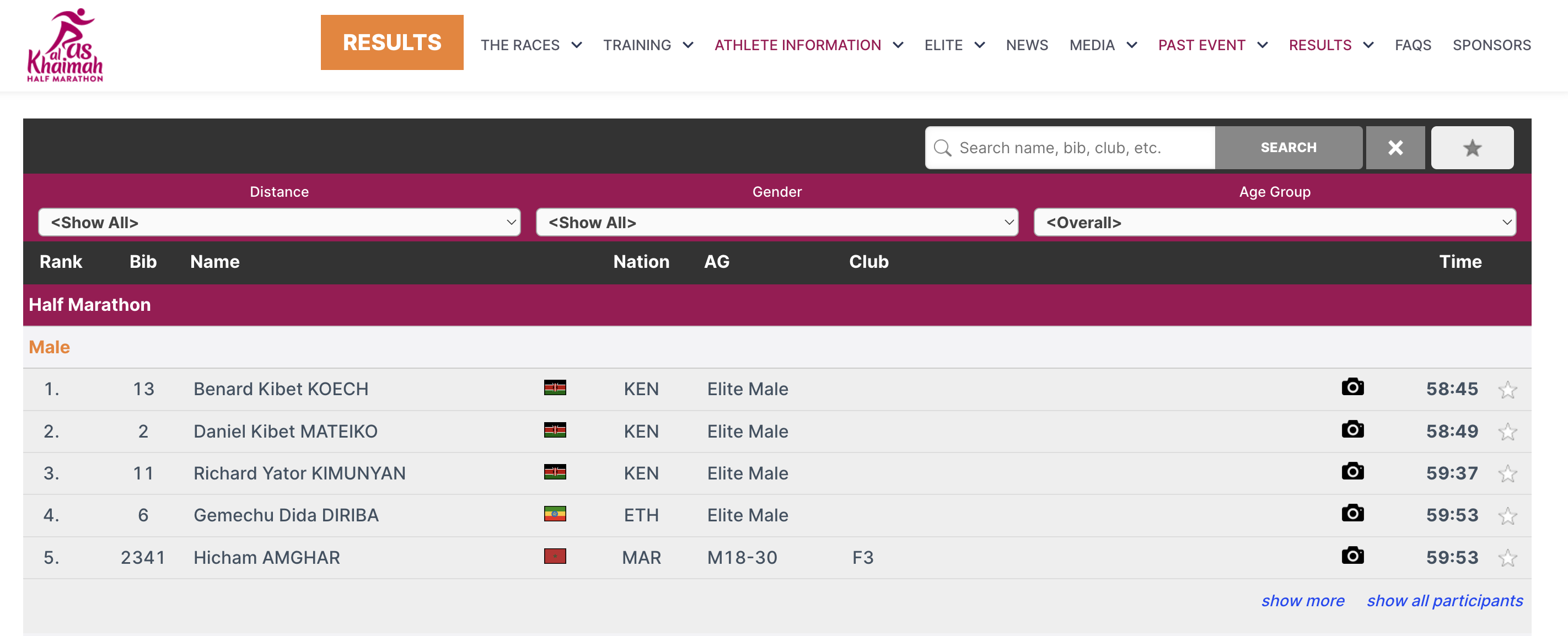
Questo viene fatto tramite piccoli snippet Javascript che caricano i risultati direttamente nel tuo sito web (senza iframe). Tutti gli stili CSS del tuo sito web verranno applicati anche alla registrazione online e ai risultati. Dove necessario, puoi aggiungere CSS per ottimizzare l'aspetto.
Il codice Javascript che deve essere copiato e incollato sul tuo sito web può essere trovato in Impostazioni di base->Integrazione sito web.
Gli articoli seguenti spiegano i diversi tipi di codice di incorporamento in modo più dettagliato.
Per quanto riguarda i risultati, questo potrebbe assomigliare a questo:
<div id="divRRPublish" class="RRPublish"></div>
<script type="text/javascript" src="//my.raceresult.com/RRPublish/load.js.php?lang=en"></script>
<script type="text/javascript">
<!--
   var rrp=new RRPublish(document.getElementById("divRRPublish"), 58385, "results");
-->
</script>
<style>
   /* Add custom CSS here or elsewhere to change the design */
</style>
Nello screenshot qui sopra, alcuni colori del riquadro dei risultati sono stati modificati, questo viene fatto utilizzando CSS personalizzati nei tag di stile.
Embed Lists
In order to embed the lists you need to copy the corresponding source code. You might notice that all of these are very similar. There are a few key things to note that make them different and some features that allow you to customize these lists.
Here is the source code for reference.
<div id="divRRPublish" class="RRPublish"></div>
<script type="text/javascript" src="https://my.raceresult.com/RRPublish/load.js.php?lang=en"></script>
<script type="text/javascript">
<!--
    var rrp=new RRPublish(document.getElementById("divRRPublish"), 123456, "results");
    rrp.ShowTimerLogo=true;
    rrp.ShowInfoText=false;
-->
</script>
<style>
  /* Add custom CSS here or elsewhere to change the design */
</style>
This source code loads data based on the Event ID specified and the tab url specified. All of the sections in red are variables you can change to customize the embedded code. The above example will load the Results list for event 123456. If you want to load the Participants or Live lists you will need to change "results" in red to either "participants" or "live". In the case of a custom list tab you would simply use the custom url.
There are also two boolean options to turn on and off features.
- rrp.ShowTimerLogo - when set to true will show the timer's logo at the bottom of the results.
- rrp.ShowInfoText - when set to true will show the info text defined for the specified page.
Incorpora la registrazione e il self-service online
Il codice sorgente della registrazione online ti consente di incorporare il portale di registrazione direttamente sul tuo sito. Ciò ti consente anche di collegare il ChangeLink() per Online Self Service direttamente al tuo sito quando utilizzi la funzione ChangeLink().
Per iniziare dovrai incorporare il codice sorgente della registrazione online sul tuo sito, lo stesso codice abiliterà sia la registrazione standard che quella self service online.
<div id="divRRRegStart" class="RRRegStart"></div>
<script type="text/javascript" src="https://my.raceresult.com/RRRegStart/load.js.php?lang=en"></script>
<script type="text/javascript">
<!--
  var rrp=new RRRegStart(document.getElementById("divRRRegStart"), 230672);
  rrp.ShowInfoText=false;
-->
</script>
<style>
  /* Add custom CSS here or elsewhere to change the design */
</style>
Ci sono 2 variabili qui evidenziate in rosso.
- EventID - l'ID dell'evento da incorporare.
- rrp.ShowInfoText - true o false per definire se deve essere incluso anche il testo informativo della pagina di registrazione.