La herramienta Cronometraje Manual se puede utilizar para registrar tiempos manualmente para cada participante, ya sea como una hora de Split primaria o finalización o como una copia de seguridad manual. También se puede para conectarse a dispositivos seriales que transmiten datos.
Setup
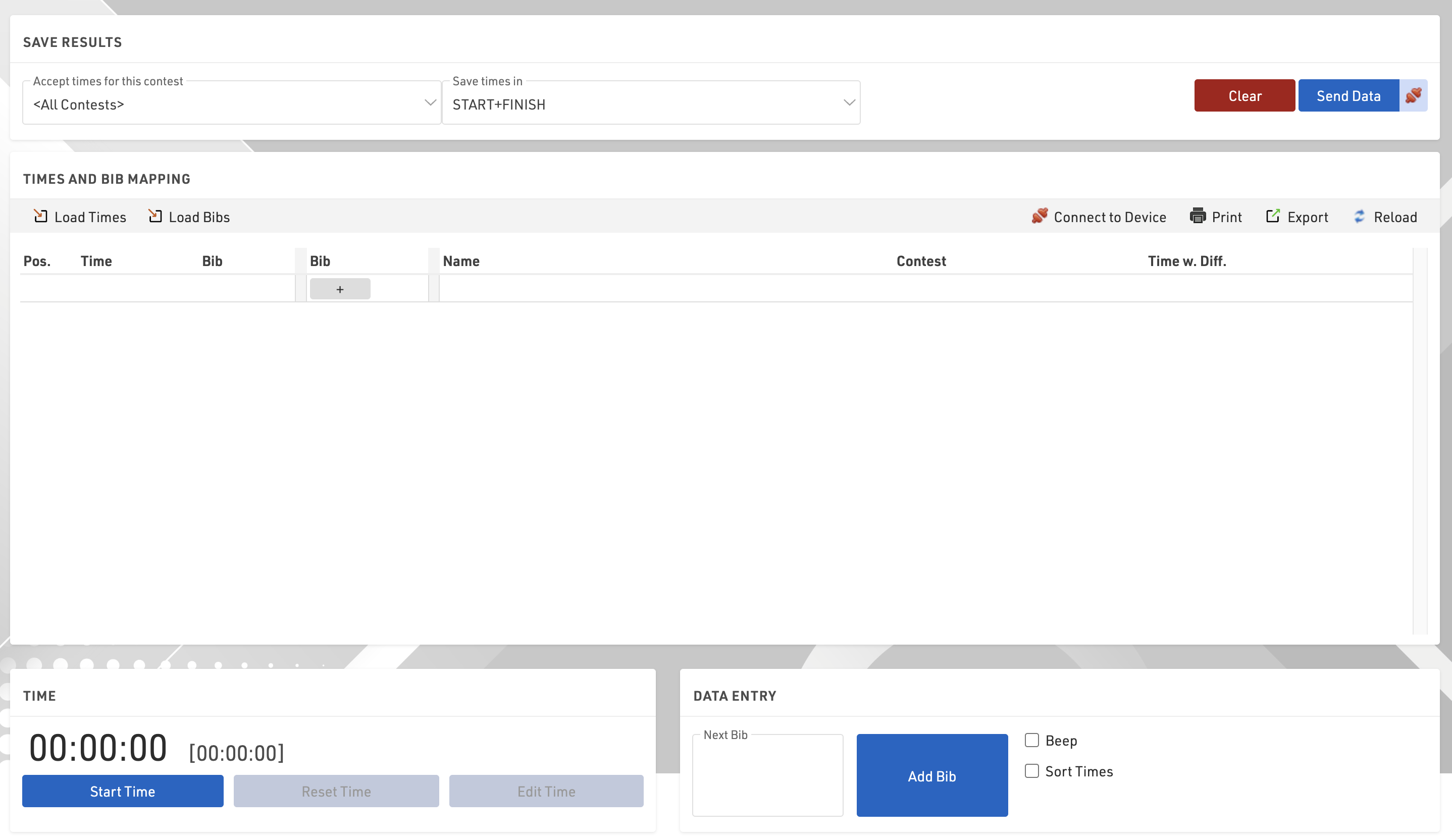
When loading the Manual Timing module there are some initial options to set.
- Accept times for this contest: Choose whether times should be accepted for a single contest only or for all contests
- Save times in: This setting to select a timing point or result only shows if you have more than one timing point or static result, otherwise times will be saved in the only available option.
Time
Time is not set or started when opening, you can Start Time as running time, or once started click Edit Time to open additional options.
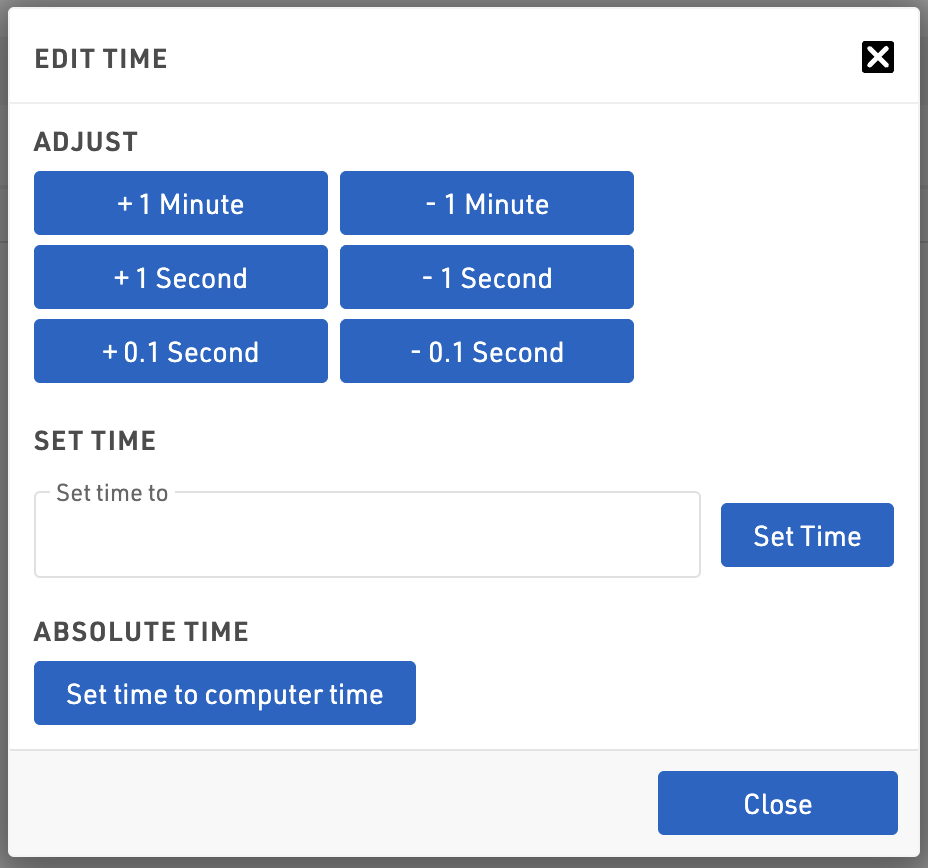
From here you can adjust the time in small increments, set the time to a certain time or set to computer time. Click the Black X to close the dialog.
Send Data
The manual timing module does not send data directly to your event file automatically, clicking Send Data will send the currently recorded data, or clicking the connection symbol next to this will activate live forwarding where all data is then automatically sent to the event file as it's recorded.

Registro de Datos
Los datos se capturan mediante la entrada de datos en la parte inferior derecha.
Normalmente introducirá el número de dorsal del participante y precionara enter para grabar un tiempo a medida que cruzan el punto de cronometraje, si se acercan varios finalistas o el dorsal no se puede ver, entonces también puede simplemente pulsar enter para grabar un tiempo (los números de dorsales se puede llenar más adelante).
Al capturar un tiempo, el tiempo se enumerará en la sección anterior, normalmente con la información de Tiempo, dorsal y participante. El registro también se resaltará con un color dependiendo del estado:
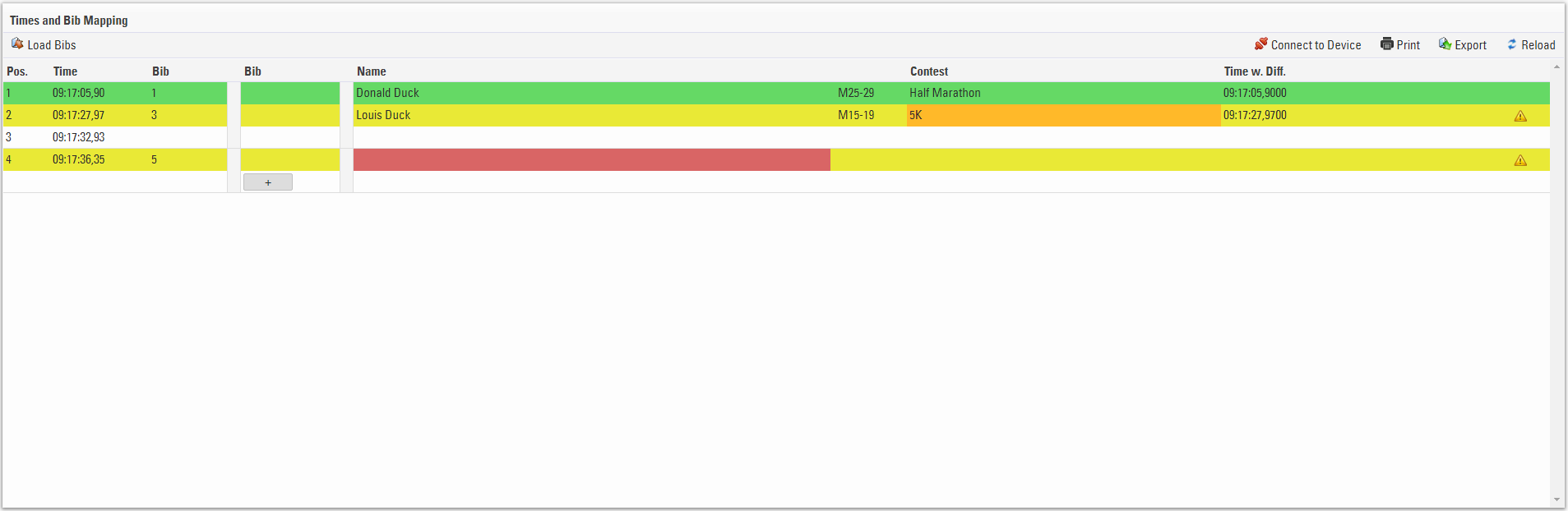
- Verde - El dorsal es reconocido y el participante es válido / aceptado
- Amarillo - El dorsal no esta en la competencia aceptada
- Blanco - No se regitró ningun dorsal para el momento
- Rojo - No se reconoce el dorsal
Si no se capturó ningún dorsal durante un tiempo o necesita cambiar el dorsal y, a continuación, hacer clic en la primera columna de dorsal le permite editar este valor, guardar el campo presionando la tecla de flecha hacia abajo, los tiempos también se pueden editar de esta manera.

También es posible que desee capturar los tiempos y dorsales por separado, por ello puede utilizar la función Cargar Número Dorsal / Cargar Tiempos, que es donde se utiliza la segunda columna de dorsal, consulte el Guia de Cronometraje Manual para más información al respecto.
Los registros se pueden insertar o eliminar manualmente, al pasar el cursor sobre los tiempos se mostrará la línea de inserción y eliminarán las opciones de registro.

Connecting to Devices
The Manual Timing module supports the ability to receive data from serial connections from manual timing devices, such as Time Machines.
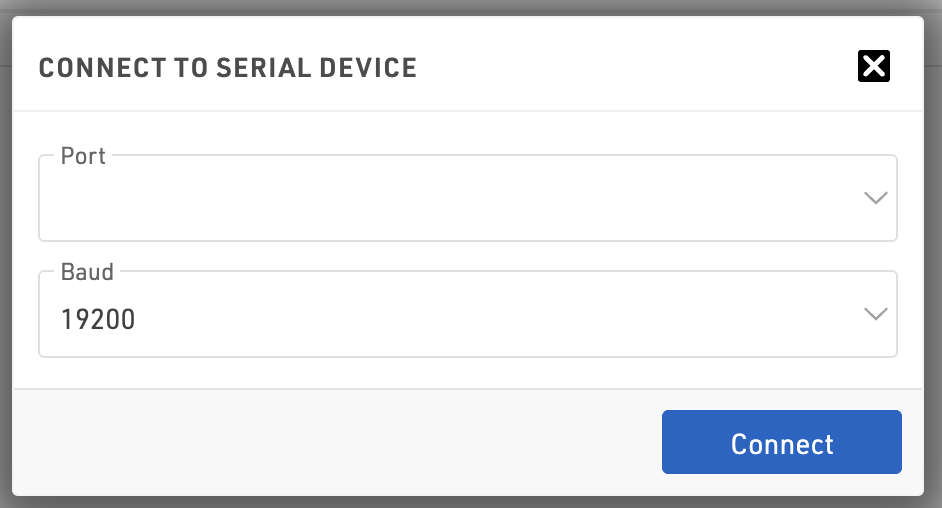
To connect to devices click Connect to Device, in the following window you will need to enter the correct COM port number for your device and the Baud rate. Note that this will be specific according to your device.
Not all devices are supported as it depends on the data which is being transmitted, with a sample of the data format we may be able to include support for other common devices.