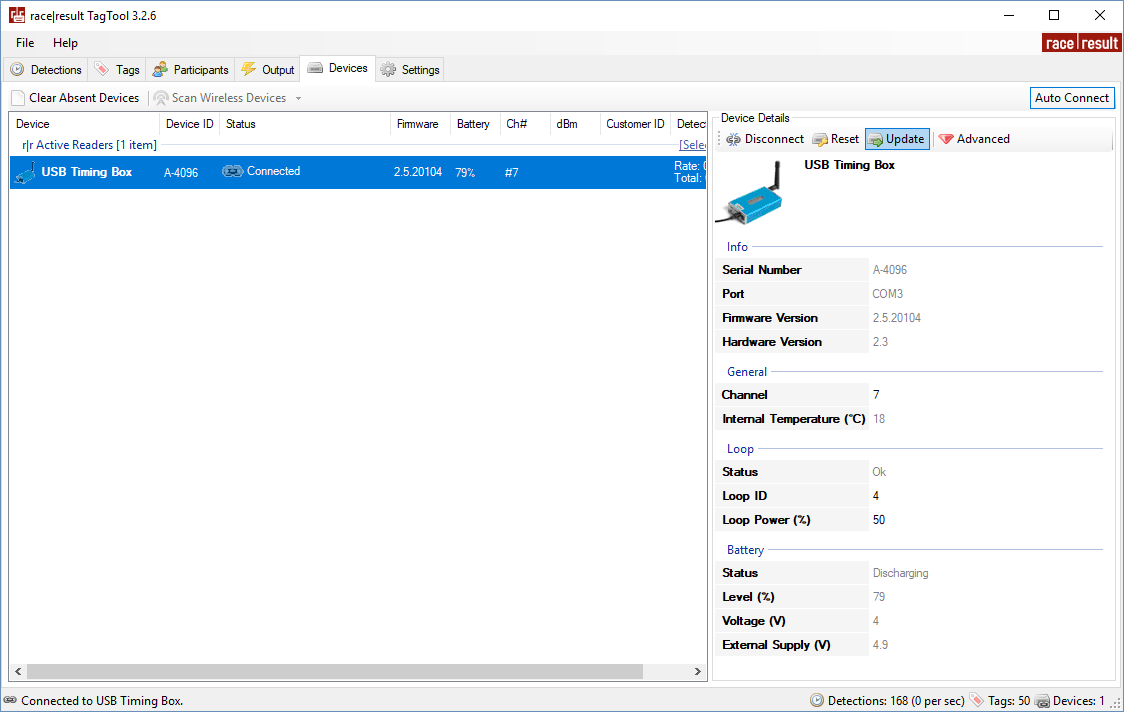
It is recommended to update the firmware when a new firmware is available. See Firmware Release Notes.
For firmware updates for the USB Timing Box and USB Management Box open your TagTool and connect your device, the most recent Active Device firmware is included in the most recent release of TagTool. Once it is connected, select the device you wish to update then click Update in the Device Details window, and select the most recent firmware version (highest value name). It is important that you do not unplug the device during the update.