First of all, note that this option is not recommended! If each team member has his own chip, things can end up in a big chaos. The biggest problem is team members waiting for other teams or watching other team members while being in the read field of the timing system. You will get a lot of unwanted reads and it can be close to impossible to find out which reads are actually those you need. This can become even more complicated if team members swap the parts they are supposed to run.
Note that if there is only one chip like in the previous two cases, all these problems cannot happen.
If you still wish to give one chip to each member of a team, set up your event file in the following steps:
- Make sure there is a unique field that defines who belongs to the same team. Let's assume the Club field is used for that.
- Set up a team score and activate the Lap Mode. The Lap Mode is intended for team lap races like 24 hour races, but it can also be used for this type of relay where each team member completes only one lap/section.
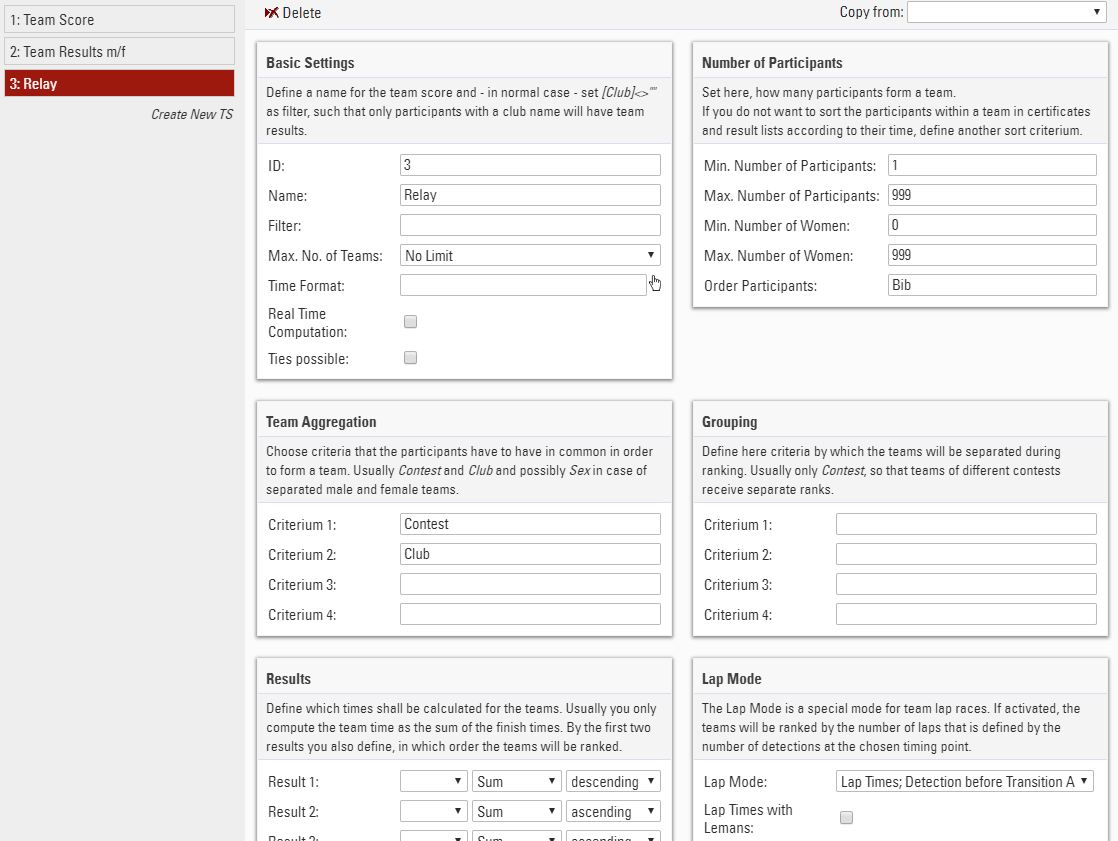
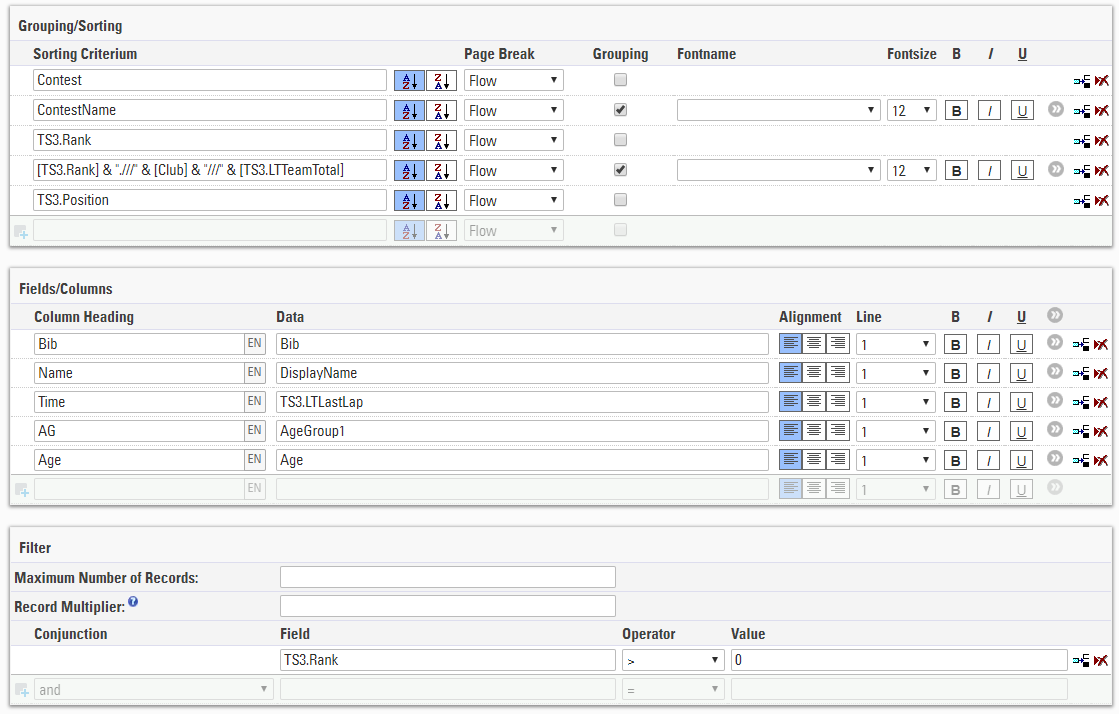
- Create a copy of the Team Results list, adapt it from TS1 to TS3, replace Time by TS3.LTLastLap, and replace TS1.Time in the grouping by TS3.LTTeamTotal:
- If you wish to offer an online registration for your event, you will need a Group Registration like in the previous case. You can either use the Contest Dependent Registration or the Special Registration (Group) for the relay contest. Make sure to add the Club field as a common field and to mark it unique for the contest in the Extended Settings.