In this case, there will be a participant record for each team member, but there will be only one chip for the team that will be handed over. This chip will be assigned to the first team member, so this record will have the finish time of the team and also all split times, whereas the other team members will not have any times.
The main advantage of this option is that you can easily store all information of all team members (like name, date of birth, email, phone, etc.). There needs to be a field with a unique team name which defines who belongs to the same team. Let's assume the Club field will be used for that.
Go through the following steps to set up the event file:
- Set up a team scores which links the members of a team:
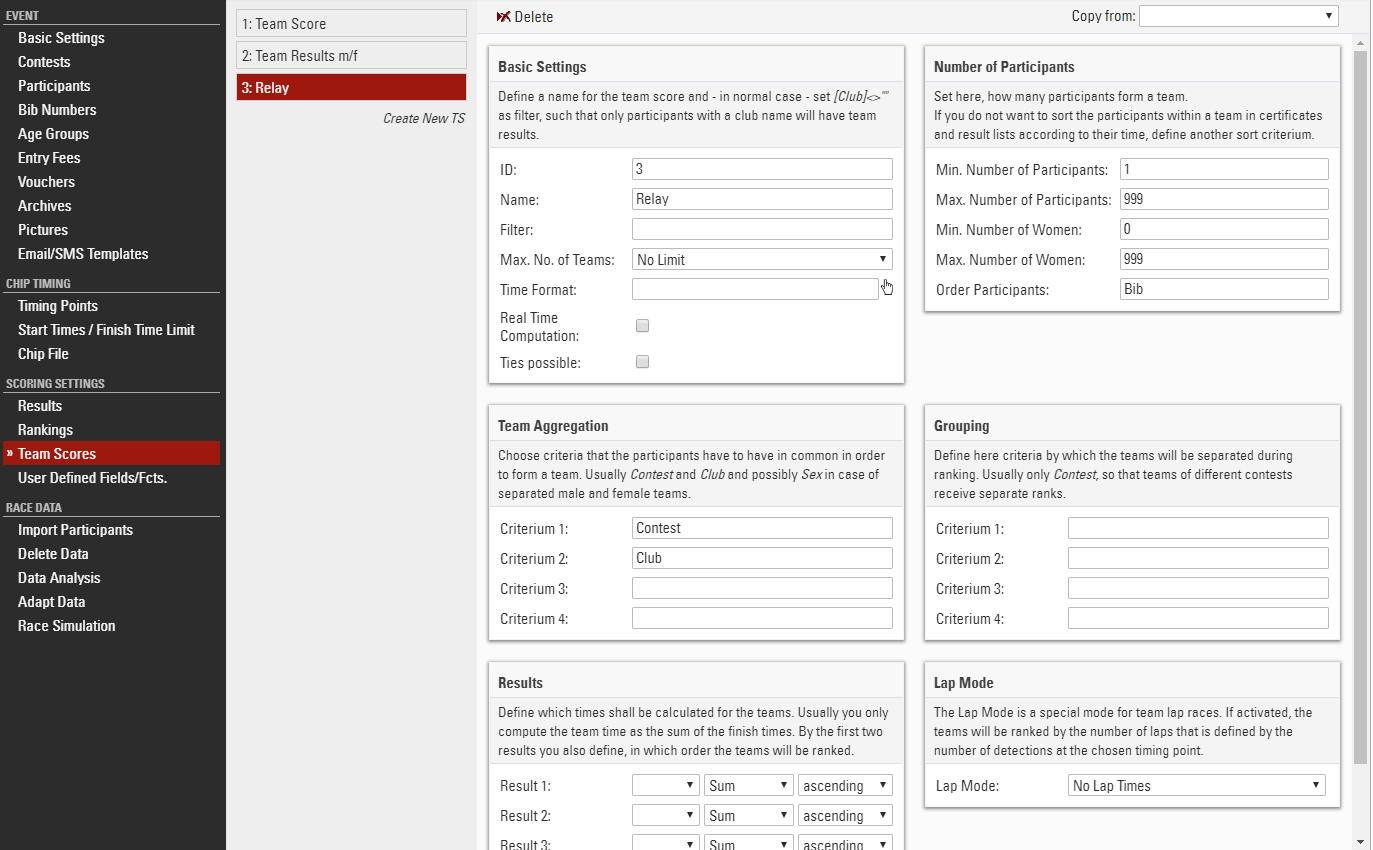
Here, team score 3 (TS3) is used. The team is aggregated by contest and club, so the team members must be registered for the same contest and must have the same team name in the club field to be part of the same club.
Note that the maximum number of participants is set to 999, so all participants with that team name will be put in that team.
Also note that no results are selected at the bottom of the settings. This way, athletes will also be part of the team if they do not have any times. This is important since only the first member of the team will have times.
Finally, note that the participants are ordered by Bib: This assumes that the team members will race in the order of their bib numbers.
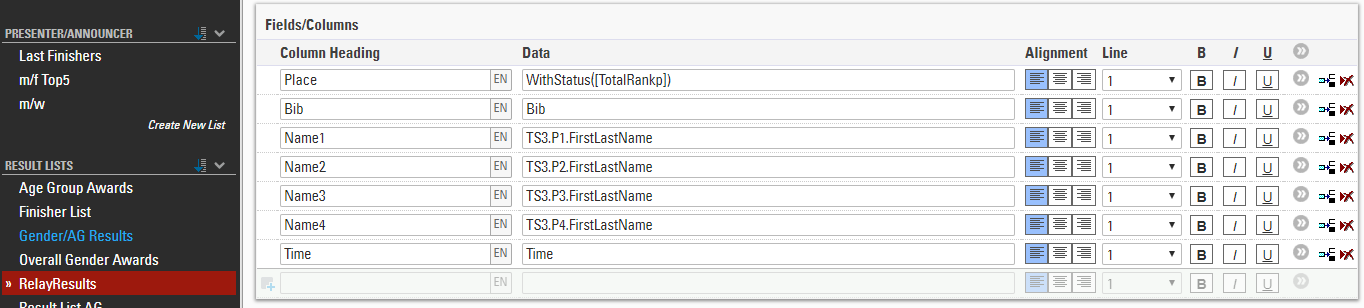
You can now access the xth participant of the team via TS3.Px, for example TS3.P2.LastName would return the lastname of the second athlete.
- Similar to the previous example, create a copy of a result list and adapt it to show the names of all members of the team:
- If you wish to offer an online registration for your event, you will need a Group Registration in this case. You can either use the Contest Dependent Registration or the Special Registration (Group) for the relay contest. Make sure to add the Club field as a common field and to mark it unique for the contest in the Extended Settings.