This option is the easiest to implement a relay race. The software does not even "know" that there are relays. One participant record will be created per team and the names of second, third, .. team membere will be stored in Additional Fields.
Go through the following steps to set up the event file:
- Create additional text fields for the data of the second, third, ... team member:

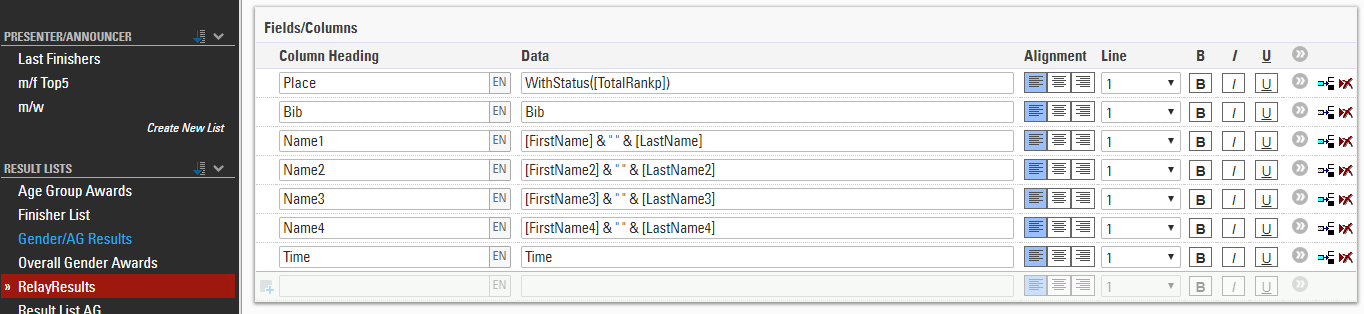
- Create a copy of a result list for the relay race and add the names of the other team members as columns:
- In many cases, the relay race will be one of several contests. If you would like to offer an Online Registration for your event, you have several options:
- Use the Contest Dependent Registration. Add the ATFs for the names as form fields of the online registration and in the column Show In select the relay contest.
- Use a Special Registration (Single) for the relay contest and add the ATFs to the form fields as before.
- Use the normal online registration, add the ATFs to the form fields and in the Extended Settings define: Show if: Contest = Relay Contest