
Active
The Active menu controls the relevant settings for when using Ubidium as an Active System.

Loop ID
Set the Loop ID to be used for Active Timing.
Channel
Set the Channel ID to be used for Active Timing.
Power
Set the Loop Power to be used for the loop connected via the Active Loop Port.
Passive
The Passive menu controls the relevant settings when using Ubidium as an Passive System connected to an Ubidium Ground Antenna.
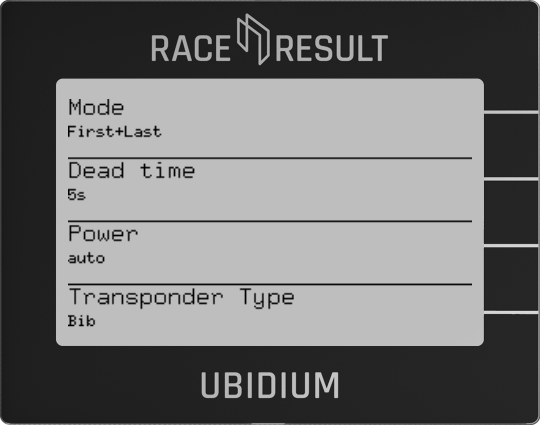
Mode
The mode controls the algorithm for how transponders are detected. The recommended default is First+Last.
- First+Last
The system stores a first detection based on the standard detection algorithm. If the transponder stays in the field after this first detection, the system will wait for the transponder to leave the detection field for a duration higher than the dead time, and additionally report the last detection before the chip exited the field. - Continuous
The system stores a first detection based on the standard detection algorithm and will then ignore any further detections of the same transponder for the duration of the dead time regardless of whether or not the transponder leaves the detection field. - First only
The system stores a first detection based on the standard detection algorithm and then waits for the transponder to leave the detection field (based on not detecting the transponder for a period of 850ms). After this point in time the system will ignore any further detections of the same transponder for the duration of the dead time. - Last only
When a transponder is detected the system waits for the duration of the dead time from the last detection and if no further detections are received then the last seen time will be stored.
Dead Time
Dead time determines the minimum time between two detections of the same transponder, according to the detection mode being used.
The default value of the dead time is 5000 ms (5 s), this can be set to value between 0 and 99999 ms (99.999 s).
Power
Controls the UHF output power of the Ubidium reader elements, from Minimum to Maximum.
This is set to Auto by default which will use the maximum permitted power according to the local regulations for the current location of the system.
Transponder Type
According to the type(s) of transponder being used - Ubidium can optimize the read performance of the antenna elements.
Ubidium has options for the following transponder types:
- Bib (including other mounting methods such as seatpost stickers or MTB plates for cycling)
- Triathlon (Disposable triathlon transponders)
- HuTag
- Shoe - any passive transponder worn on the shoe
In particular when using HuTags it is important to select the HuTag mode to ensure optimal performance of the transponders, otherwise select the transponder with the lowest performance (in order from top to bottom).
Note that when using any mode other than Bib - the maximum number of Antenna Elements which can be connected to Ubidium is limited to 12.