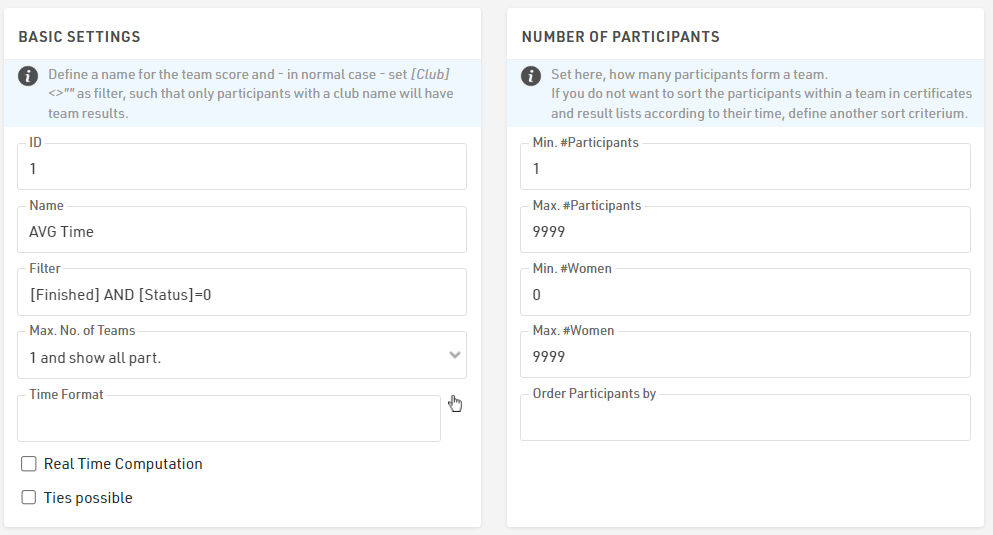
To calculate the average time for a specific contest based on finishers' times, a Team Score needs to be created. This will group all participants who have completed the same race.
To filter the participants, you can use the condition: [Finished] AND [Status]=0.
When configuring the Team Score, set the following parameters:
- Participants: Minimum 1, Maximum 9999
- Women: Minimum 0, Maximum 9999
- Max. No. of Teams: "1 and show all participants"
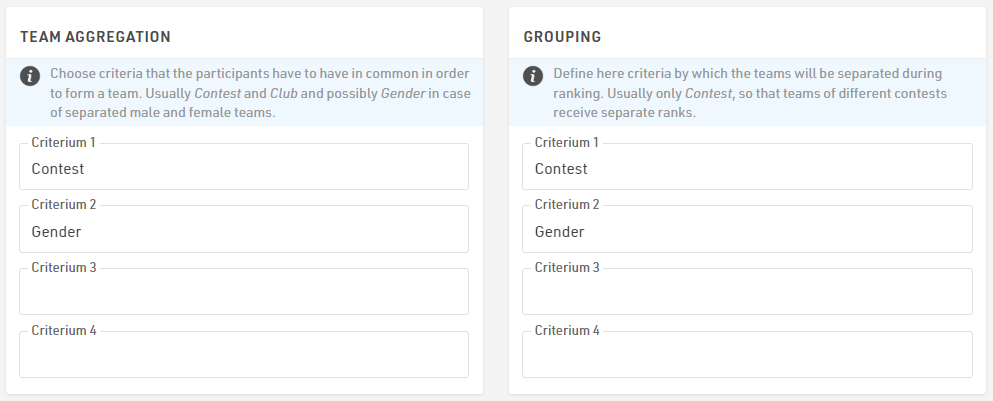
If you want to calculate the average time based on both Contest and Gender, ensure that these fields are included in the Team Aggregation and Grouping Settings.
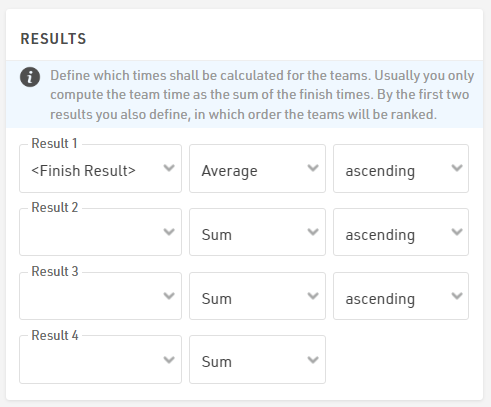
To calculate the average time, go to the Result section of the Team Score and select the <Finish Result> with the "Average" mode.
Finally, you can access the average time for each contest and gender by referencing the fields [TSX.Time1] or [TSX.DecimalTime1]. This allows you to perform additional calculations requested by the race organizer.