In some events, it may be necessary to apply penalties to participants, which are added to their finish times and can impact the final rankings.
Penalties can only be applied using Special Results. This article will guide you through implementing penalties when scoring a race using Splits and Special Results.
In both cases, don't forget to reference the FinishResult in your ranking calculations and output lists to consider the penalties!
Scoring via Splits
If you are scoring the race using Splits, follow these steps:
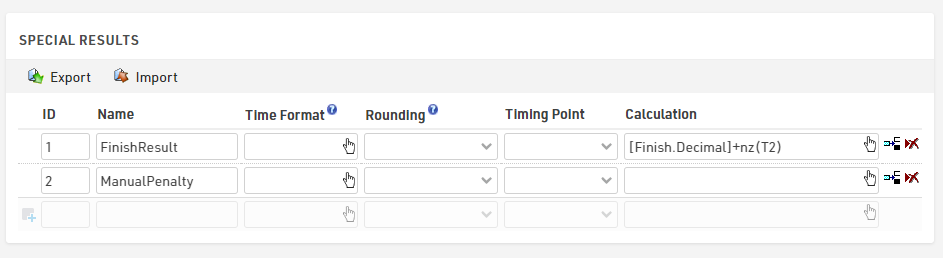
- ManualPenalty: Create a Special Result to store the penalties for each participant.
- FinishResult: Create a second Special Result where you reference the specific split time you wish to consider (e.g., [Finish.Decimal]) and add the penalties using the nz() function.
Scoring via Special Results
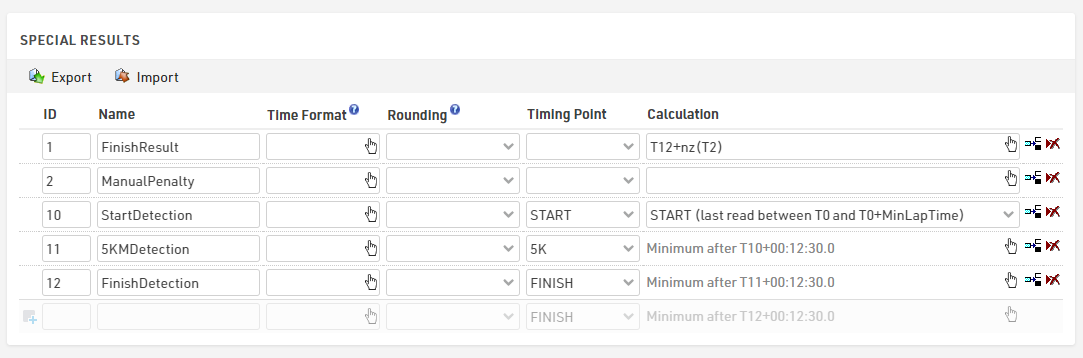
If your race is already scored using Special Results, simply create an additional Special Result to store the manual penalties. Then, add these penalties to the finish time using the nz() function.
Assigning penalties to Participants
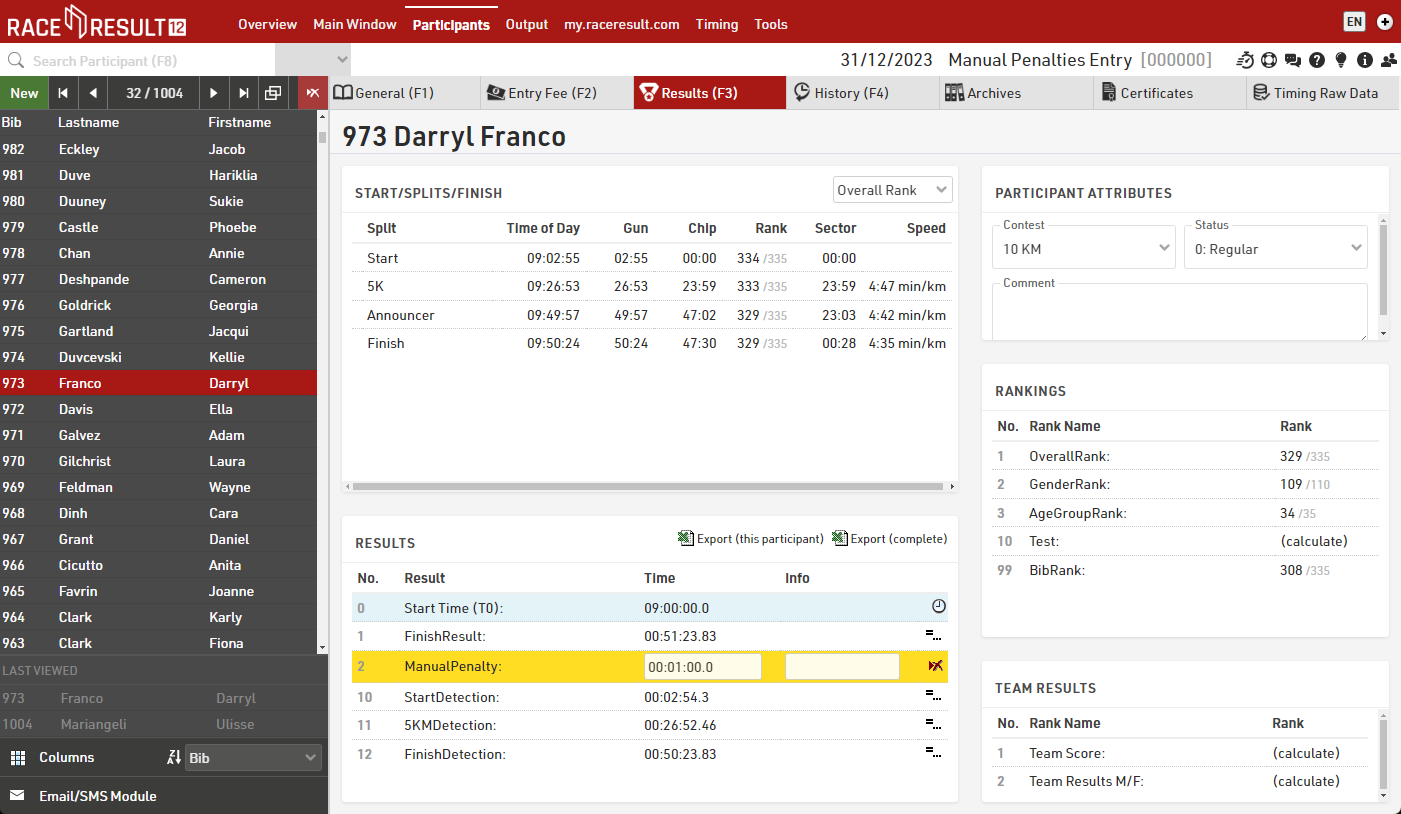
To manually assign penalties to individual participants, navigate to Participants > Results and enter the ManualPenalty in the appropriate field.
Pro tip: Use an Additional Field to Store Penalties
To allow referees to add penalties directly to specific participants, create an Additional Field to store the penalty time and include it in a Check-In Kiosk: reference now the additional field in the ManualPenalty result with the function TimeFromString().