The following guidelines describe the correct setup of your Ubidium Ground Antenna to ensure maximum performance and prevent damage to the components.
Additionally, you should be aware of the setup precautions to further optimise the performance of the system.
Unfolding the Ground Antenna
You should start unfolding the antenna from the side on which you will position the Ubidium System.
Stand the antenna vertically with the Connector Cable on the ground, at the edge of your Timing Point next to your Ubidium System.
Depending on the length of your antenna you may find it easier to slightly separate the segments to allow them to stand freely.
Pull the last antenna segment to unfold the antenna across the width of your Timing Point.
Folding the Ground Antenna
Again start at the end of the antenna which is closest to your Ubidium System and ensure the Connector Cable is disconnected from your system.
Starting from the second antenna segment pull the segments towards you to fold the antenna into an accordion at the hinges. It is usually easier to keep the segments standing whilst you fold the additional length of the antenna.
Take care not to lift the segment vertically as this may separate the cover from the base making it harder to fold.
Once all the segments have been folded you can push all of them together to flatten the hinges, and we recommend using the provided strap to secure the segments together.
We recommend folding and storing your Ubidium Ground Antenna with the red covers facing outwards to prevent causing deformations on the edges of the covers.
Setup Precautions
Antenna Length
Your Ground Antenna should cover the entire width of your Timing Point to ensure that all participants cross directly over the antennas, it should not be possible for participants to go around the antenna in any way.
If your Timing Point is wider than the available Ground Antenna then you may need to consider setting up barriers to funnel participants across the antenna.
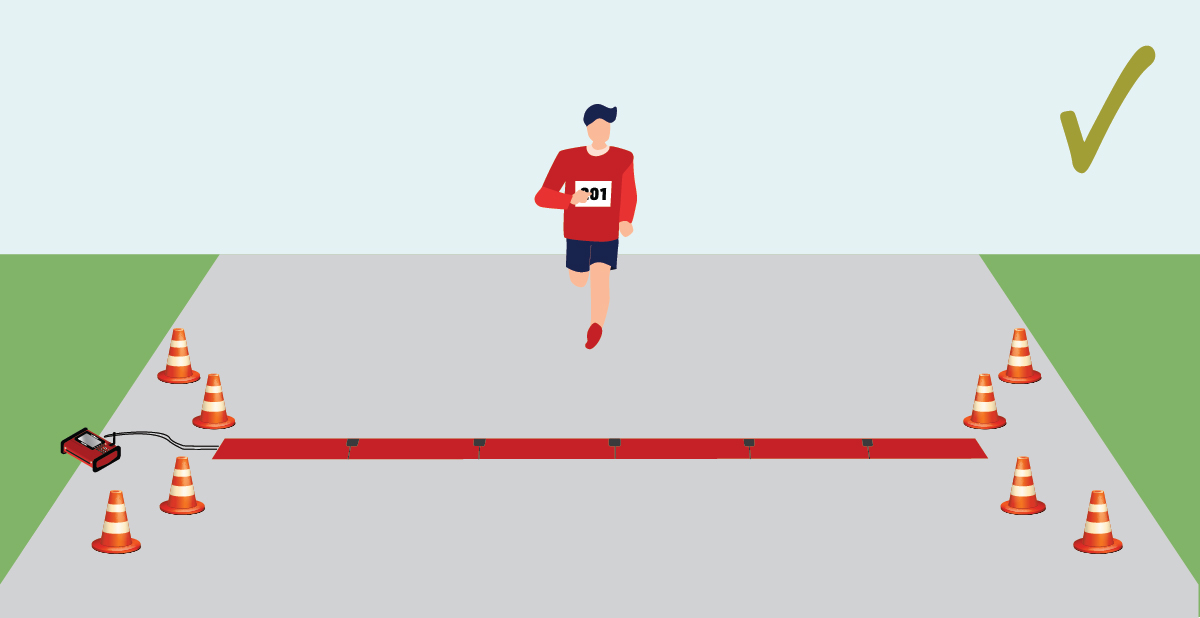
If your Ubidium Ground Antenna is longer than the width of the Timing Point you should split the antenna to remove the unused segments. This will further optimise the performance of the detections since the unused Antenna Elements will not be in operation.
Never fold additional segments vertically to point back across the mat, since multiple elements are activated simultaneously this can cause the detection fields to overlap which may inhibit the performance of the system.
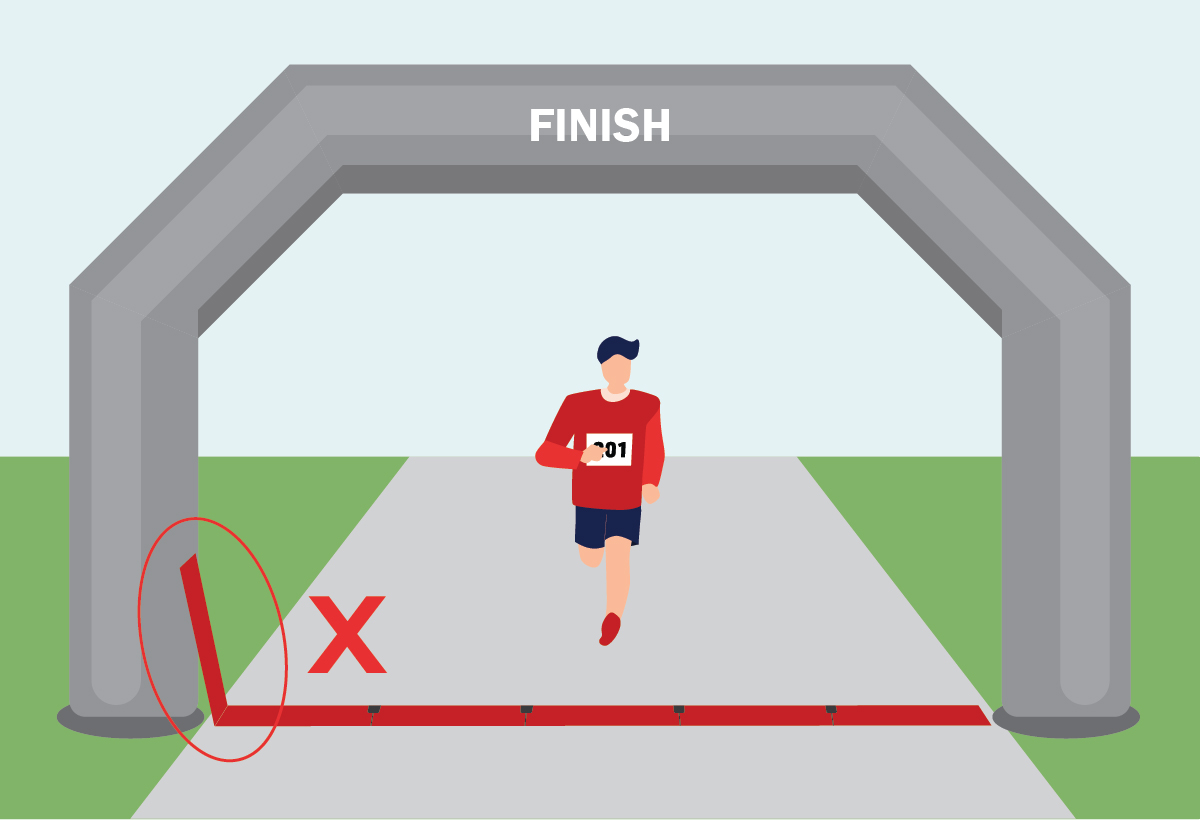
Additional segments should be removed when possible, or can be setup as normal, even laid under other structures, without a negative impact on read rates.
When using Ground Antennas with more than 10 elements where passings in excess of 10,000 participants are expected or those setup on ground with a low friction coefficient, it is recommended to additionally secure the Ground Antenna using a heavy-duty tape on the leading edge.
Using Multiple Systems in Close Proximity
If using multiple systems in the same location, for example using a main and backup timing system at the same Timing Point, then you should ensure a minimum of 5 m / 16 ft between the antennas.
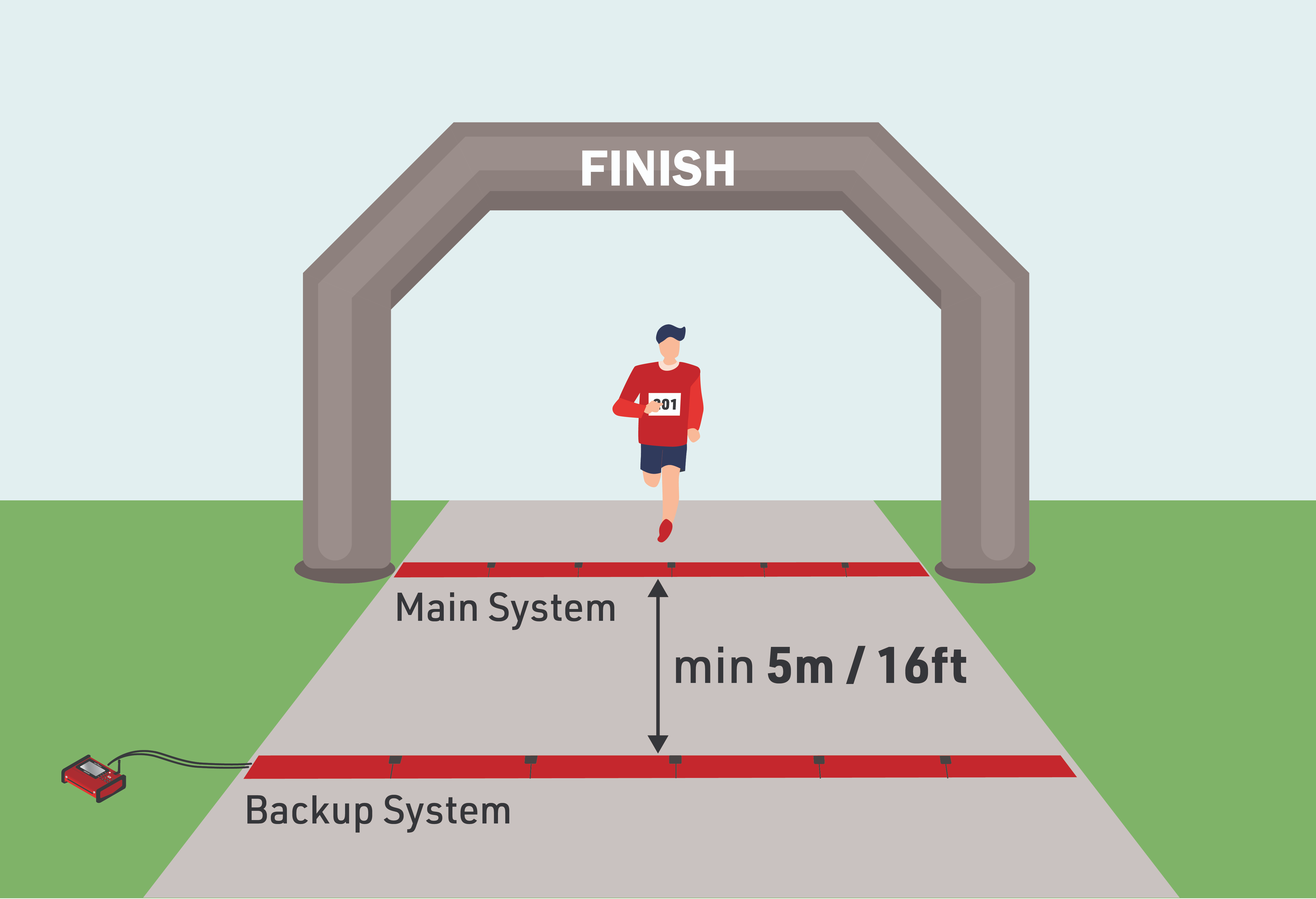
If the detection fields of two separate systems overlap then it can inhibit the performance of both systems.
Protection from External Factors
Particularly in busy areas such as the finish you should try to protect your Ground Antenna from unwanted intrusion such as spectators or event staff.
People who are unaware of their surroundings may stand on sensitive components such as the Ubidium System or the Connector Cable which could cause damage to the system or completely break components.
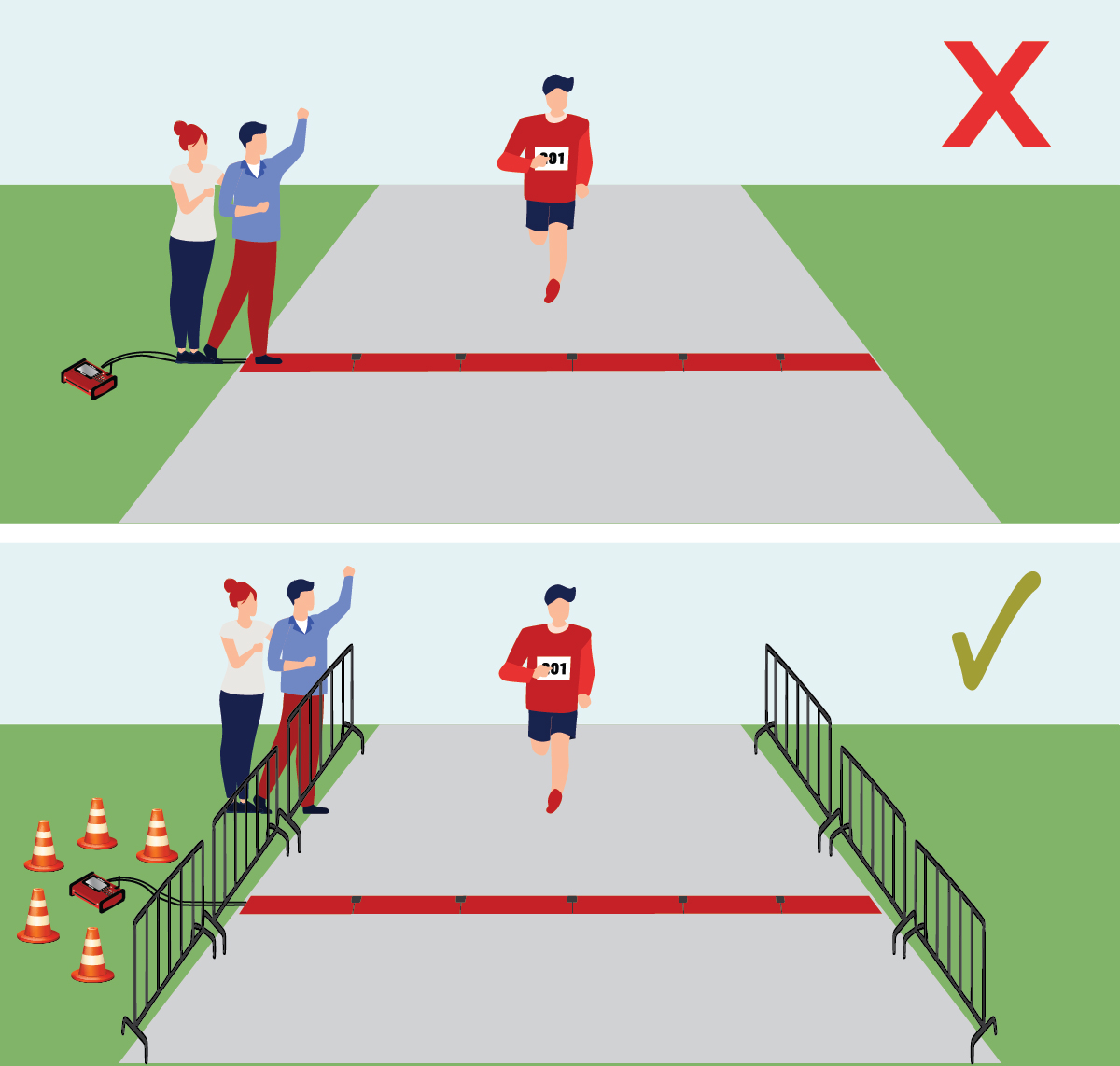
Standing on an Antenna Segment may also cause high reflections on an Antenna Element which will prevent that element from working which may impact your detection performance.
It is also possible that other participants who are standing nearby may cause unwanted detections. Whilst this is normally ignored at a software level it is good practice to try and avoid unwanted detections.
We recommend creating a 1 m / 4 ft buffer around the Ubidium System and Ground Antenna.