The Ubidium Ground Antenna can be shortened down to a minimum of 2 segments (~1.5 meters / ~5 ft) or extended up to 30 segments (~23 meters / ~75.5 ft).
The antenna is designed to be extended or shortened by an even number of segments at a time, the intended splitting points are labelled on the black plastic base of each segment. It is possible to add or remove single segments however this requires additional care and consideration.
Adding or removing segments can be done by opening just 2 individual segments, there is no need to open all the entire length of the antenna.
IMPORTANT: Before adding or removing Antenna Elements - ensure that the Ground Antenna is not connected to an Ubidium System or that the System is shut down.
Opening / Closing The Ground Antenna
To add or remove segments to the Ground Antenna you will need to remove the red plastic covers from the segments at the splitting / joining point.
To remove the covers, lift one edge until the Snap-In buttons release, it should be possible to remove the covers without great force.
Once finished, you must ensure that the covers are correctly fitted to ensure the performance of the system.
To ensure correct fitment, first align the covers and starting on one side push down on the cover to fit the guides joints together then repeat on the opposite side. At the end of each segment it can help to lift the corner of the cover as you are pushing down.
Once the guide joints of both sides are fitted together, start from the middle of the cover and push down moving towards the ends to secure the Snap-In buttons.
Cable Routing
The cabling of the Ubidium Ground Antenna is designed to create 2 unique strands of antennas, to achieve this each interconnecting cable skips one antenna element to connect to the second following element.

Here the two strands are color-coded red and blue.
The red strand connects to the 1st and 3rd antenna elements and is then in the parking position on the 4th segment.
The blue strand connects to the 2nd and 4th antenna elements, whilst the next blue interconencting cable would be in the parking position of the 5th antenna element to be connected.
Extending the Ground Antenna
To extend the Ubidium Ground Antenna, open the last segment of the existing section and one end of the section to be joined.
Align the 2 sections and connect them using the black plastic hinges, there should be 4 slots to join with hinges.
Remove the interconnecting cables from the parking position on each segment, the coupling joints from each interconnecting cable should be connected to the Antenna Element of the opposite section. Start by gently pushing the plates in to the coupling joint and screw these in by hand to avoid damage to the threads. Once secure then they should be tightened with a screwdriver to ensure they compress the silicone seals and do not come loose.
Only after fitting and securing the coupling joints should you run the cables through the cable channels of the black plastic base, this ensures that there is no additional strain on the coupling joints. The cable channels contain additional slots for slack cable if required.
Shortening the Ground Antenna
To shorten the Ubidium Ground Antenna, open the segments either side of the splitting point.
Start by unscrewing the last coupling joint at the splitting point of the last Antenna Element which will be kept. In some cases you may need to elevate the cable slightly to release the screw. Similarly unscrew the first coupling joint on the first Antenna Element of the section which is being removed.
The short section of excess cable from each section should be then fitted in to the labelled parking position of the base. This must NOT be looped back and connected to the Antenna Element of the same segment.
To separate the hinges, lift one of the mats to slightly overlap the other and use a slotted screwdriver or similar narrow blunt object to push the hinges out of the joint.
Cover Plugs
One cover plug is included for each Ubidium Ground Antenna Reader Element, this will normally be stored in the parking position, or will be fitted to the final element. The cover plug helps prevent ingress of water and debris in to the coupling joint.
Whilst water will not cause any electrical fault with the system during operation, if dirt and water (particularly salt water or cleaning solutions) are left inside for prolonged periods of time these may cause physical damage to the connectors.
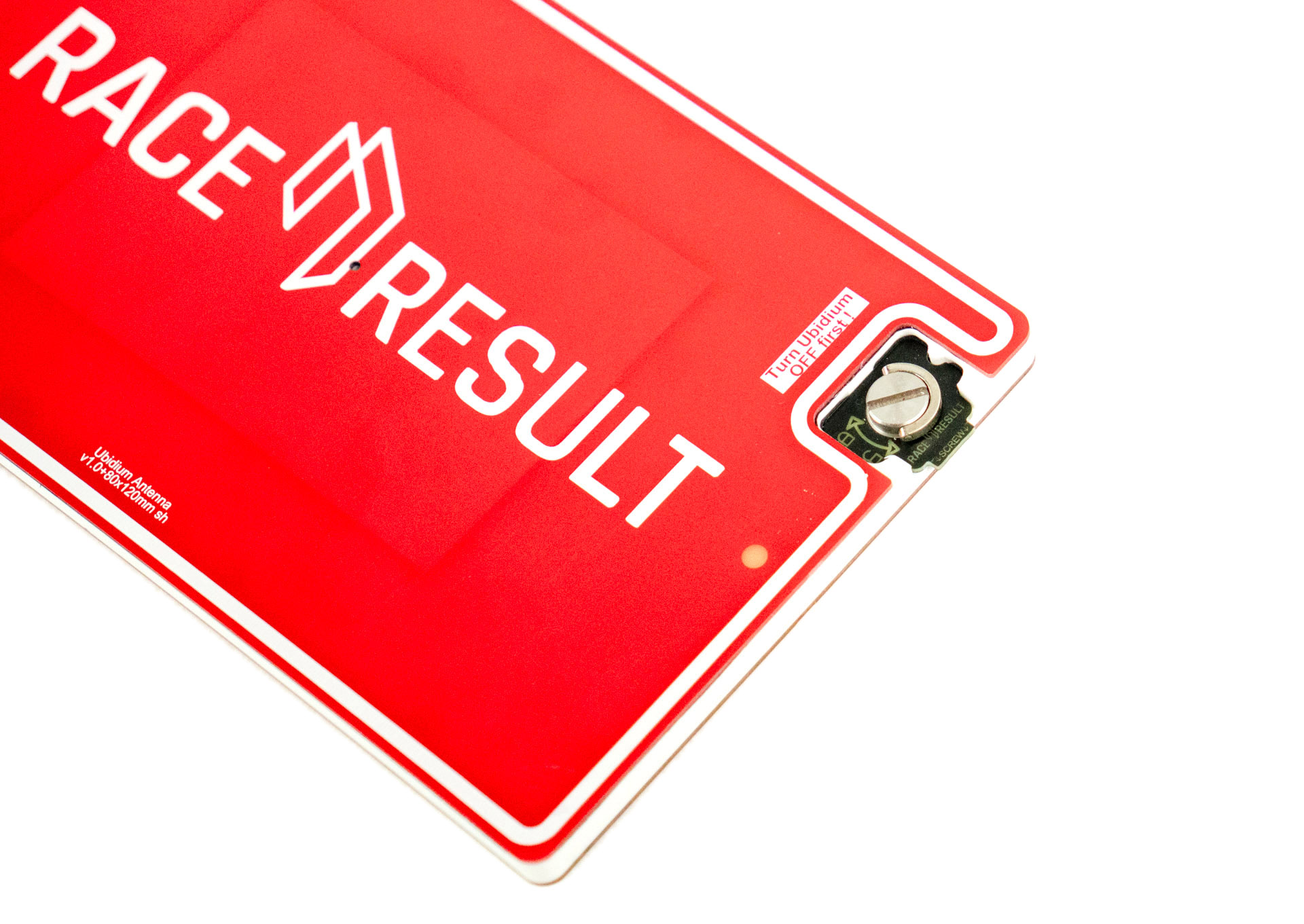
Parking Position
The last interconnecting cable, which will run from the second-last Antenna Element, must not be connected to the last Antenna Element of the same section. This can cause irreparable damage to both the Ubidium System and Antenna Elements.
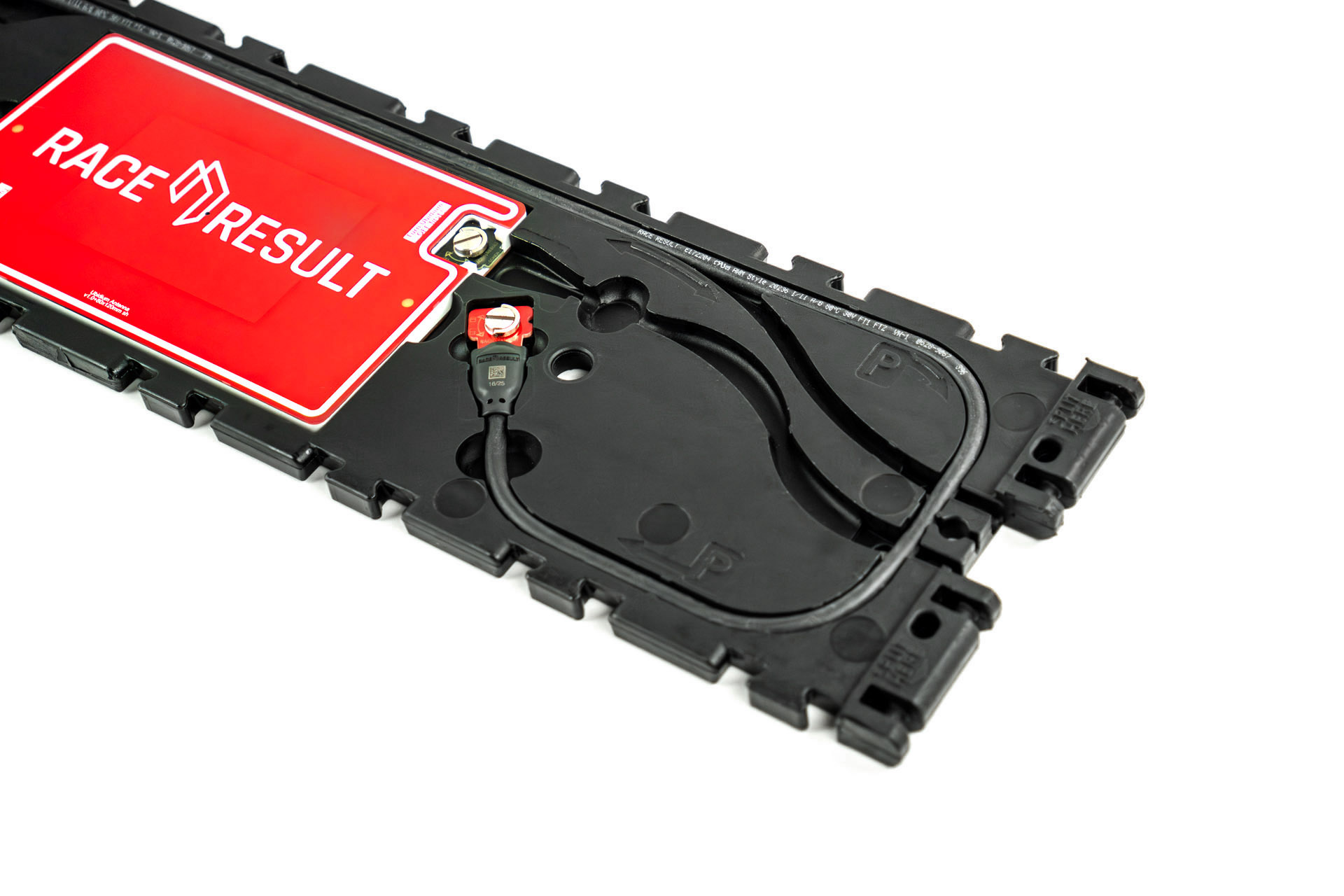
At the intended splitting point of each segment there is an additional cable channel which runs around the perimeter of the segment with an additional cutout for the coupling joint to be slotted in to. This is additionally labelled with "P" to indicate the parking position.
Removing Single Segments
If removing a single segment from the Ubidium Ground Antenna then the joint will not be a designated splitting point and the base will not contain an additional parking position for the excess cable.
In this situation it is recommended that the additional interconnecting cable is removed from the system to prevent damage, it must not be connected to the last Antenna Element.