If you are not utilizing the registration through RACE RESULT 14 it is also possible to import participants from an Excel or CSV file.

Include column headers in the first row to enable automatic field mapping. If headers are missing or do not match field names a  will show in the import preview, they can be mapped manually or skipped for import.

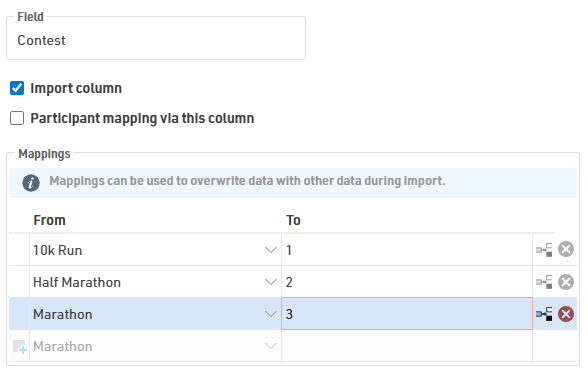
Contest and other data that must match the format already in the event file can be manipulated. For example, Contest names must match the event file or Contest ID can also be used.
When importing ages use one of DateOfBirth, YearOfBirth, or Age, importing more than one causes data conflicts.
Once you have mapped the data to import, choose whether you are only adding new participants, only updating existing participants, or both adding and updating participants.
If you are updating participants you can choose how participants should be matched to the data, normally this will be done using the Bib number.
Save repetitive configurations as an Import Template. Templates can be set as default or exported to other event files.