For the timing of each event, we will use the same two devices, one for the start and one for the finish.
To define each time which device goes where, we create one single timing point for each event.
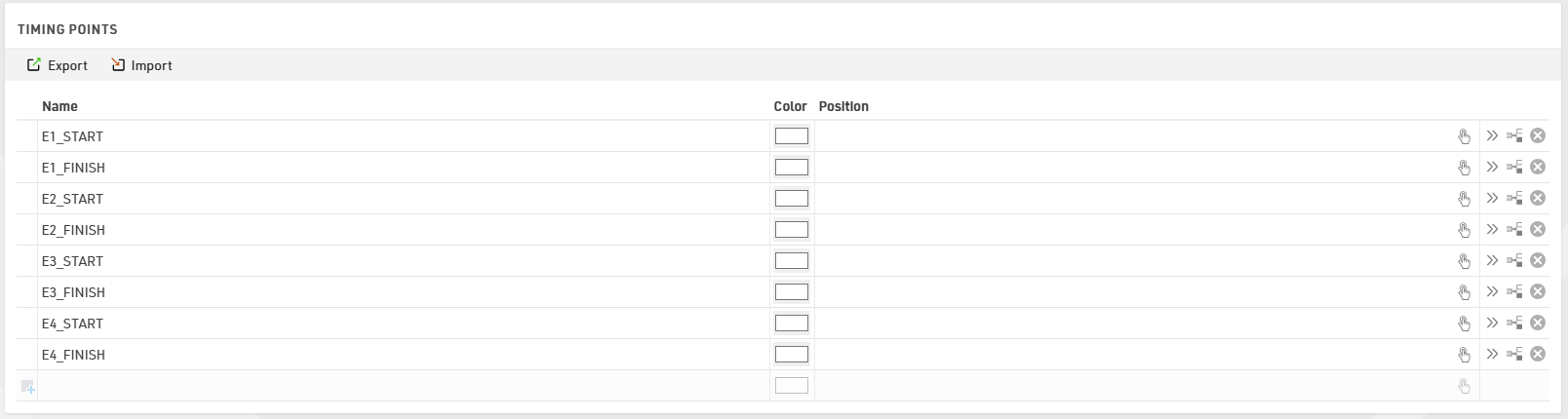
This will allow us to associate each detection of a specific timing point of a specific event into a "timing container" which will be then used in the Special Results to run calculations.
Special Results
To better work with special results, when having multiple events/races on the same file, it's highly suggested to structure the results with some sort of logic.
In this case, we decided to store each result of a specific event in a block of 100.
And all similar results have the same unit: for example, the EventX_Time has always result ID X01.
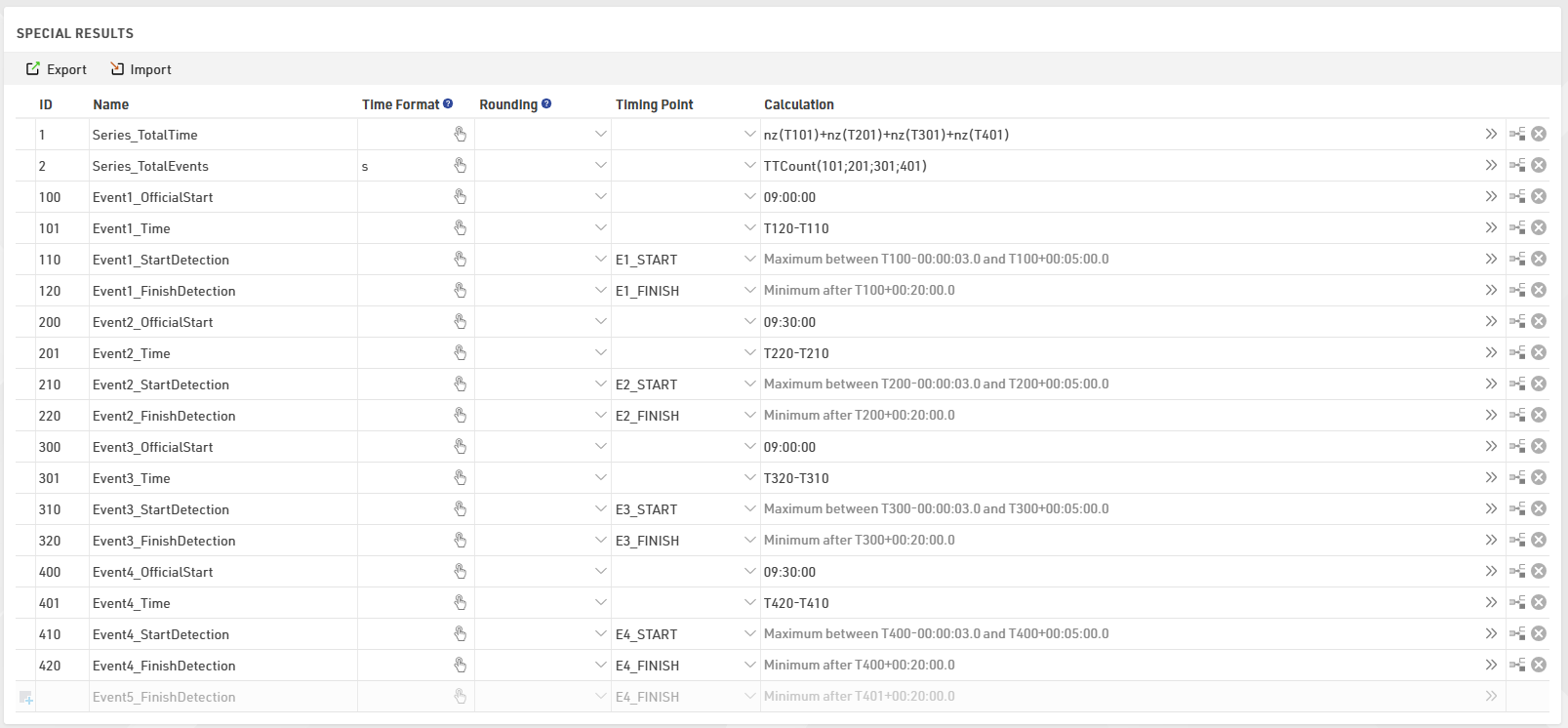
In results 100-200-300-400 you can enter the official start time of each event, and the EventX_Start/Finishdetection will look at them to take the right timing detection from each timing point.
In result 1 we store for each participant the sum of all the times of each event, and in result 2 we count how many events have been completed.
These two results will be then used for sorting and ranking participants in the result lists.
Scoring
Under Scoring ⇒ Rankings it is possible to create an indefinite number of ranks based on filter/grouping/sorting values applied.
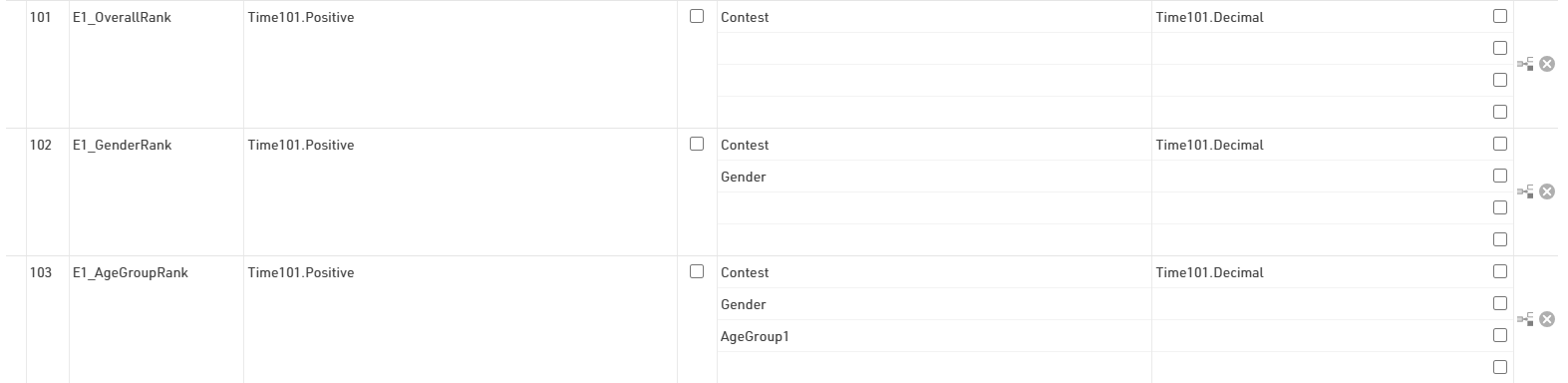
For each event, we have followed the same block structure used in the special results with blocks of 100.
Each event has 3 specific rankings, which are the Overall/Gender/AgeGroup: they all have the same filter and order, but they differ by the grouping used.
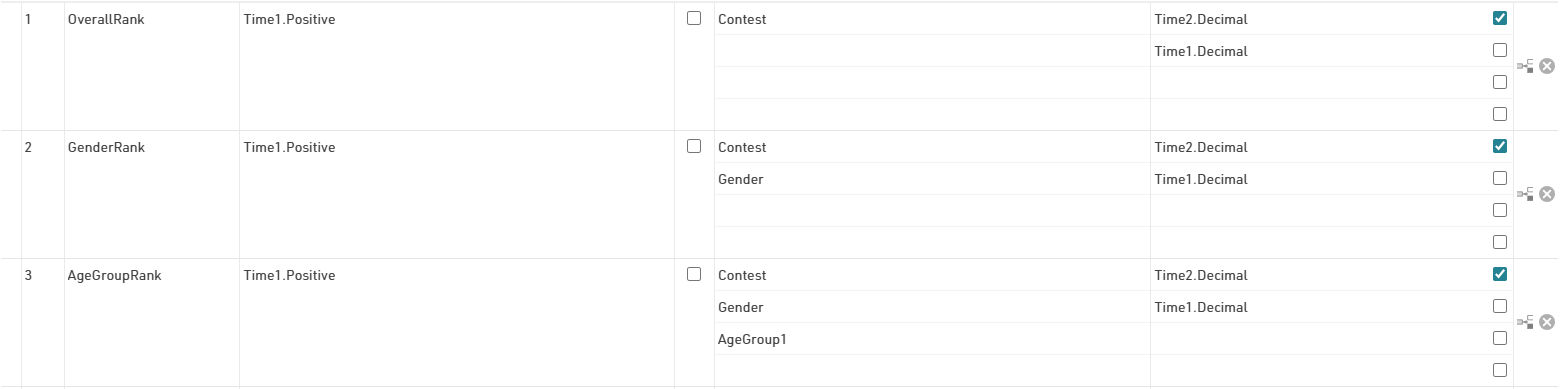
For the Event Series, we have ranks 1-3 which take in account the special results IDs 1 and 2.
The checkbox ticked on the first line of each ranking tells the software to order participants by highest number of events completed to lowest. Only when participants have participated in the same number of events, the software will then sort by fastest to slowest.