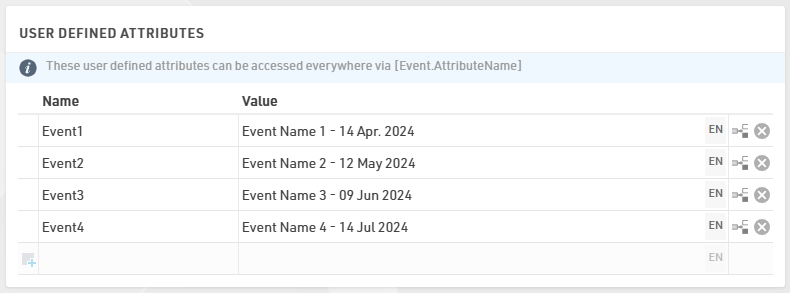
Event Attributes
Having a Series, you are in the need of storing values for each event which have to be cross-linked to all participants no matter on which event they apply for.
Under Basic Settings > Event Settings > User Defined Attributes it is possible to store information which can be called in the Registration Forms, Output lists and Certificates later on.
Additional Fields
For the creation of the Registration Form and for assigning the right entry fee to each participant, we first need to create additional fields which will allow us to evaluate the participant's registration and calculate the proper entry fee.
Under Basic Settings > Participants Data > Additional Fields, we can create a group and store as many checkboxes as the number of events we have in our Event Series. The WholeSeries checkbox is to simplify the registration of a participant who wants to participate in all events, profiting from the special price for it.
The use of a checkbox is preferred due to the fact that only two choices are possible. A dropdown with a YES/NO menu could also do the job, but it would require more work on our side and more action from the participant when registering to the event.

Entry Fees
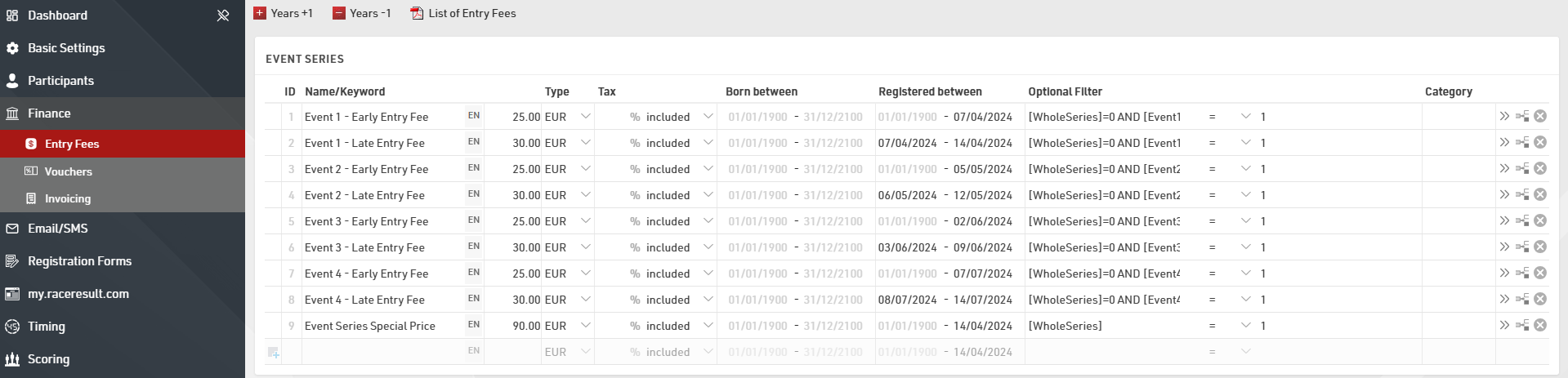
In relation to the series, each event entails two fees - a discounted early fee applicable until one week before the race day and a late fee incurred for registrations made within seven days of the race.
To make this possible, we fill the "Registered between" date-span field according to the fee and the event in account.
All fees will be applied based on a filter which looks if the [WholeSeries]/[EventX] checkboxes are ticked/unticked.