Splits are the simplest way to time a race and should be used for races where all participants within the same contest complete a fixed course with a defined finish.
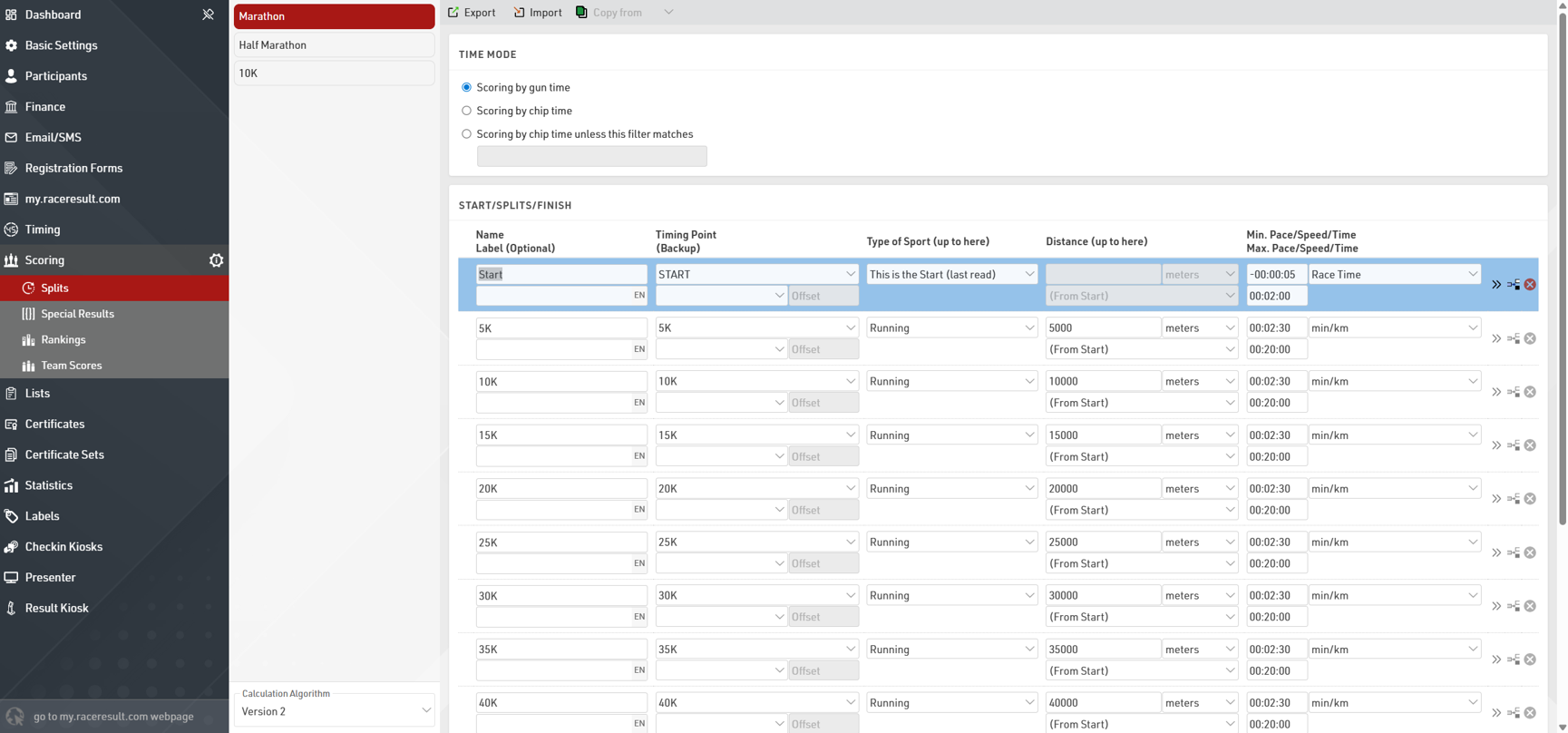
Splits are defined for each Contest individually.
For each Contest you need to define the Time Mode, this determines whether the race should be scored on Gun Time or Chip (Net) Time.
You should then setup a Split for each time you expect to detect a participant, if a participant will pass a Timing Point multiple times then multiple Splits should be setup, one for each passing.
In a simple setup this could be just a single Split for the finish which could be defined with a minimum race time.
For each Split it is first important to define the Split Name and Timing Point which should be used to select times from. Then define some minimum and maximum values for each Split, these create the rules for which times are valid for each Split.
If you are recording a start Split to be used for Chip Time then you must ensure that the Type of Sport is set to This is the Start (last read), as this indicates that this Split should be used for the Chip Time calculation.
Below is an explanation of the Splits in some of the basic templates, for more complex setups you may need to dive deeper into Splits or consider using Special Results.
Standard Template
If using the Standard Event template then you may wish to check the maximum and minimum values for the start and finish.

By default the Start Split has a maximum time of 2 minutes, meaning every passing at the STARTFINISH up to 2 minutes from the race start will be considered to be the Start.
The Finish Split then has a minimum time of 2 minutes, meaning every passing at the STARTFINISH after 2 minutes from the race start will be considered to be the Finish.
Major Event Template
The major event template uses minimum and maximum pace values for each Split after the Start. This can be useful when the Split distances are known as it does not require calculations of minimum or maximum times. The Start Split uses the same rule as explained in the standard template.
(Half Marathon)
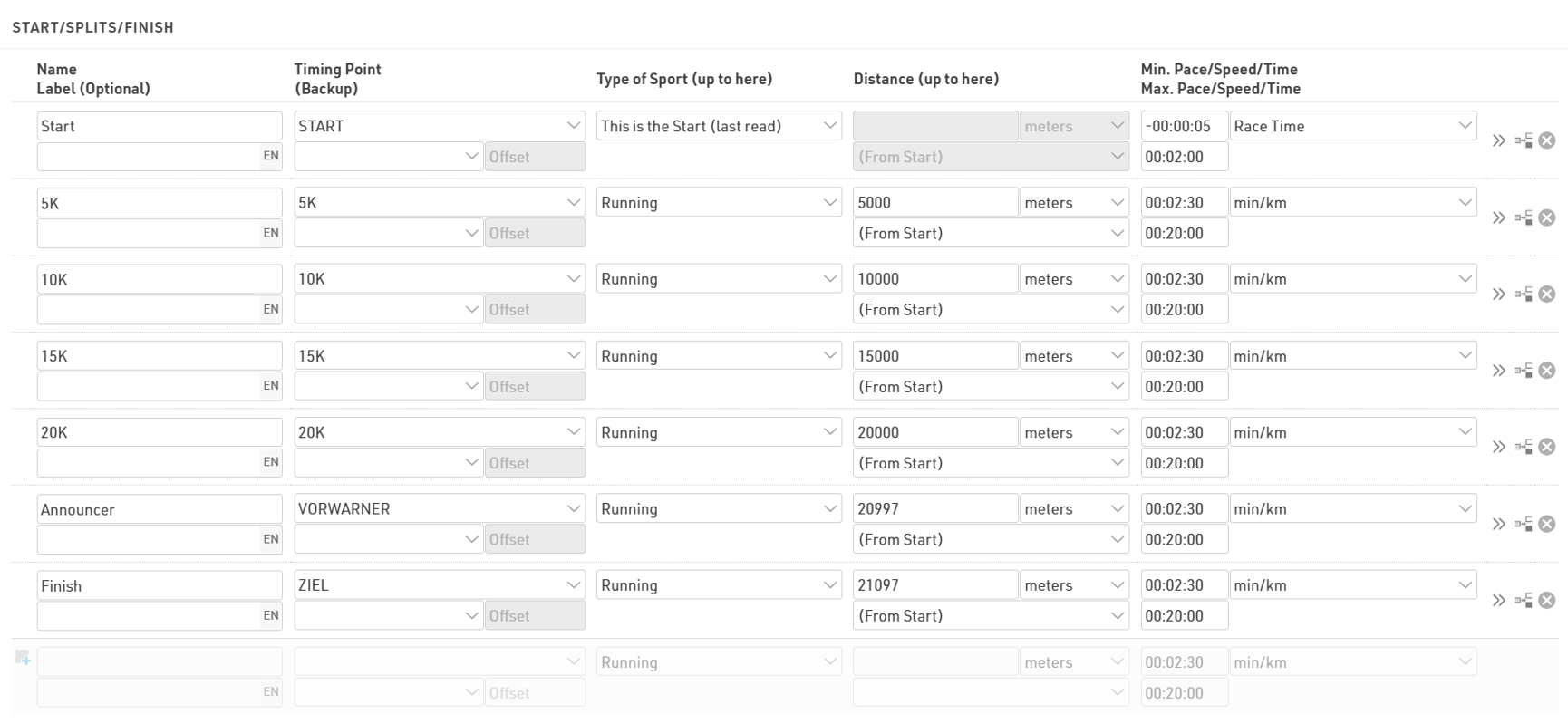
Note that these pace values are standard expected values based on road running events, for trail runs or track events you may need to use different values. It is also important that the distances are accurately defined, particularly when considering the Announcer and Finish line due to the short distance (100m) between these two Splits.