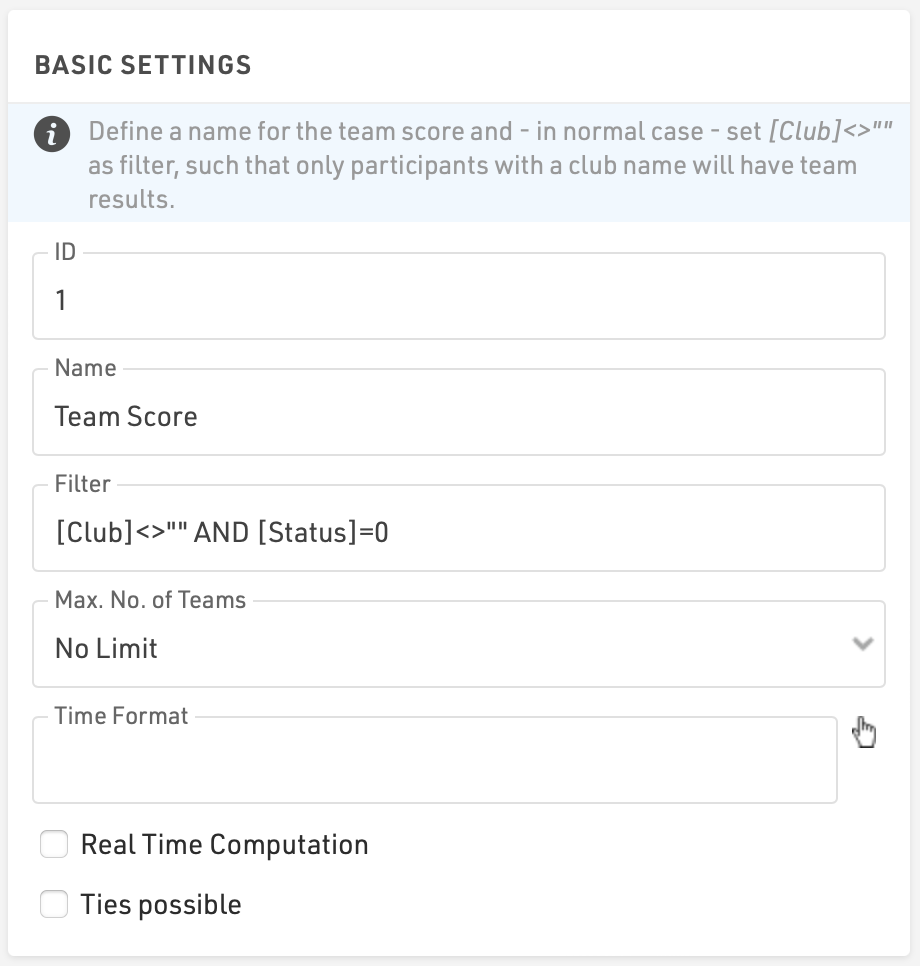
The basic settings define initially the ID and Name of a Team Score. Each Team Score can be accessed either through the ID using TSX, where X is the ID of the Team Score, or the Team Score name.
Filter: The filter determines which participants are eligible to be included in a Team, for example:
[Club]<> "" AND [Status]=0
This ensures that only participants who have registered their club and have regular status are considered.
Max No. of Teams: Determines what should happen if there are more participants in a team than defined by the maximum number of particpant in a team. The Team Score can automatically create multiple separate teams for the same team definition (Determined by the TeamIndex field) or can be limited to a single team.
If limited to a single team then there are some additional options for how to handle the extra participants which allow eligible participants to be included in a team and receive the same Team Score Rank and Time, even if they are not scored as part of the team.
- 1 and show all part. - all eligible participants who have a time in the result used for Team Score Result 1are included in the team.
- 1 and show all part. w/o time - all eligible participants based on the Filter and Team Aggregation are included in the team even if they do not have a time in the result used for Team Score Result 1.
Time Format: Set a Time Format to format the result of the Team Score with a different time format than defined in the Contest Settings.
Real Time Computation: When enabled the Team Score will be recalculated whenever the participant data / results are updated, rather than computed on demand. This is only necessary in practice when dealing with incredibly large datasets and pushing live data for example to live TV where data is needed instantly.
Ties possible: Whether a tie in rankings should be allowed, if not enabled then then teams will be given a unique rank.