When using one or more Loop Boxes in Repeat Mode, the detections from several timing points will be received through the base (Loop ID 1) Ubidium or RACE RESULT System with Active Extension or USB Timing Box, and be read in the Timing tab through one single connection.
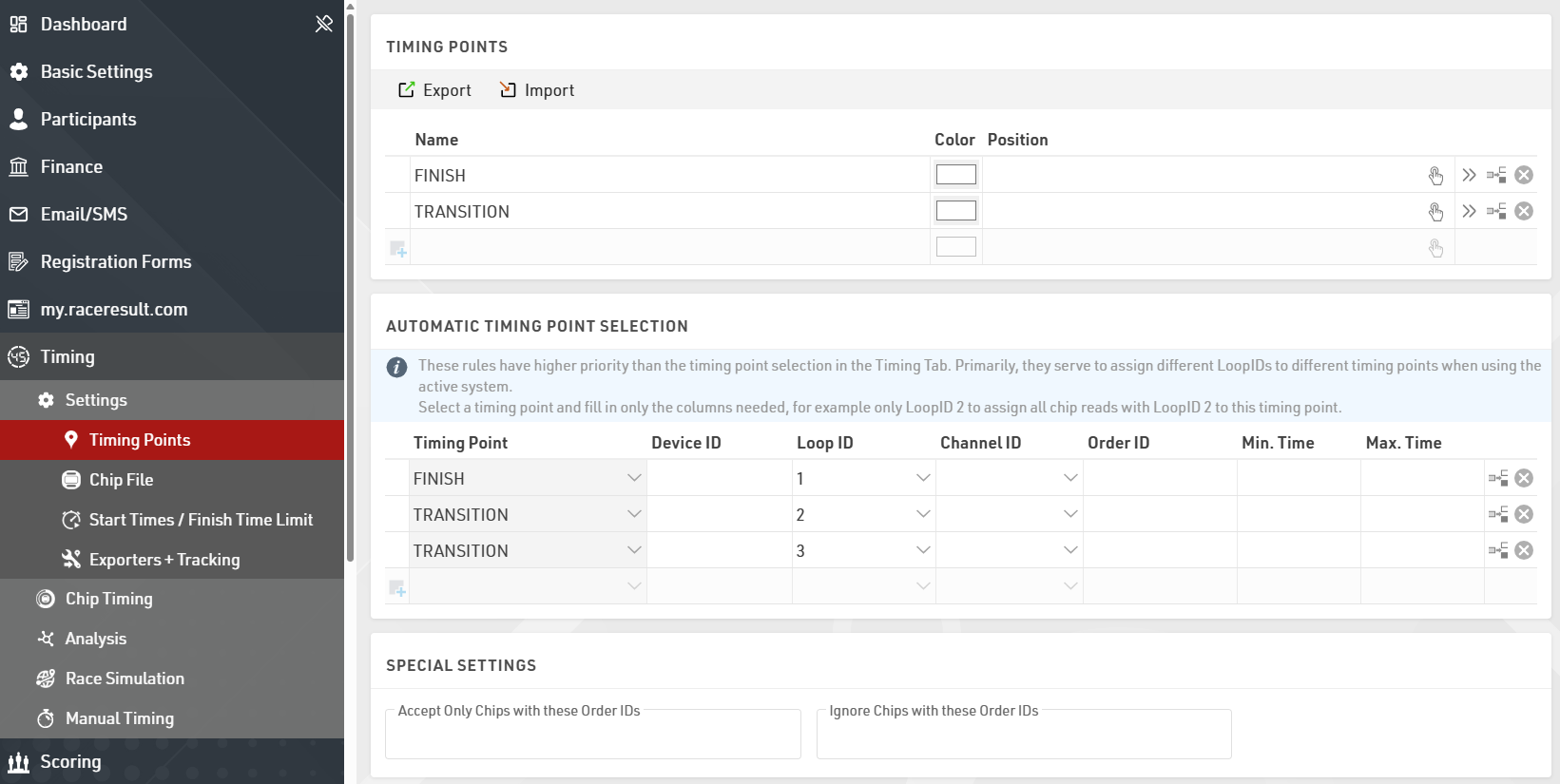
To assign detections from a certain loop to a certain Timing Point in the software, go to the Timing points settings in the Timing tab in your event file, and define the Automatic Timing Point Selection settings. The below screenshots show a typical setup of a triathlon event, the main system at the finish line is set to loop 1 (base), the two Loop Boxes at the entrance and exit of the transition area are set to loop 2 and loop 3 respectively.
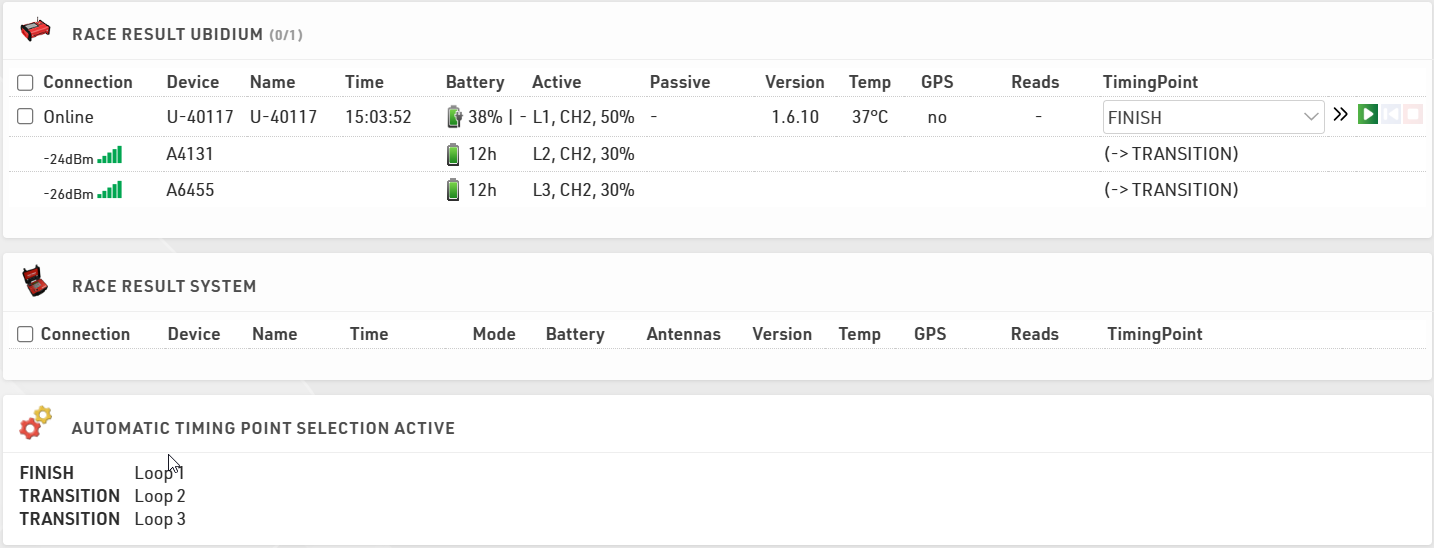
In the Chip Timing and Systems section of the Timing tab, the Loop Boxes are listed under the main system they are connected to, with an indication of the signal strength and of the battery status. On the far right, the software displays which timing point the data of the Loop Box will be written in, if an automatic timing point selection rule applies. For the main system, note that you do not necessarily need to select a timing point in the drop down selection menu if you have set up a rule that applies to that channel and loop ID combination. The automatic timing point selection rules have priority over the dropdown selection.
Here is a table indicating the estimated quality of the signal based on the value displayed:
| Quality | Value |
| Perfect (could not be better) | above -65 dBm |
| OK (nothing to worry about) | -75 dBm, ... , -65 dBm |
| Not Great (still working, but could be better) | -85 dBm, ... , -75 dBm |
| Barely Detected (setup should be checked) | below -85 dBm |