Login can be used to allow users to login to access specific registration forms or self service forms: this is commonly used for Company-Races where only one member of a team is in charge of the registration of all members of a team.
Please note the Login is not mandatory for using the Online Self Service. You can set up a self service form and use ChangeLink() to send a Changelink to participants via mail, by integrating the ChangeLink() in the email body.

This is primarily used for corporate registrations where a team manager may then register additional team members and ensure they are registered to the correct team / club, or with series registration where members may login to retrieve their details easily.
Note that the login is only accessible within the event it is set up and cannot be used across multiple event files.
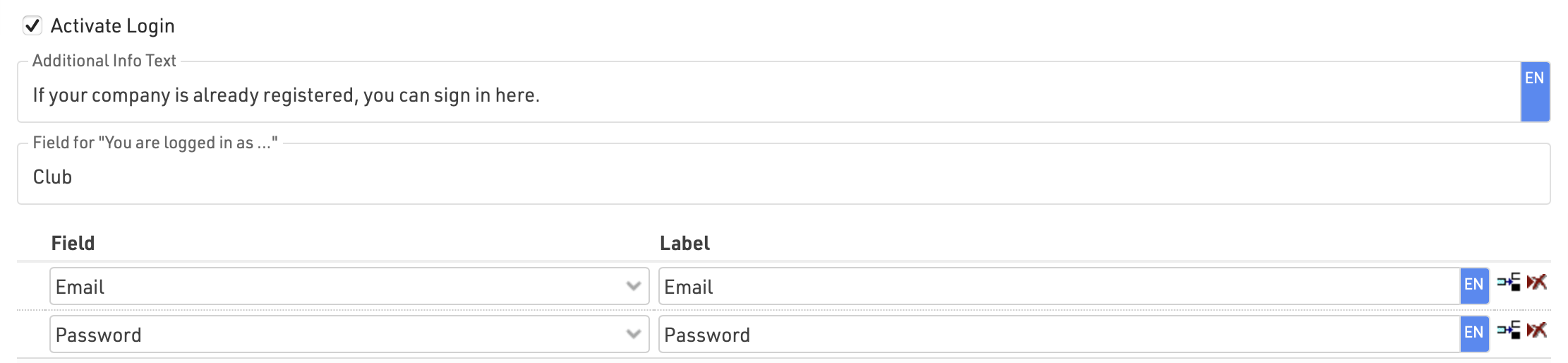
To allow users to login add at least two fields to be used to login, these should be captured in the initial registration and must be unique. Most commonly this would be an e-mail and the password field (which is stored as a hashed value).
When logged in you can show additional specific registration forms or self-service forms for the user to access.
Additionally, fields from the logged in user can be called in Store Additional Values in the advanced settings of registration forms.