
Upload Passing Analysis Data
In some cases, RACE RESULT Support may request analysis data from your system, this will be uploaded directly to the RACE RESULT Servers. If you choose to upload this without being requested, please also e-mail support@raceresult.com with further information.
Upload Log Files
Upload the internal system logs directly to RACE RESULT by time frame:
- Since (last) system startup
- From today
- Last 96 hours
- Everything
Firmware Upgrades
See the Ubidium Firmware guide for more information on how updates are processed.
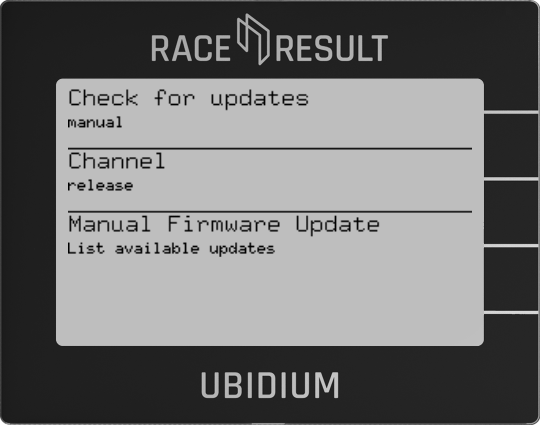
Check For Updates
Choose how to handle firmware update checks - either automatic or manual.
Channel
Choose between release or beta channel for firmware updates
Manual Firmware Update
Only available when set to manual check mode - press navigation button for List Available Updates to check and list available firmware updates.
Settings

Store all Settings to List
Creates a settings configuration list with the current system settings, the list will be saved with the entered name
Settings lists stored on the system will be automatically copied to an external USB drive when connected
Settlings List
Choose from a previously saved settings list, or remove previously saved settings lists
Load from USB-Stick
If a USB drive is connected then it will be scanned for available settings lists which can be imported to the system
Reset all Settings
Will do a full factory restore on all system settings to return the system to it's original state, the system will restart after completing a factory reset