Ubidium contains a 4G/LTE module for connecting to the internet via a mobile network, this module supports fallback to 3G/2G where available.
If a SIM card is present then the system will always automatically try to connect to the network regardless of whether or not cloud services are enabled.

The modem has support for both an internal SIM card, provided by RACE RESULT, and a secondary external SIM card port located with the main system Ports.
Note that at this time the internal SIM cannot be used for connecting the system online for timing unless otherwise stated by RACE RESULT.
External SIM
When using an external SIM card most networks should support the automatic APN settings which are available. In some cases you may need to manually configure the settings.
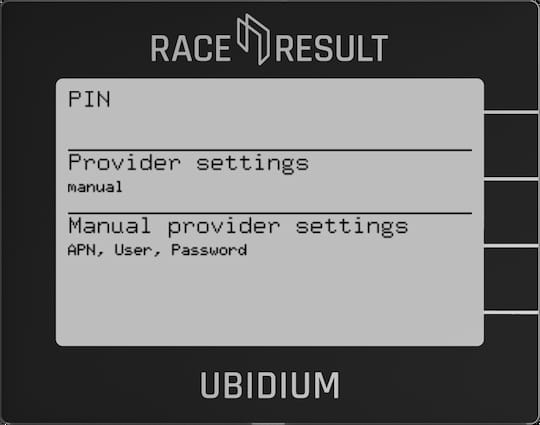
PIN
The SIM Pin if required, this can be left blank if not needed.
Provider Settings
Switch between Auto and Manual settings for the APN to connect to the network.
Manual Provider Settings
Set the APN, User and Password as required for the network.
External SIM State
When attempting to connect to a network the modem will cycle through a series of processes to attempt to establish a connection. The state of this connection is shown here.
| State | Notes |
| COULD NOT CONNECT | No SIM card detected or communication failed |
| SLOT-STARTING | SIM card slot is restarting |
| VERIFY(1-3) | Verify a SIM card is installed |
| SLOT-SWITCH | Switch the modem to use the external SIM slot |
| CHECK STATE | Checking the state of the modem |
| UNLOCK-SIM | Check if a PIN is required and unlock the SIM card |
| SIM-UNLOCKED | SIM card has been unlocked |
| ENABLE | Enabling the network |
| ENABLE-WAIT | Waiting for a network signal |
| WAIT-REGISTERED | Attempting to register the SIM card on the network |
| APPLY-APN | Applying the APN settings |
| CONNECT | Attempting to connect to the internet |
| CONNECTED | SIM card is connected to the internet |
| SLOT-DISCON | SIM slot is being disconnected from the modem |
| SLOT-DISABLE | SIM slot is being disabled |
| SLOT-STOPPING | SIM slot is being shut down |
Use External Antenna
In areas with weak signal it can help to use an External 4G/LTE Antenna to help connect to the network. This should be connected to the External 4G/LTE Antenna.
It is important to only enable this setting when an external antenna is connected, using this without an antenna may damage the internal electronics of the modem.
You should only use antennas intended for 4G / LTE applications, other antennas, such as the 2.4Ghz range extender, may result in worse performance.
Mobile Connection Info
View the current status of the mobile SIM card connection

Modem & SIM Card
Technical details of the currently connected SIM card

Network Technology
Type of network currently connected and network signal strength
Provider
Registered provider of the currently connected SIM card