The Participant Window contains a large number of input- and text fields. Most likely, you will not need all of them, but sometimes additional fields may be required. In Basic Settings->Participants Data you specify the input- and text fields which are displayed when adding and editing participants.
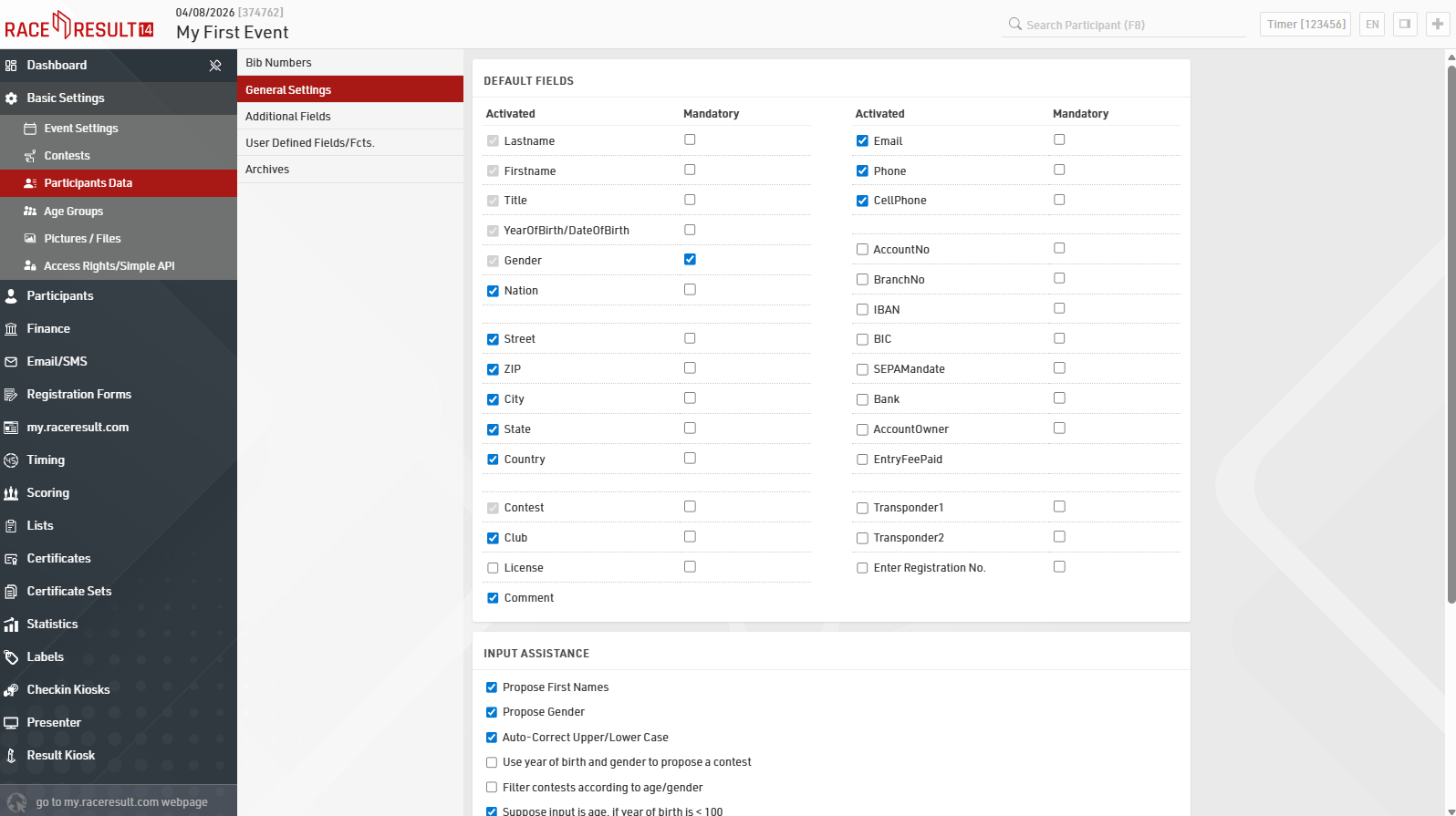
Default Fields shows the default fields that you can either activate or deactivate (e.g. Nationality, Street, etc.). In case you need additional input fields, you can create an unlimited number of Additional Fields. Chose from a number of different pre-defined field types to match your requirements best. Find out more on Additional Fields.
In the User Defined Fields/Fcts. you can write your own fields and functions, which may relate on other data and change dynamically. Learn more about User Defined Fields.
When opening the Participant Window, you will now find only those input and text fields tailored to your requirements.
Input Assistance will define automations if you will be manually adding participants directly in Race Result 14.
You then have two options to deal with new entries based on bib ranges: When Creating new participants propose bib and When creating new participants suggest contest based on bib ranges. In the first case, the system searches for an available bib number after choosing the contest the new participant will compete in. This option should be chosen during pre-registration before the event. In the latter case, the contest will be set automatically when entering the bib number for a new participant. This scenario is most suitable for late entries during the event.